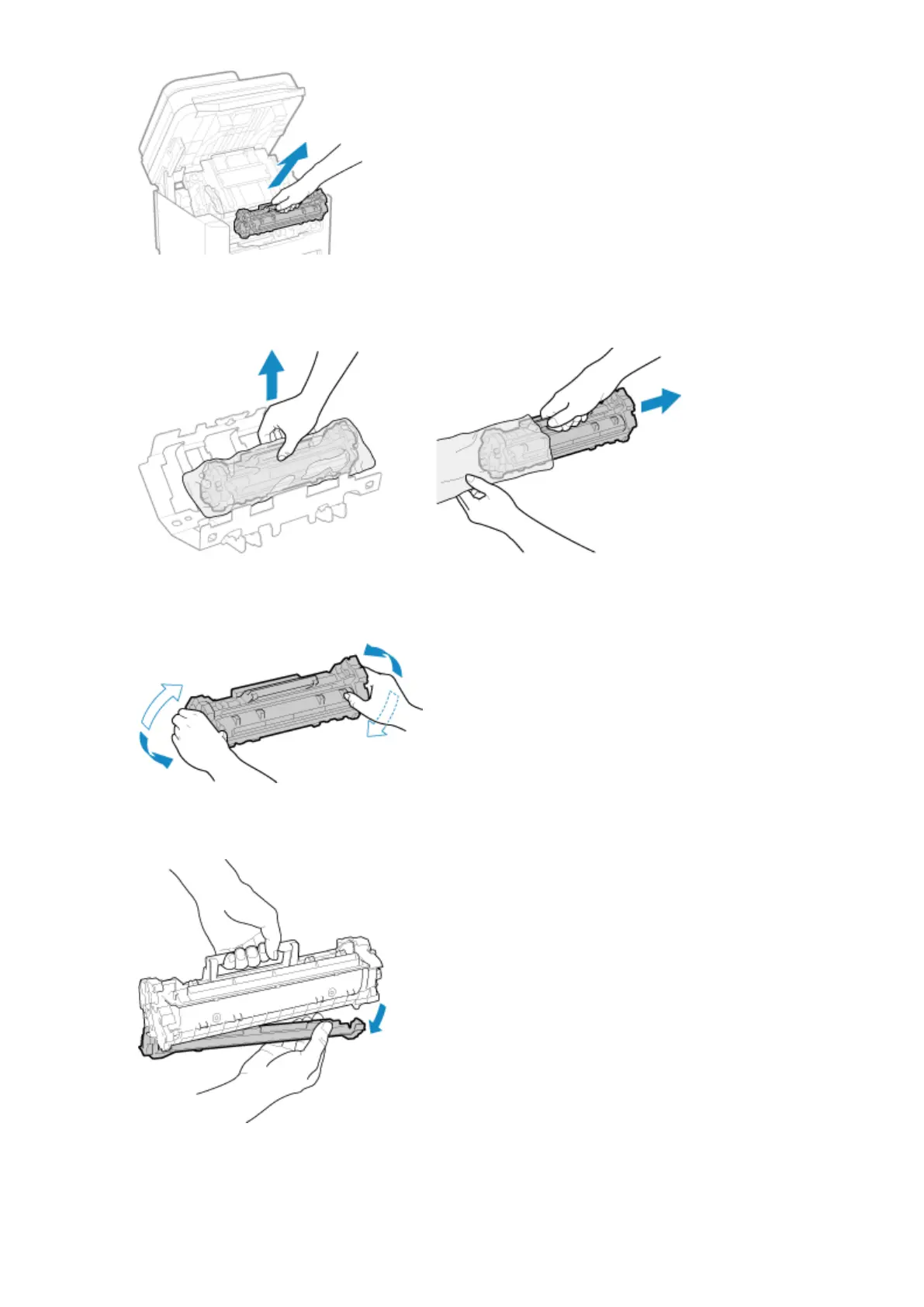
Slowly pull it out at the same angle as the slot.
4
Remove the toner cartridge from the packing material on a level surface.
5
Shake the toner cartridge ve or six times to evenly distribute the toner inside the
cartridge.
6
Remove the protective cover of the toner cartridge.
Be careful not to touch the drum surface on the bottom of the toner cartridge.
7
Install the toner cartridge.
Maintenance
475











 To Next Page