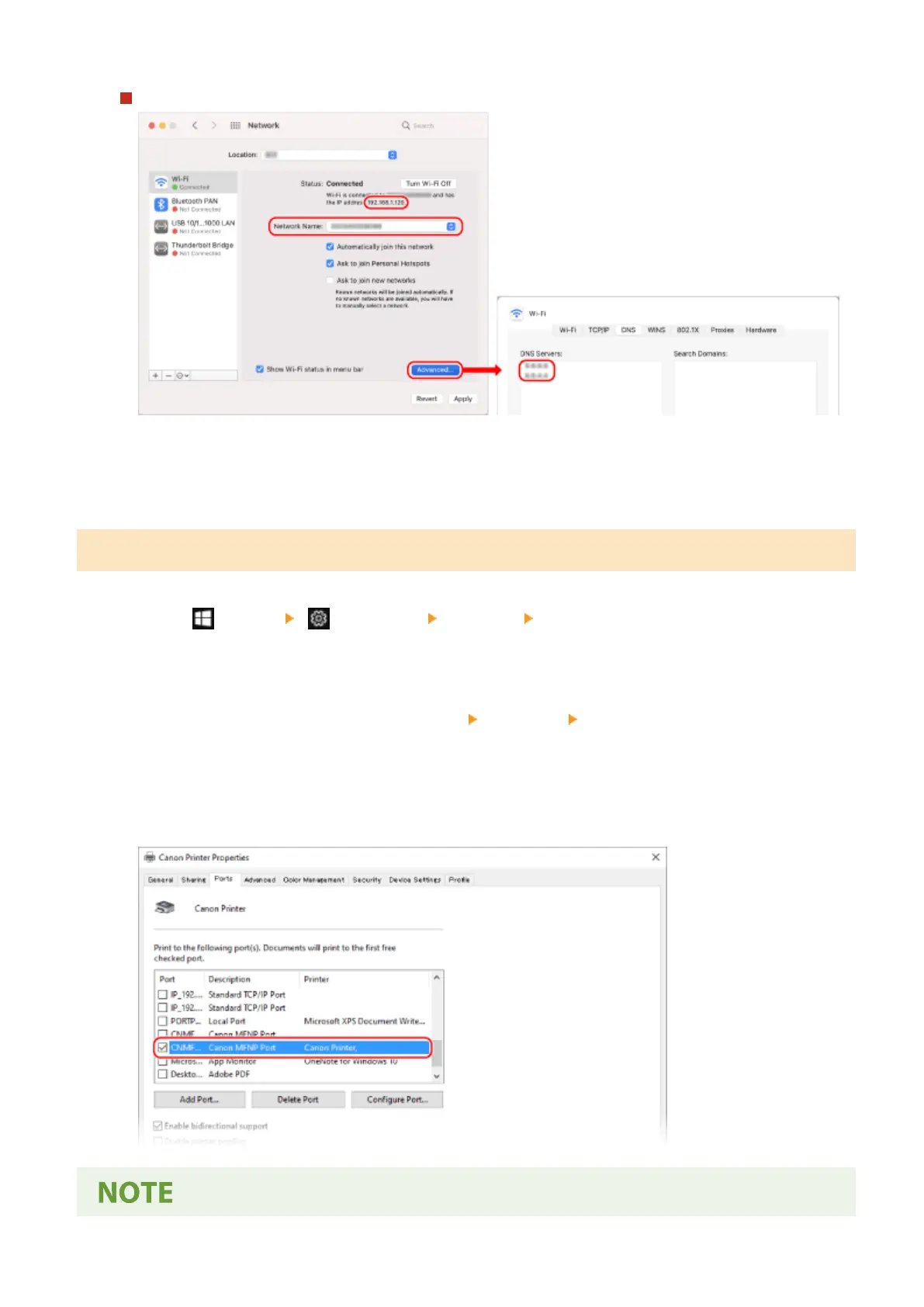
For Wireless LAN
● Vie
w the SSID in [Network Name].
● View the IP address in [Status].
● Click [Advanced], and view the DNS server on the [DNS] tab.
Viewing the Printer Port
1
Click [
] (Start) [ ] (Settings) [Devices] [Printers & scanners].
➠ The [Printers & scanners] scr
een is displayed.
2
Click the printer driver of the machine
[Manage] [Printer properties].
➠ The printer driver pr
operties screen is displayed.
3
On the [Ports] tab, view the port being used.
Appendix
597











 To Next Page