Driver Matching Mode
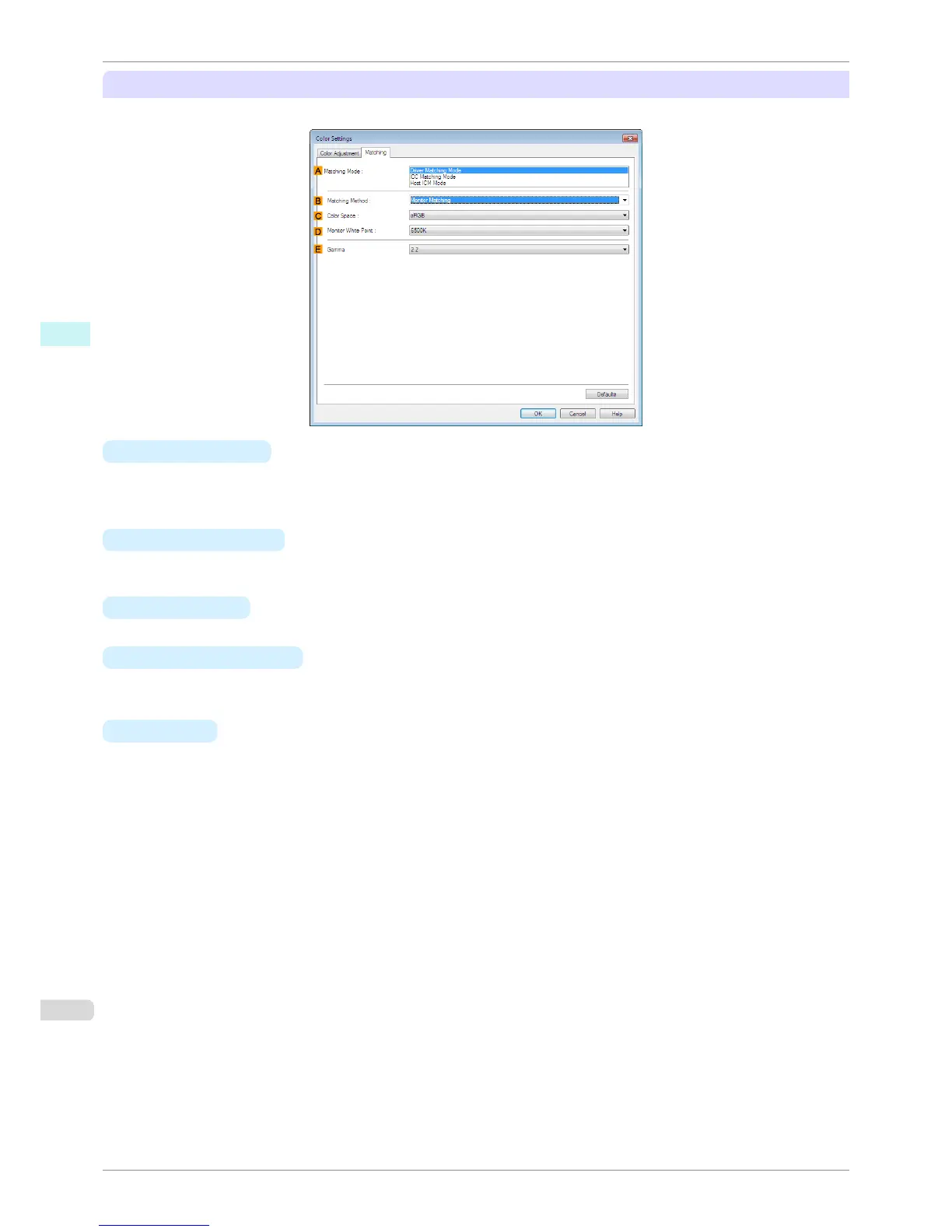
The following options are available when you select Driver Matching Mode in the A Matching Mode list.
•
A Matching Mode
Select the color matching mode to use, as desired.
Normally, select Driver Matching Mode. For color matching based on ICC profiles, select ICC Matching
Mode or Host ICM Mode, depending on your color matching system.
•
B Matching Method
Select the color matching method that suits the document to be printed. Various Matching Method options
are available depending on your selection in Matching Mode.
• C Color Space
Select the applicable color space as desired.
• D Monitor White Point
Enter the color temperature set on the monitor.
Displayed when the B Matching Method is set to Monitor Matching.
• E Gamma
You can adjust the gradation of intermediate tones in an image.
2.2 is normally selected. If you want a softer impression than 2.2, select 1.8.
Matching Sheet
iPF8400S
User's Guide
Windows Software Printer Driver
166














 To Next Page