6
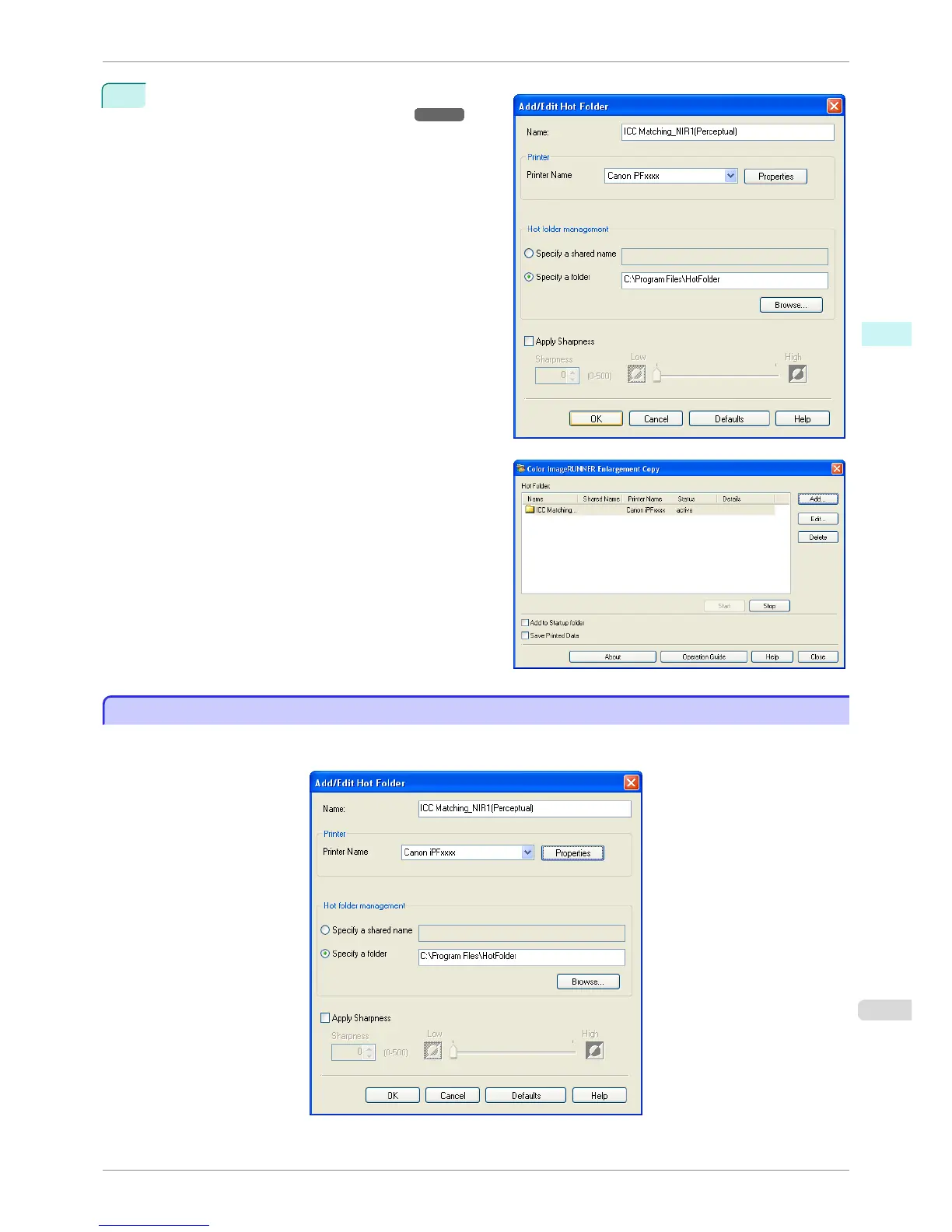
As necessary, set the print conditions in the hot fold-
er. (See "Setting the Print Parameters.")
➔P.221
Click the OK button to close the Add/Edit Hot Fold-
er dialog box.
The hot folder you have created appears in the Hot
Folder list in the Color imageRUNNER Enlarge-
ment Copy dialog box.
Setting the Print Parameters
Setting the Print Parameters
The printer driver opens when you click the Properties button in the Add/Edit Hot Folder dialog box. The printer
driver is used to configure basic settings to match the type of media loaded in the printer.
iPF8400S
Setting the Print Parameters
User's Guide
Windows Software Color imageRUNNER Enlargement Copy
221














 To Next Page