How to View Instructions With Navigate
How to View Instructions With Navigate
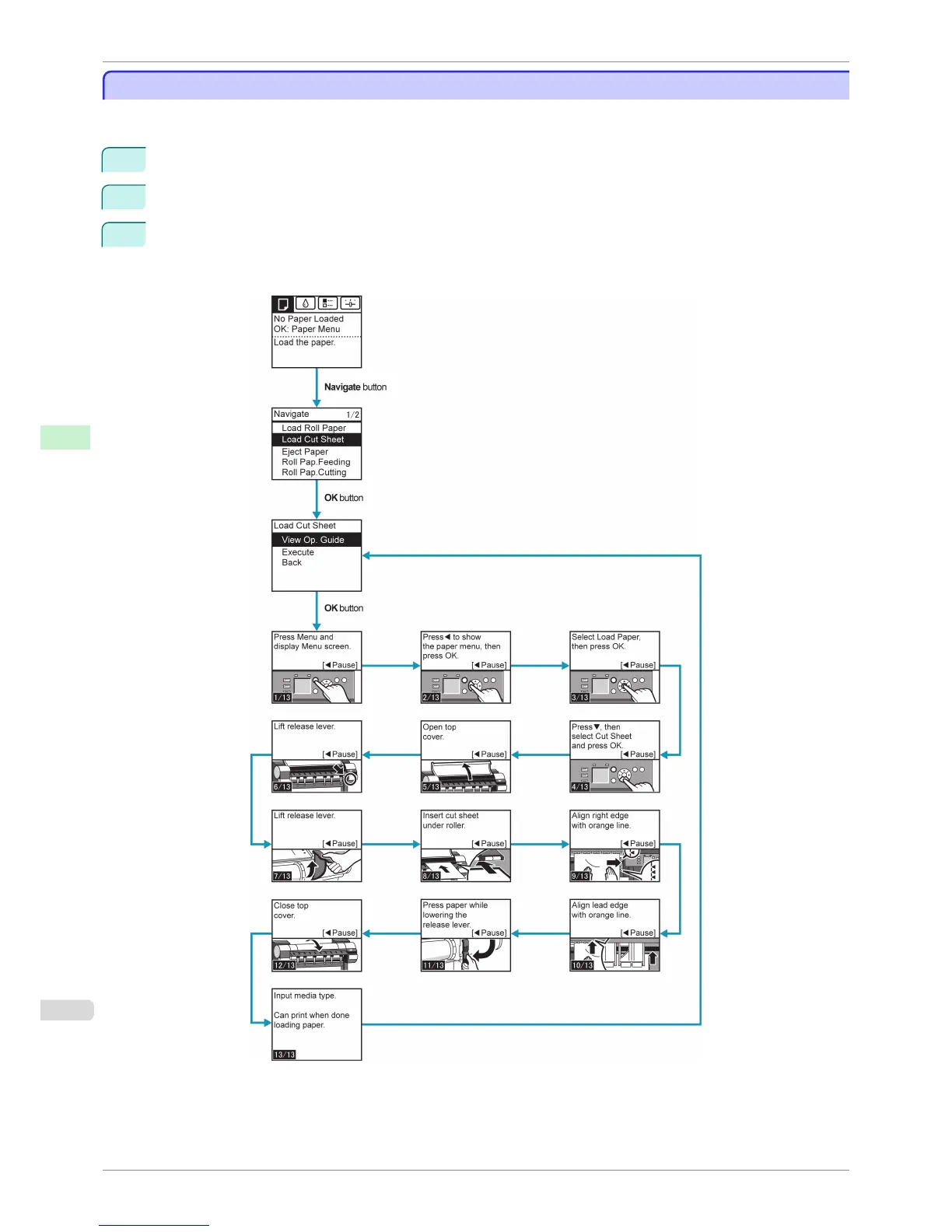
You can refer to instructions for loading paper, replacing ink tanks, and performing other operations on the printer
control panel.
1
Press the Navigate button.
2
Press ▲ or ▼ to select the desired navigation menu.
3
Press ▲ or ▼ to select View Op. Guide, and then press the OK button.
Instructions are now displayed.
Example: Loading sheets
How to View Instructions With Navigate
iPF8400S
User's Guide
Control Panel Operations and Display Screen
580














 To Next Page