3
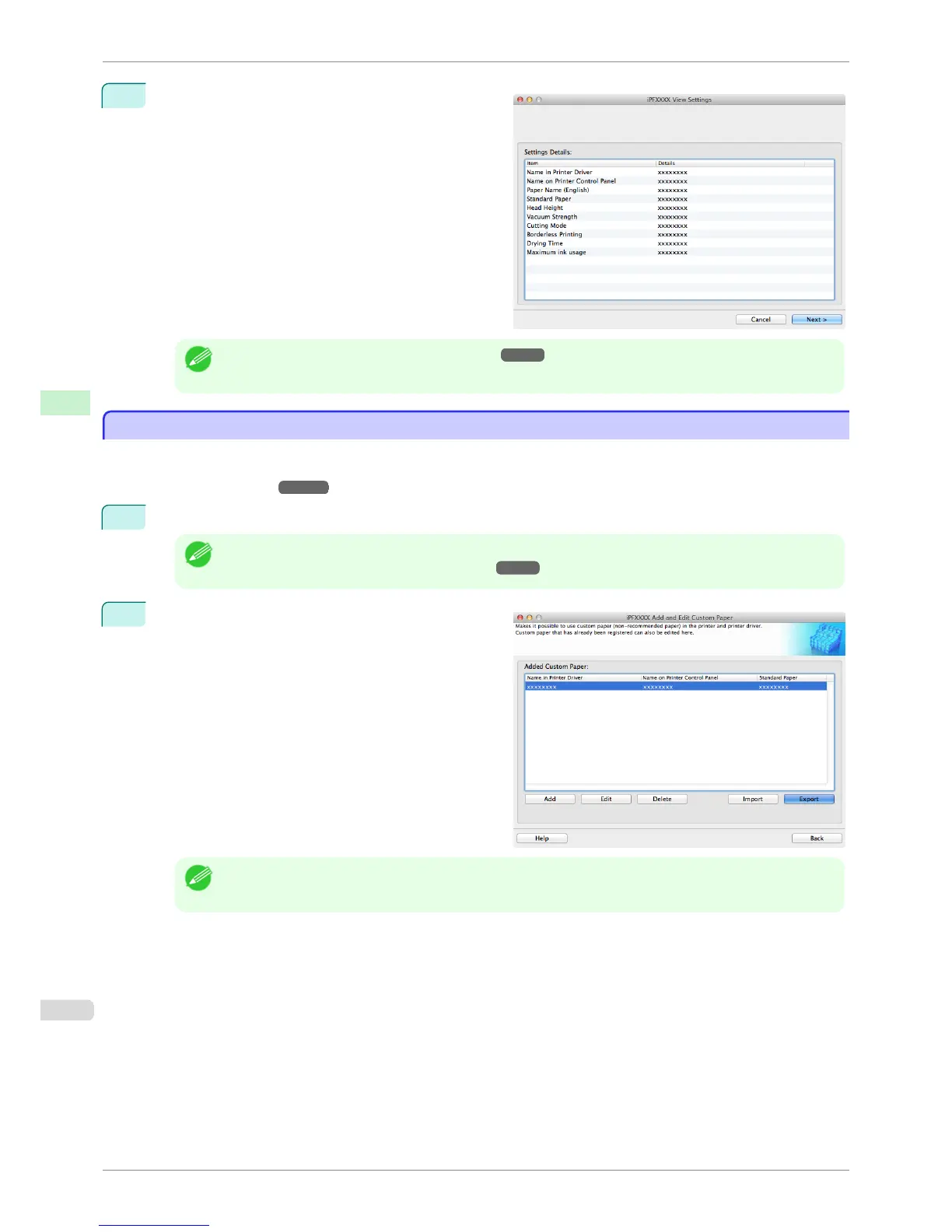
The View Settings dialog box is displayed.
Follow the on-screen directions and change the set-
tings as required.
Note
• Refer to Steps 5 to 15 of the "Add Custom Paper" ➔ P.560 for details on how to configure each setting.
Export Custom Media Information
Export Custom Media Information
You can export to file and save media information about custom paper that you have added.
The saved Custom Media Information File can be used by importing it into another printer or PC. Refer to "Import
Custom Media Information" ➔ P.569 for details on "importing custom media information".
1
Open the Add and Edit Custom Paper dialog box.
Note
• For details on the procedure for opening the Add and Edit Custom Paper dialog box, see "Using Paper Other
than Genuine Paper and Feed Confirmed Paper." ➔ P.558
2
Select the paper you want to export to media infor-
mation file from the Added Custom Paper list and
then click the Export button.
Note
• You can select multiple paper.
Export Custom Media Information
iPF8400S
User's Guide
Handling and Use of Paper Media Configuration Tool (Mac OS)
568














 To Next Page