2
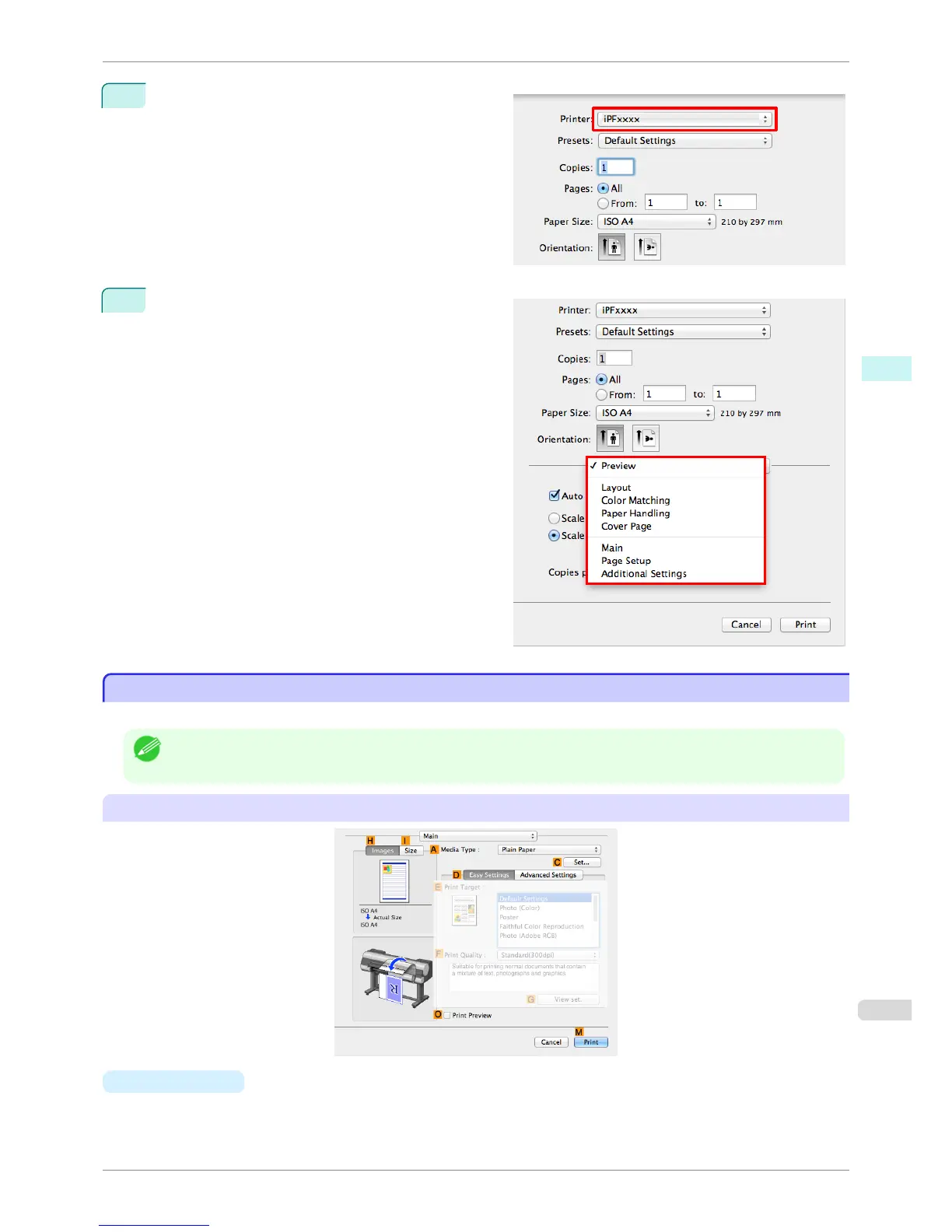
Select the printer in the Printer list.
3
Click Print to start printing.
As shown in the following illustration, you can switch
to other panes in this dialog box to complete settings
for various methods of printing, including enlarged
and reduced printing, borderless printing, and so on.
Main Pane
Main Pane
The following settings are available on the Main pane. For details on settings items, refer to the printer driver help.
Note
• On the Main pane, choose Easy Settings to specify basic print settings based on the print target, or switch to Advanced
Settings to complete more detailed settings as desired.
Common Items
• A
Media Type
Select the paper type.
iPF8400S
Main Pane
User's Guide
Mac OS Software Printer Driver
323














 To Next Page