Print with a Desired Picture Quality
Print with a Desired Picture Quality
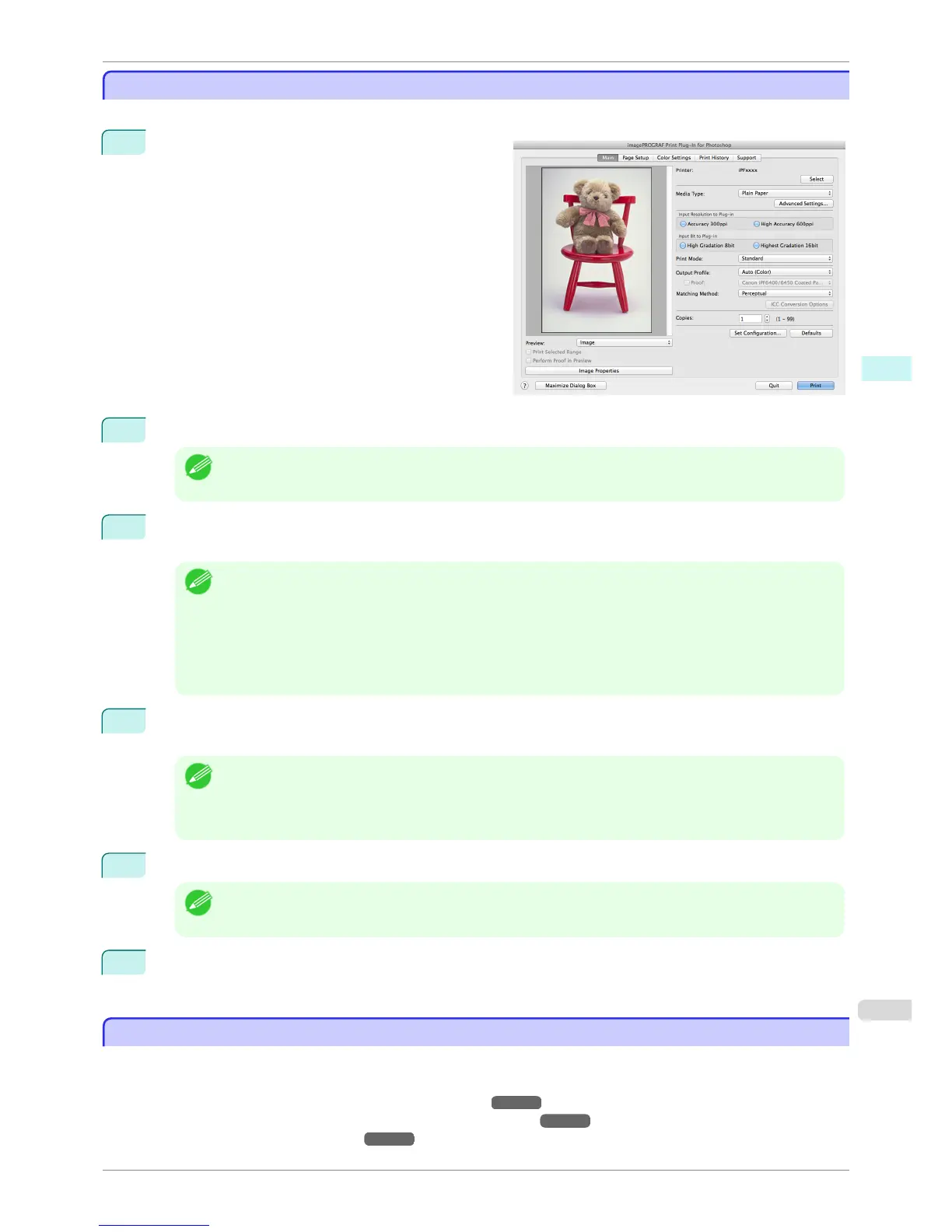
You can specify and print at the resolution you desire.
1
Display the Main sheet.
2
Select the media set to the printer in Media Type.
Note
• Always select media type that is actually set in the printer. When the media you chose is different from the
media set in the printer, you may not receive the desired print results.
3
Choose either Accuracy 300ppi or High Accuracy 600ppi for the resolution to process images in Input
Resolution to Plug-in.
Note
• When you select Accuracy 300ppi images are processed at an accurate resolution. This can control print
speed and memory capacity.
• When you select High Accuracy 600ppi images are processed at a more accurate resolution. This setting re-
sults in the best print quality, but this takes more time to print than Accuracy 300ppi while also requiring more
memory capacity.
•
High Accuracy 600ppi will not display with some Media Type settings.
4
Choose either High Gradation 8bit or Highest Gradation 16bit for the bit number when processing im-
ages in Input Bit to Plug-in.
Note
• When you select High Gradation 8bit, images are processed at 8 bit/channel (24 bit).
• When you select Highest Gradation 16bit, images are processed at 16bit/channel (48 bit).
• Highest Gradation 16bit will not display with some Media Type or Input Resolution to Plug-in settings.
5
Select the mode to be printed when processing images in Print Mode.
Note
• The settings that can be selected differ by Media Type, Input Resolution to Plug-in, and Input Bit to Plug-in
selected.
6
Click the Print button.
Printing begins.
Adjust the Colors and Print
Adjust the Colors and Print
You can adjust the colors to your liking and print images.
The explanation below is on 5 ways to adjust the colors using Print Plug-In.
•
Adjust the Colors while Checking the Preview (for Color) ➔ P.428
•
Adjust the Colors while Checking the Preview (for Monochrome) ➔ P.429
•
Adjust the Colors by Color Matching ➔ P.431
iPF8400S
Print with a Desired Picture Quality
User's Guide
Mac OS Software Print Plug-In for Photoshop / Digital Photo Professional
427














 To Next Page