Cause Corrective Action
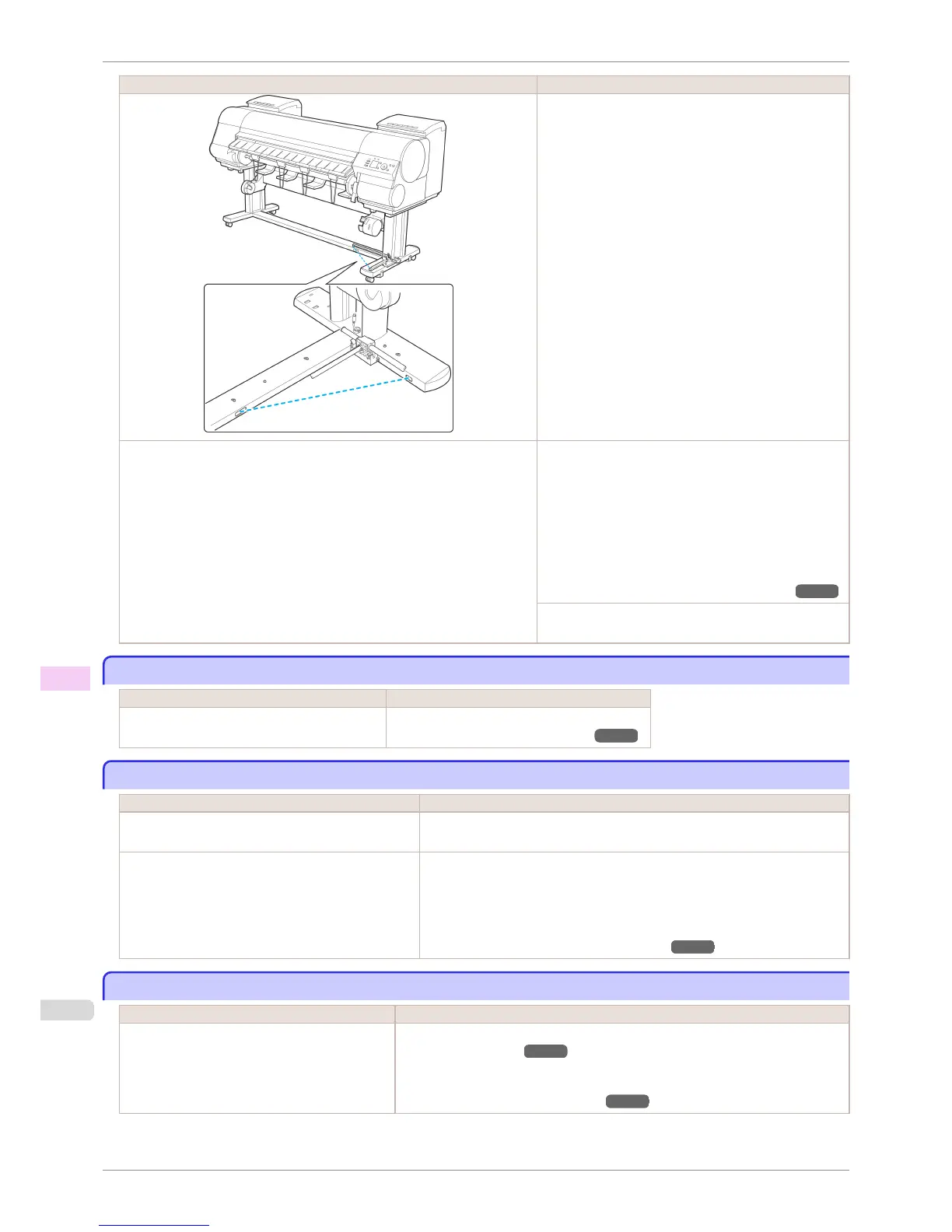
Remove the foreign object from the Media Take-up Sen-
sor path. Arrange the Basket Cloth and Basket Rod so
they do not interfere with the Media Take-up Sensor.
The Media Take-up Sensor cord is not connected to the Right Media Take-up
Unit correctly.
Reconnect the Media Take-up Sensor cord as follows.
1.
Turn the printer off.
2.
Disconnect the Media Take-up Sensor cord from the
Right Media Take-up Unit and reconnect it firmly, all
the way in.
3.
Turn the printer on.
(See "Using the Media Take-up Unit (Optional).") ➔ P.506
If the Media Take-up Unit continues rotating, contact your
Canon dealer for assistance.
The size of clear film cannot be detected
The size of clear film cannot be detected
Cause Corrective Action
The Platen is soiled with ink or other substances. Open the Top Cover and clean the entire Platen.
(See "Cleaning Inside the Top Cover.") ➔ P.840
Margins are wide
Margins are wide
Cause Corrective Action
Rolls are advanced a specific amount before cutting to
prevent problems with cutting and paper ejection.
This operation is normal.
When Cutting Mode in the Control Panel menu was
set to Manual, you selected Do not perform in re-
sponse to the "Perform the detection of paper lead-
ing edge?" message.
Set Cutting Mode to Manual again, and select Perform(recommend) when the
"Perform the detection of paper leading edge?" message is displayed.
Note that when you select Perform(recommend), if the paper is strongly curled,
the Printhead may rub against the leading edge of the paper when the printing
starts.
(See "Specifying the Cutting Method for Rolls.") ➔ P.483
When printing on thin roll paper, the printed surface becomes scratched
When printing on thin roll paper, the printed surface becomes scratched
Cause Corrective Action
The roll paper has sagged during printing, scratch-
ing the surface of the paper and causing wrinkle
creases in the paper.
Set Roll Tension to High in the Control Panel menu.
(See "Menu Settings.") ➔ P.591
If you change the Roll Tension setting, We recommend that you perform Adj. Quali-
ty.
(See "Automatic Banding Adjustment.") ➔ P.719
The size of clear film cannot be detected
iPF8400S
User's Guide
Troubleshooting Problems Regarding Paper
860














 To Next Page