Mac OS Settings
Mac OS Settings
Configuring the Destination in TCP/IP Networks ........................................................................................... 644
Configuring the Destination for Bonjour Network ......................................................................................... 644
Configuring the Destination for AppleTalk Networks ................................................................................... 644
Configuring the Printer's AppleTalk Network Settings .................................................................................. 645
Configuring the Destination in TCP/IP Networks
Configuring the Destination in TCP/IP Networks
If you use the printer in a TCP/IP network, register the printer in Print & Scan (or Print & Fax) in the Mac OS
System Preferences.
Note
• For details on how to register a printer using a TCP/IP network, see the OS User Manual.
Important
• If you use the printer in a TCP/IP network, make sure the printer's IP address is configured correctly. (See "Configuring
the IP Address Using the Printer Control Panel.") ➔ P.629
Configuring the Destination for Bonjour Network
Configuring the Destination for Bonjour Network
If you use the printer in a network that uses the Bonjour function, register the printer in Print & Scan (or Print &
Fax) in the Mac OS System Preferences.
Note
• For details on how to register a printer using Bonjour, see the OS User Manual.
Important
• Bonjour and IP Print (Auto) do not support printing to a printer on other network groups that require a router for connec-
tion. Make sure the computer and printer are on the same network. For information about network settings, ask your
network administrator.
• By default, Bonjour is activated on the printer. You can activate or deactivate the Bonjour function or change the printer
name by using RemoteUI. For instructions on changing it, see "Using RemoteUI." ➔ P.627
Configuring the Destination for AppleTalk Networks
Configuring the Destination for AppleTalk Networks
To print over an AppleTalk network, activate the AppleTalk protocol and configure the destination as follows.
Activating AppleTalk on the printer
Important
• By default, the AppleTalk protocol is disabled on the printer.
1
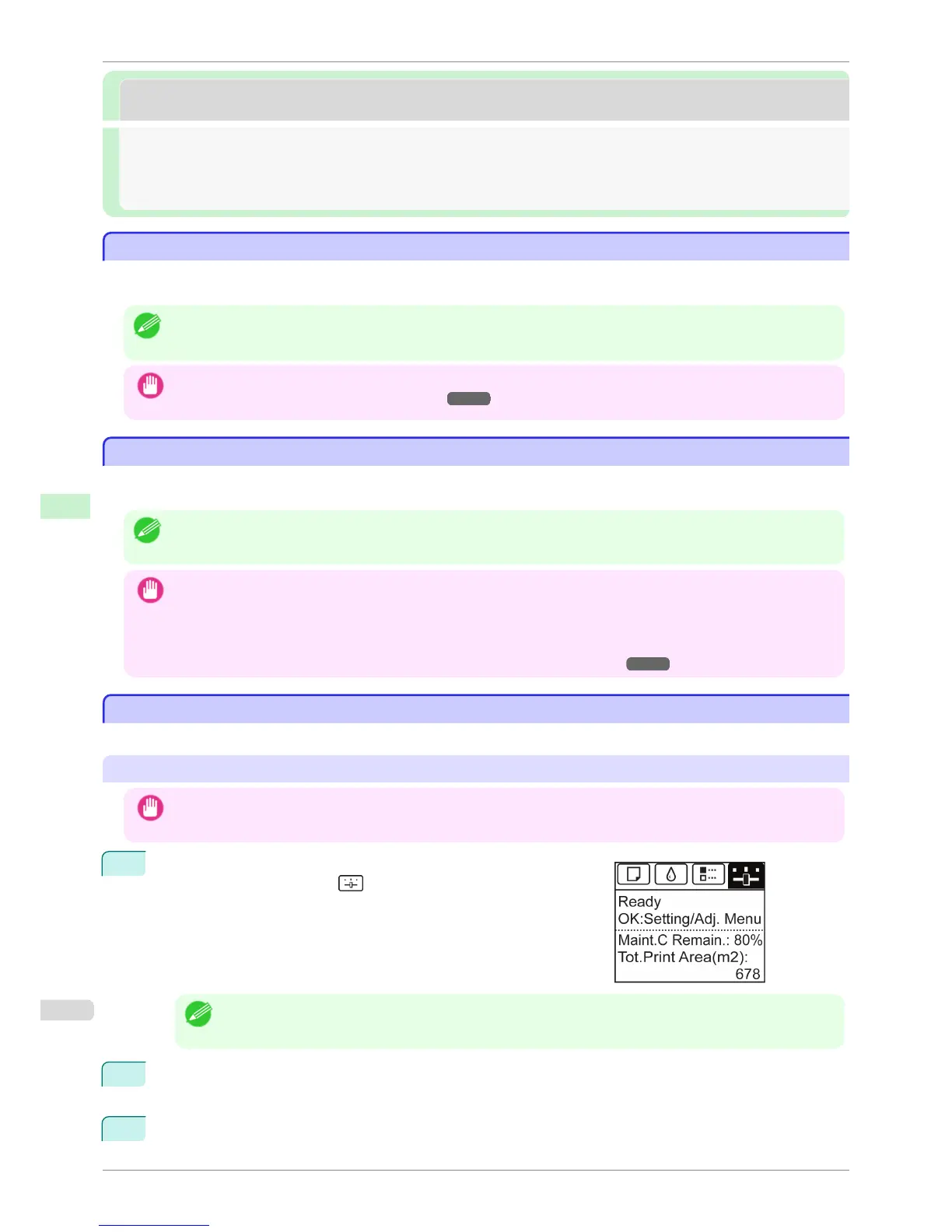
On the Tab Selection screen of the Control Panel, press ◀ or ▶ to
select the Settings/Adj. tab ( ).
Note
• If the Tab Selection screen is not displayed, press the Menu button.
2
Press the OK button.
The Set./Adj. Menu is displayed.
3
Press ▲ or ▼ to select Interface Setup, and then press the OK button.
Configuring the Destination in TCP/IP Networks
iPF8400S
User's Guide
Network Setting Mac OS Settings
644














 To Next Page