Export Print History from Print Preferences
Export Print History from Print Preferences
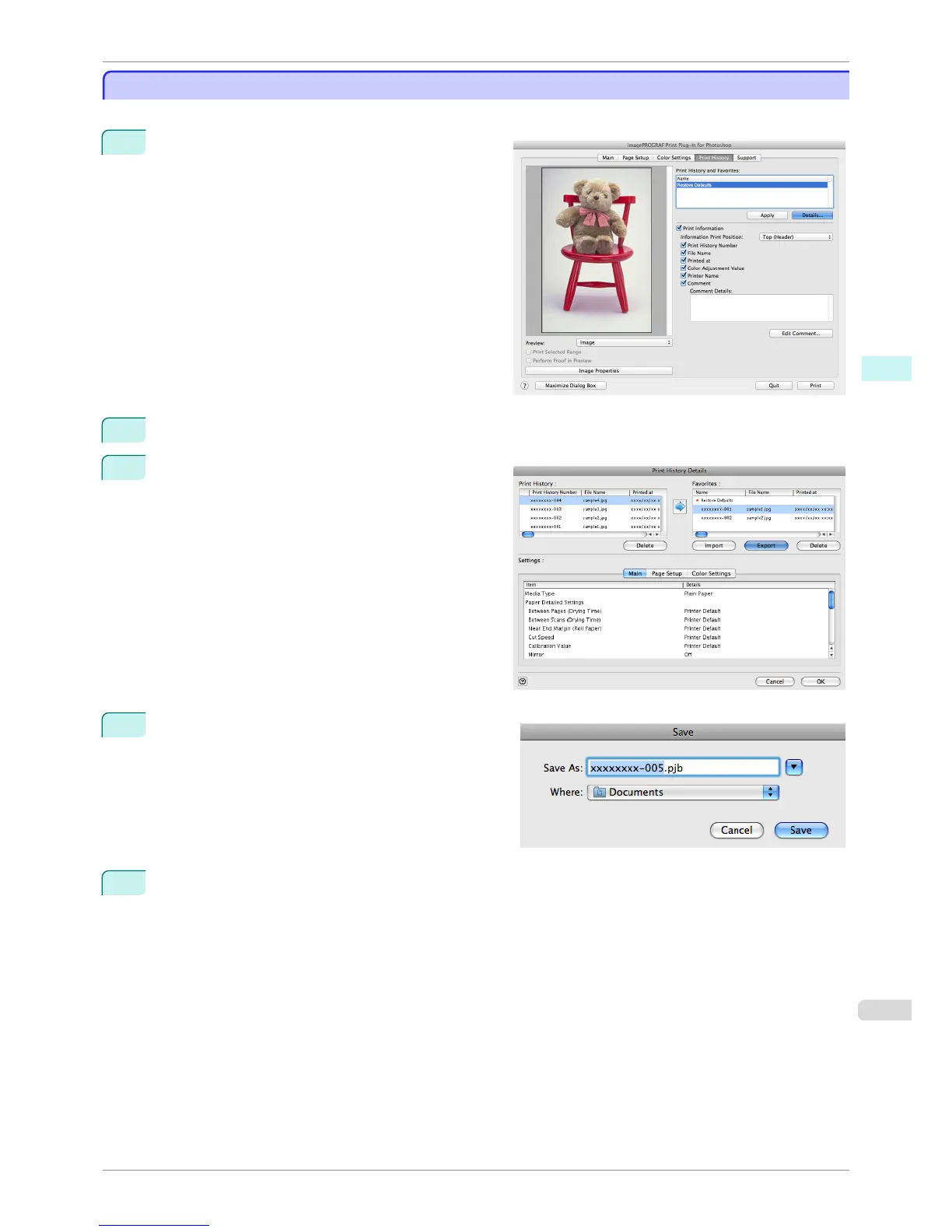
You can export print history stored in print preferences as a file.
1
Display the Print History sheet.
2
Click the Details button.
3
Select the print history you wish to export from Fa-
vorites in the Print History Details dialog box, and
click the Export button.
4
Input the name of the print history in Save As in the
Save dialog box, and click the Save button.
The print history is exported under the specified file
name.
5
Click the OK button to close the Print History Details dialog box.
iPF8400S
Export Print History from Print Preferences
User's Guide
Mac OS Software Print Plug-In for Photoshop / Digital Photo Professional
447














 To Next Page