Problems Regarding Paper
Problems Regarding Paper
Clearing Jammed Roll Paper ..................................................................................................................................... 853
Clearing a Jammed Sheet ........................................................................................................................................... 856
Roll paper cannot be inserted into the paper feed slot ................................................................................ 858
Cannot load sheets ........................................................................................................................................................ 859
Paper is not cut straight ............................................................................................................................................. 859
Paper is not cut ............................................................................................................................................................... 859
The media take-up unit continues rotating ......................................................................................................... 859
The size of clear film cannot be detected ........................................................................................................... 860
Margins are wide ............................................................................................................................................................ 860
When printing on thin roll paper, the printed surface becomes scratched ......................................... 860
Clearing Jammed Roll Paper
Clearing Jammed Roll Paper
If roll paper jams, follow the steps below to remove jams.
1
Turn the printer off. (See "Turning the Printer On and Off.") ➔ P.21
2
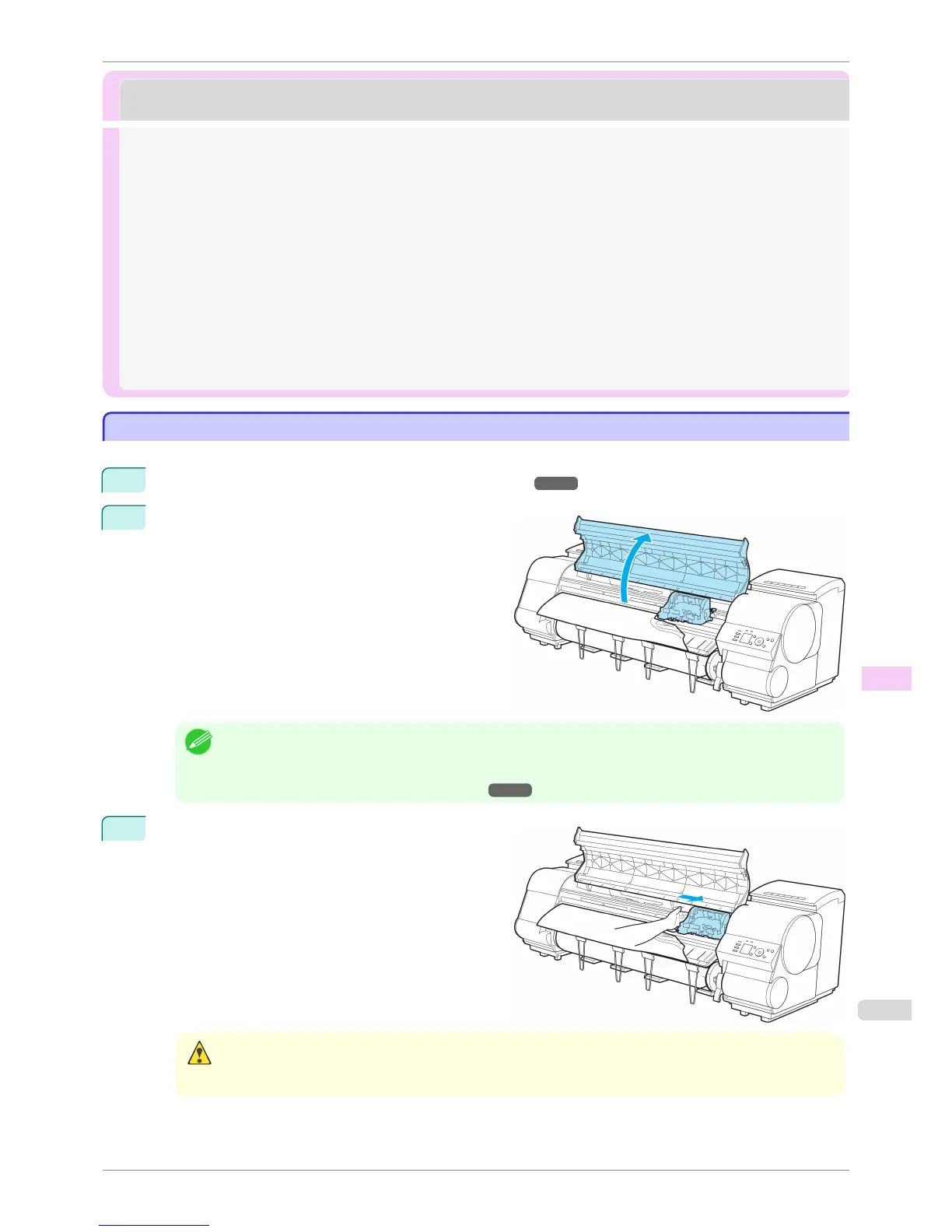
Open the Top Cover.
Note
• If the leading edge of the roll jams in the carriage such as when the paper curls strongly, you may be able to
avoid paper jamming by setting the roll cutting method to Manual and setting the detection of paper leading
edge to Do not perform.
(See "Specifying the Cutting Method for Rolls.") ➔ P.483
3
If the Carriage is out, move the Carriage out of the
way, away from the paper.
Caution
• If you push the Carriage to the left edge, the blade of the Cutter Unit will be lowered in preparation to cut the
paper. Be careful not to pinch your fingers between the Carriage and Platen if you have pushed the Carriage to
the left edge or if a paper jam occurs during cutting.
iPF8400S
Clearing Jammed Roll Paper
User's Guide
Troubleshooting Problems Regarding Paper
853














 To Next Page