Important
•
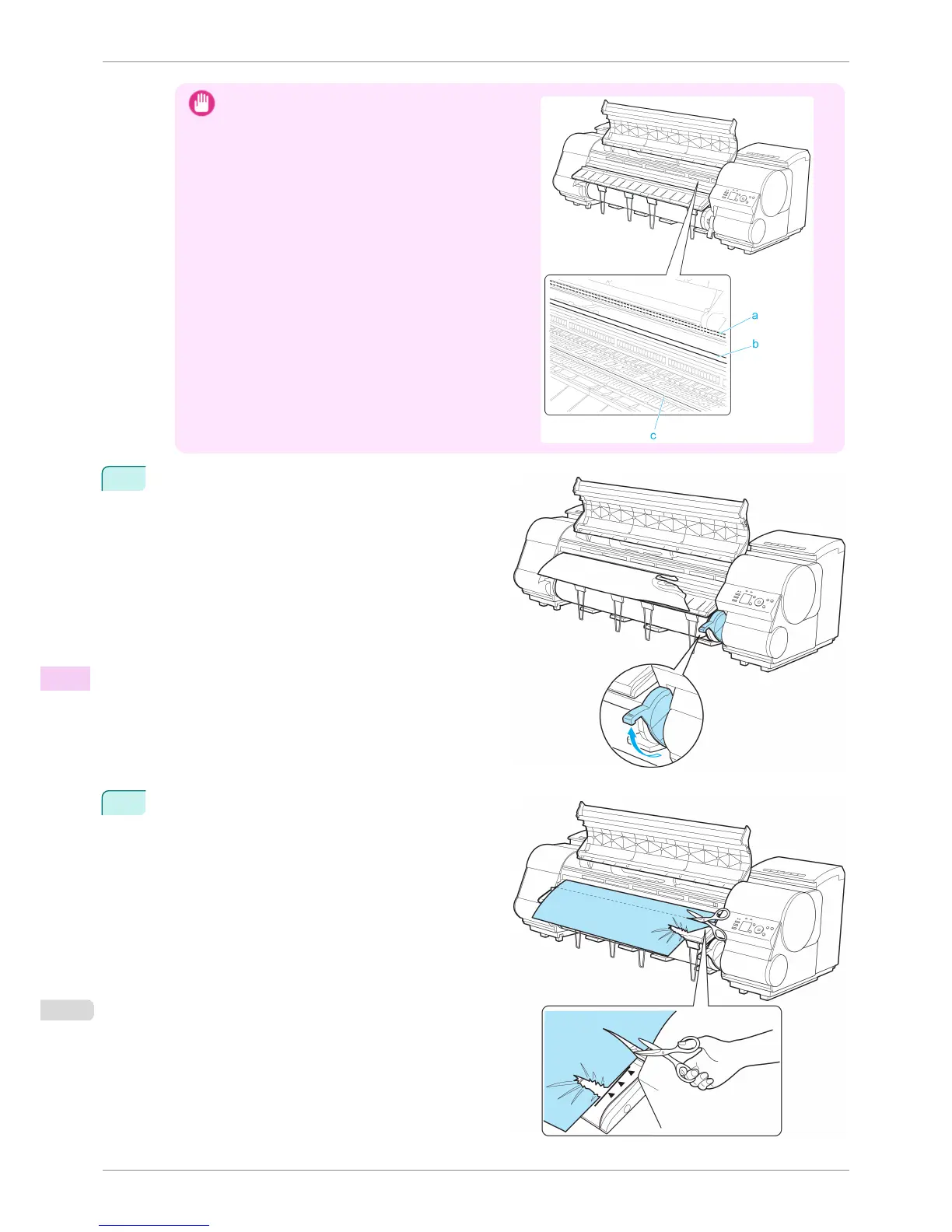
Do not touch the Linear Scale (a), Carriage Shaft (b),
or Fixed Blade (c), This may stain your hands and
damage the printer.
4
Lift the Release Lever.
5
Holding the paper on both sides, pull the jammed
portion out toward the front. Use scissors or a cutting
tool to cut away the printed or wrinkled portion.
Clearing Jammed Roll Paper
iPF8400S
User's Guide
Troubleshooting Problems Regarding Paper
854














 To Next Page