Setting Details
Contrast Adjusts the relative brightness between the brightest and darkest portions of the image.
*For soft gradation, decrease the contrast. For hard gradation, increase the contrast.
Highlight Adjusts the brightness of the brightest areas.
Shadow Adjusts the brightness of the darkest areas.
Note
• You can also click the up or down arrow, or enter the number directly to increase or decrease the value.
• The availability of settings depends on the selected the media type.
Matching
Matching
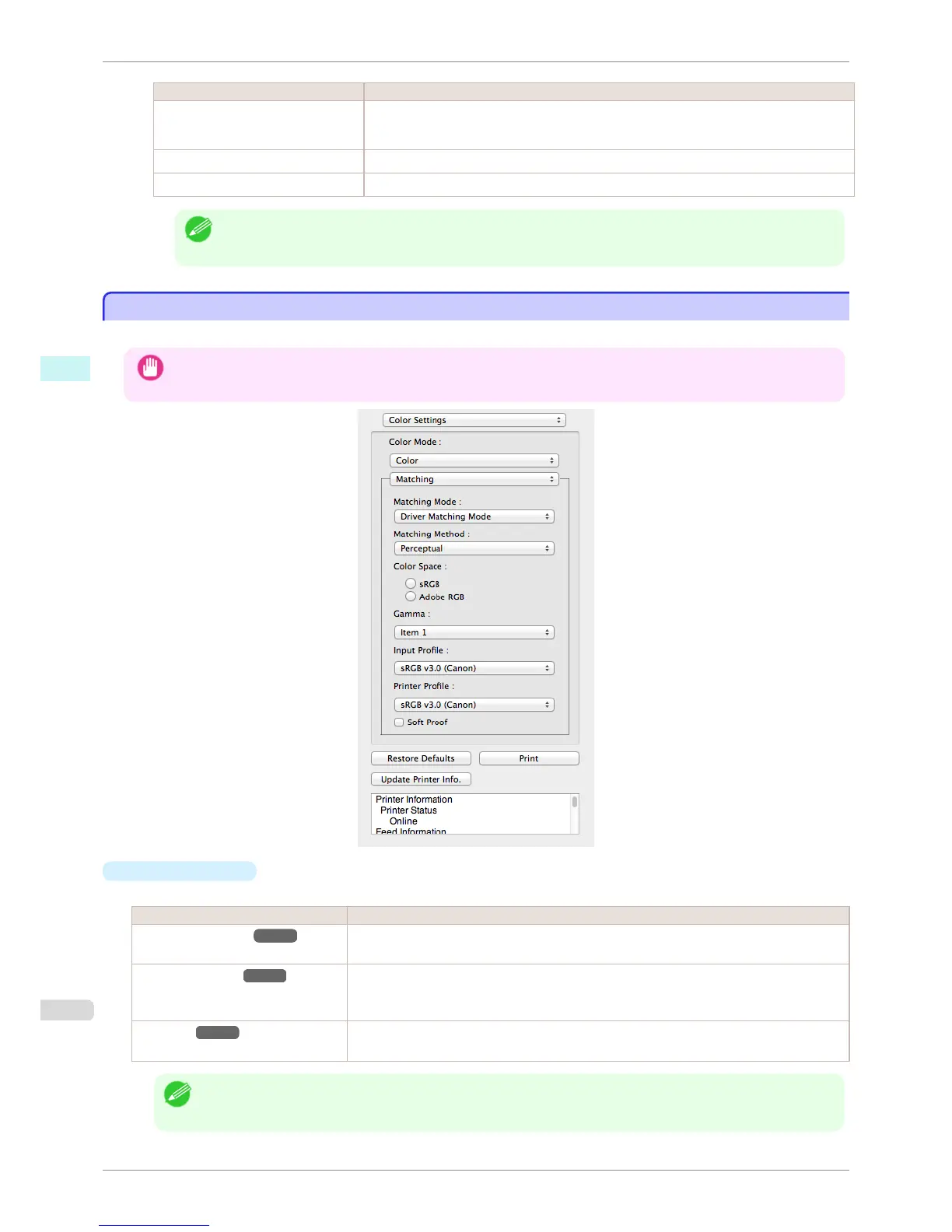
You can set the matching.
Important
• If No color correction is selected under Color Mode, the Matching is not displayed.
•
Matching Mode
You can select a matching mode to suit the print job.
Setting Details
Driver Matching Mode ➔ P.352 Enables printing of optimal color tones using a driver specific color profile. You should normally
select this mode.
ICC Matching Mode ➔ P.353 Enables color matching using ICC profiles. Select this if you want to print by specifying the
input profile, printer profile, and matching method in detail. This allows you to use ICC profiles
for digital cameras and scanners, ICC profiles created using the profile creation tool, etc.
ColorSync ➔ P.354 Enables color matching by using the ColorSync function of OS X. Select this if you want to
perform soft proofing using ColorSync before printing.
Note
• You need to set each correction on the printer driver.
• ColorSync needs to be selected in the Color Matching panel of the driver in order to select ColorSync.
Matching
iPF8400S
User's Guide
Mac OS Software Preview
350














 To Next Page