Setting Details
Bicubic Adjust pixels with calculation of elements such as a color or brightness of neighboring pixels.
•
Close Plug-in After Printing
When you place a checkmark here, the plug-in closes after printing finishes.
Note
• If printing does not finish correctly because it was canceled or an error occurred, the plug-in does not close.
•
Output Method
You can select the output method.
The following settings are available for the output method.
Setting Details
Print Normal printing. The print job data is stored temporarily in the box as the job prints.
Save in mail box Saves the print data in the mail box.
If you select Save in mail box, you must specify Name of data to be saved.
Print after reception is complete When you place a checkmark here, you can print after saving jobs in the temporary storage
space. This cannot be used when Save in mail box is selected.
•
Initialize all warning dialog boxes
When this is checked, all of the warning dialog boxes that have been set to "Do not show this screen again"
become displayed.
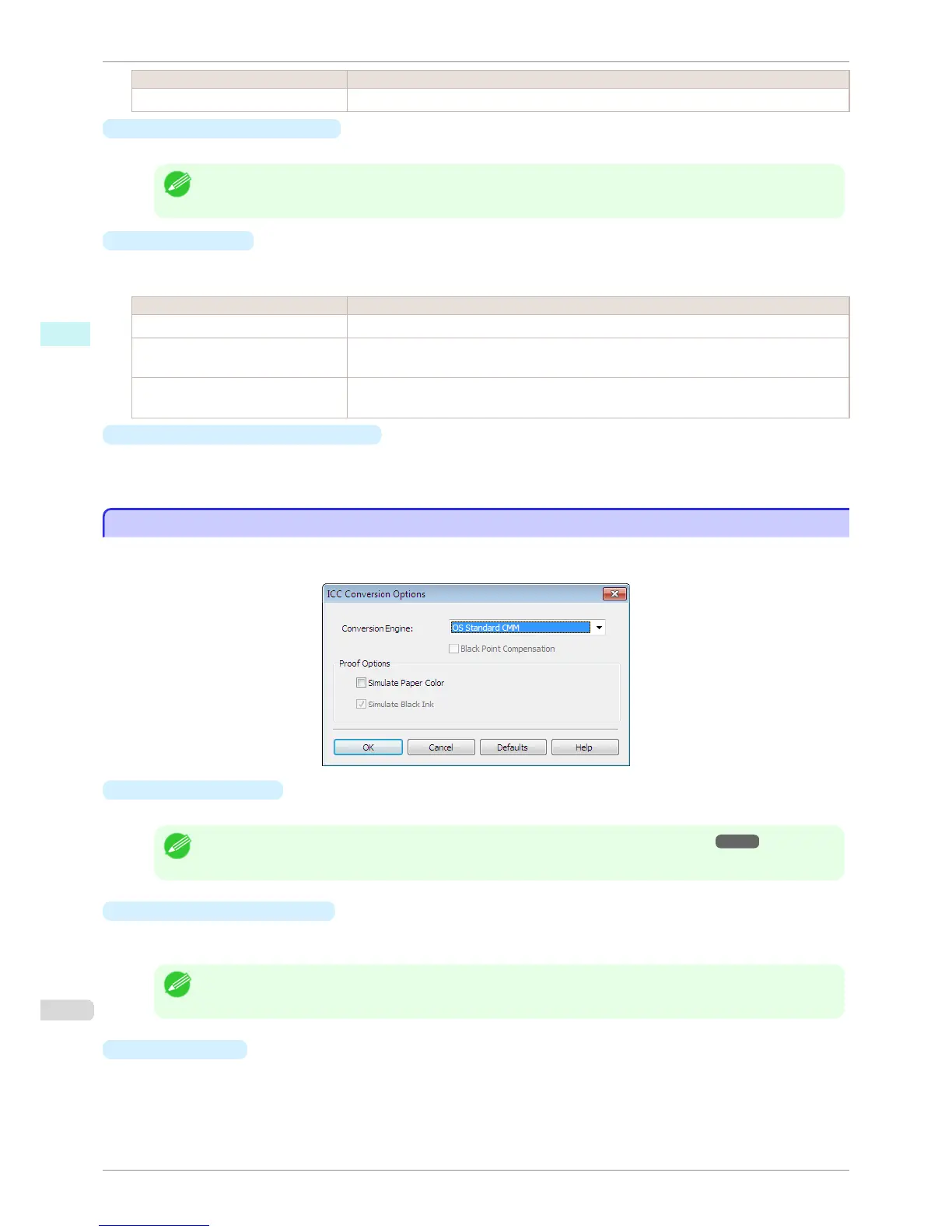
ICC Conversion Options dialog box
ICC Conversion Options dialog box
This is displayed when an ICC profile is selected in the Output Profile list in the Main sheet and the ICC Conver-
sion Options button is clicked. This allows you to configure detailed color matching related settings.
•
Conversion Engine
Selects the conversion engine to use when converting colors.
Note
• Adobe CMM needs to be installed in order to use Adobe CMM. Refer to "Using Adobe CMM" ➔ P.258 for details
on how to install Adobe CMM.
•
Black Point Compensation
Check this check box to perform black point compensation. Loss of gradation in dark areas can be improved
by performing black point compensation.
Note
• This can be used if Adobe CMM is selected as the Conversion Engine.
•
Proof Options
Configures settings related to printing press simulation.
ICC Conversion Options dialog box
iPF8400S
User's Guide
Windows Software Print Plug-In for Photoshop / Digital Photo Professional
246














 To Next Page