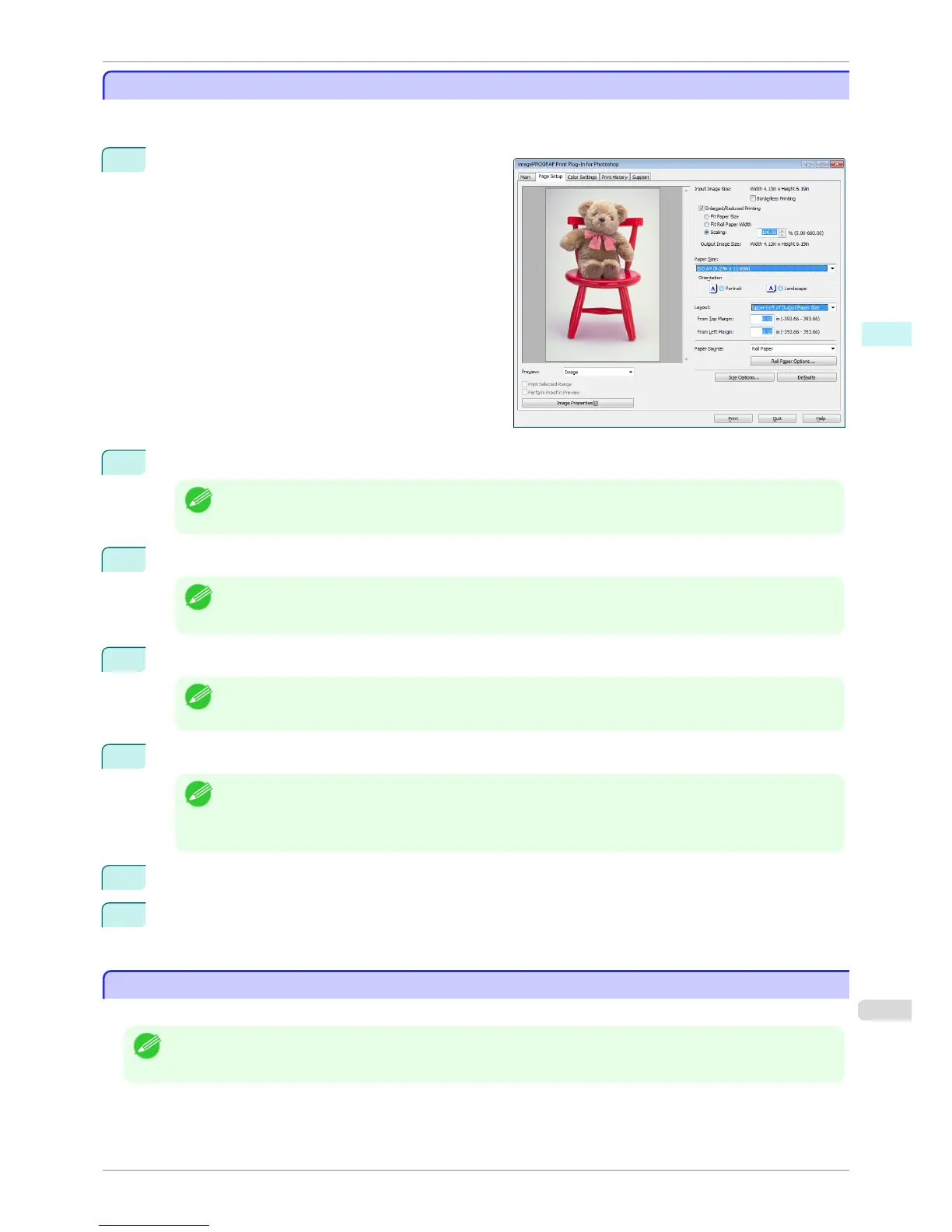
Specify Scaling, Enlarge/Reduce and Print
Specify Scaling, Enlarge/Reduce and Print
You can specify scaling to enlarge/reduce an image and print. This is useful when you wish to print an image at a
specific size.
1
Display the Page Setup sheet.
2
Select the size of the media that you want to print in Paper Size.
Note
• This is not displayed when a checkmark is placed in Borderless Printing.
• Fit Roll Paper Widthis set in Enlarged/Reduced Printing.
3
Select either Portrait or Landscape as the media orientation for the image in Orientation.
Note
• When you select Portrait, the image on the media prints as it appears on the screen.
• When you select Landscape, the image on the media prints rotated 90 degrees.
4
Click the Enlarged/Reduced Printing check box on.
Note
• This is not displayed when a checkmark is placed in Borderless Printing.
5
Select Scaling and input the scaling factor or drag the four corners of the image in the Preview display.
Note
• You can specify scaling rate in intervals of 0.01%.
• You can specify a range between 5.00-600.00%.
• The size of the width and height proportionally grow when the image is enlarged/reduced.
6
Either drag the image on the Print Area Layout preview, or set the print position Layout.
7
Click the Print button.
Printing begins at the set scaling rate.
Print with No Borders
Print with No Borders
You can use the borderless printing function to print without margins surrounding the image.
Note
• With some media borderless printing can be performed only between two edges.
• To use the borderless printing function, the specified media must be set to the printer.
iPF8400S
Specify Scaling, Enlarge/Reduce and Print
User's Guide
Windows Software Print Plug-In for Photoshop / Digital Photo Professional
265














 To Next Page