b
Media Take-up Unit Power Inlet
Connect the power cord of the optional Media Take-up Unit here.
c
Ethernet Port
Connect an Ethernet cable to this port.
d
USB Port
Connect a USB cable to this port. It supports Hi-Speed USB.
e
Manual Pocket
Store printer manuals in this pocket.
f
Power Supply Connector
Connect the power cord to this connector.
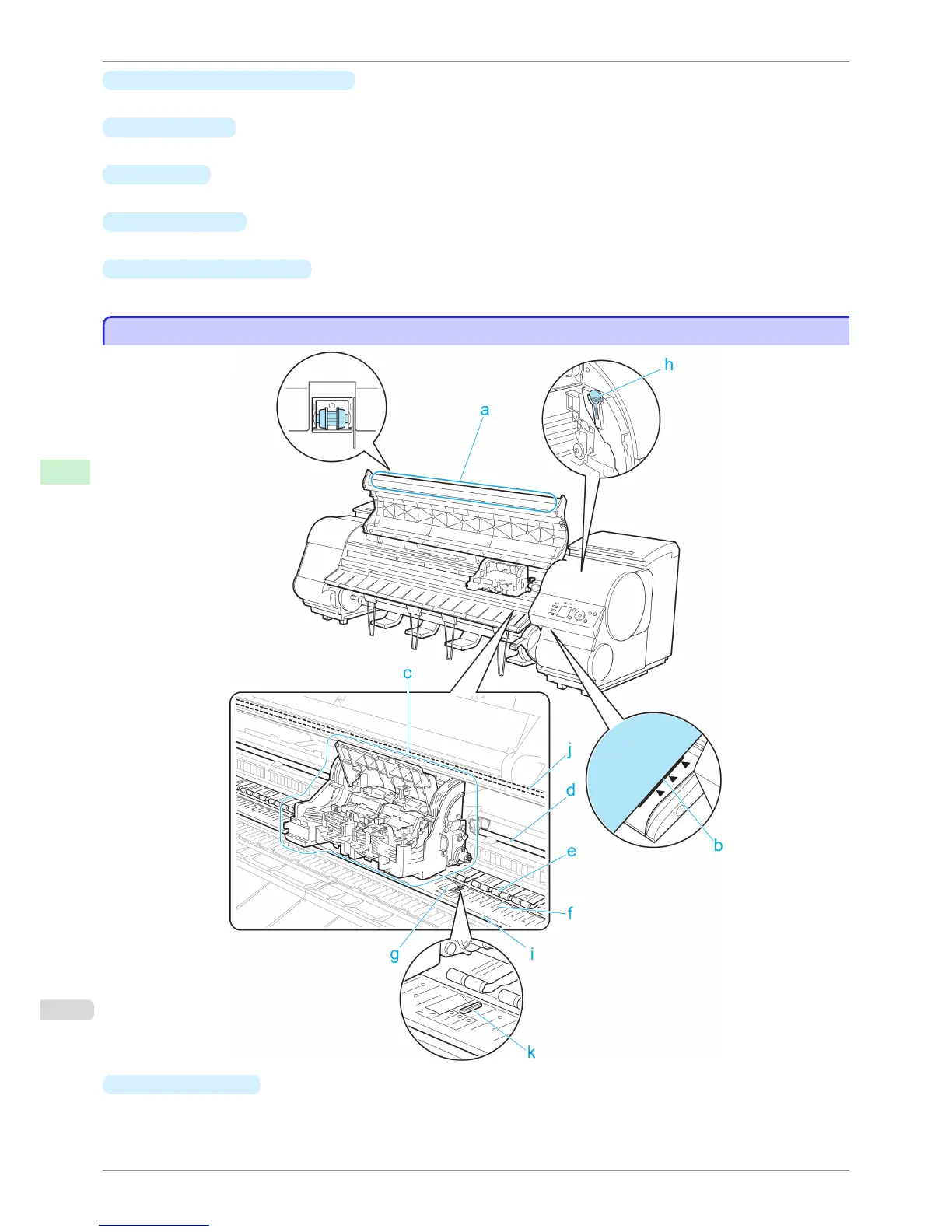
Top Cover (Inside)
Top Cover (Inside)
a
Top Cover Roller
Prevents paper from rising when ejected.
Top Cover (Inside)
iPF8400S
User's Guide
Printer Parts Printer parts
610














 To Next Page