Uninstallation Procedure
Uninstallation Procedure
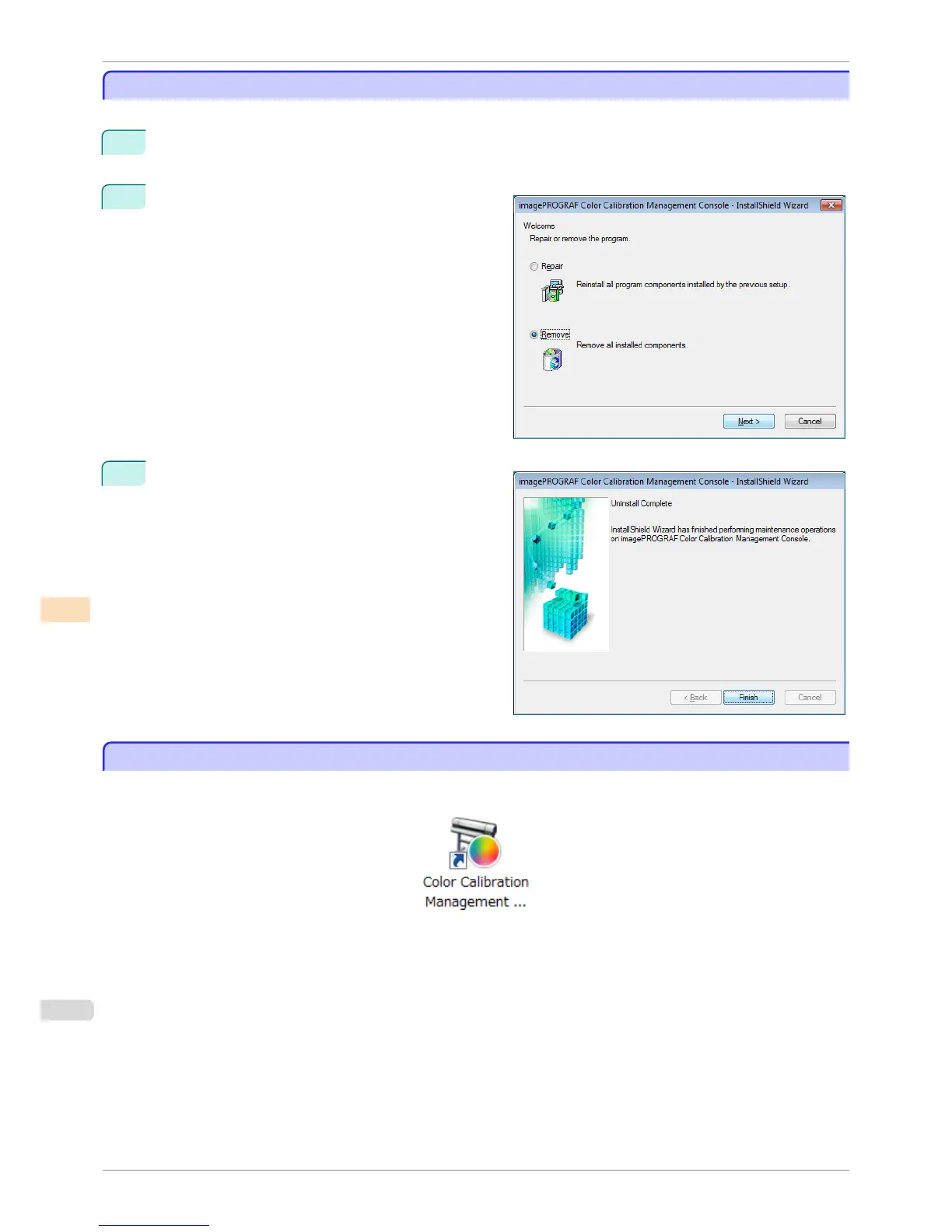
The uninstallation procedure for the Color Calibration Management Console is as follows.
1
From the start menu, click All Programs>imagePROGRAF Color Calibration Management Con-
sole>Uninstaller (imagePROGRAF Color Calibration Management Console).
2
Select Remove and click the Next button.
3
Click the Finish button.
This completes the uninstallation of the Color Calibra-
tion Management Console.
Startup
Startup
The startup procedure for the Color Calibration Management Console is as follows.
Double-click the Color Calibration Management Console icon on the desktop.
Uninstallation Procedure
iPF8400S
User's Guide
Color Management Color Calibration Management Console (Windows)
744














 To Next Page