Naming Personal Boxes
Naming Personal Boxes
For easier identification, you can assign names to personal boxes.
This operation is available in RemoteUI, imagePROGRAF Status Monitor, and imagePROGRAF Printmonitor.
Using RemoteUI
1
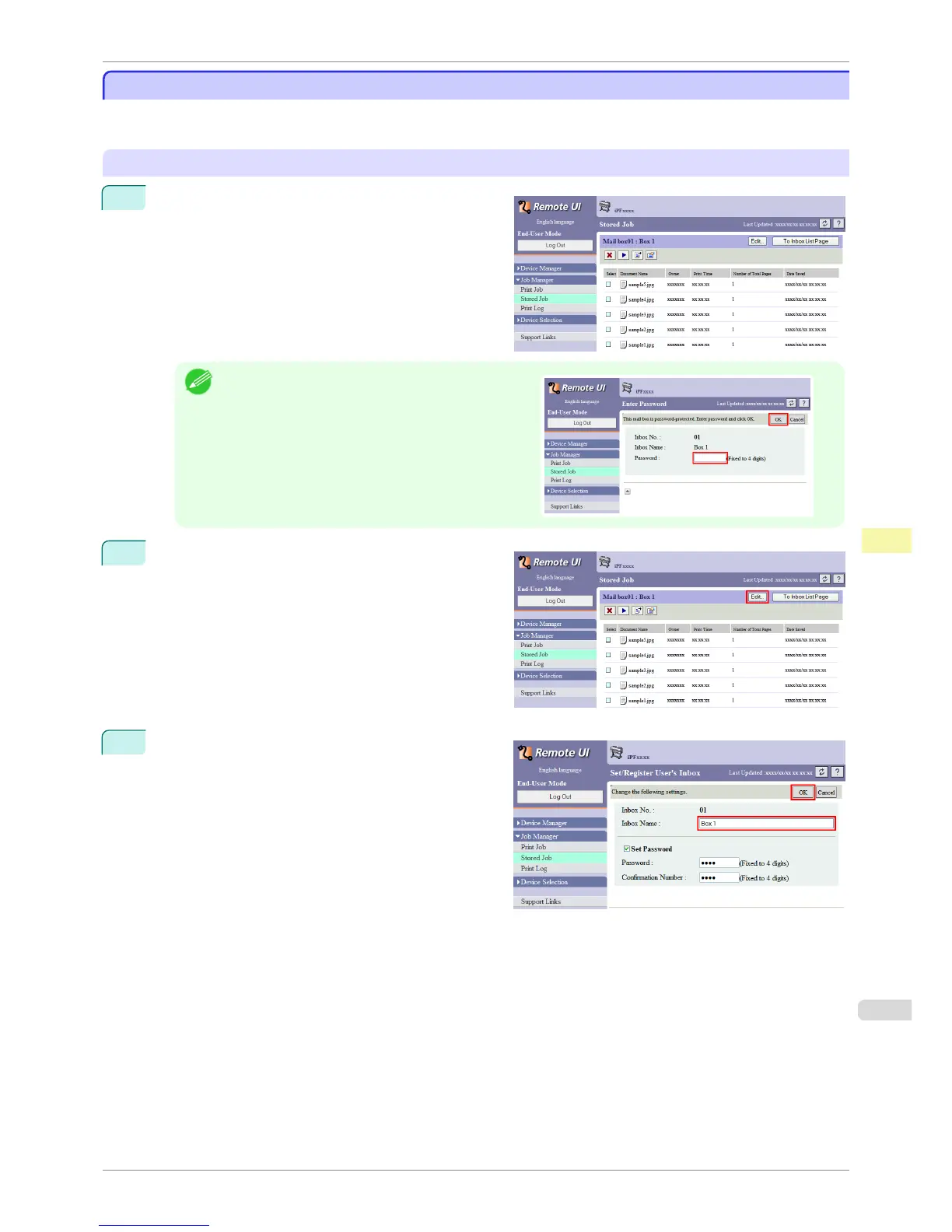
On the Stored Job page, choose the personal box.
Note
•
Enter a password if one has been set for the personal
box.
2
Click Edit.
3
In the Set/Register User's Inbox dialog box, enter
the name in Inbox Name and click OK.
For details, refer to the RemoteUI help file.
iPF8400S
Naming Personal Boxes
User's Guide
Print Job Management Advanced Print Job Operations
695














 To Next Page