Frequently Asked Questions
Frequently Asked Questions
Frequently Asked Questions
Frequently Asked Questions
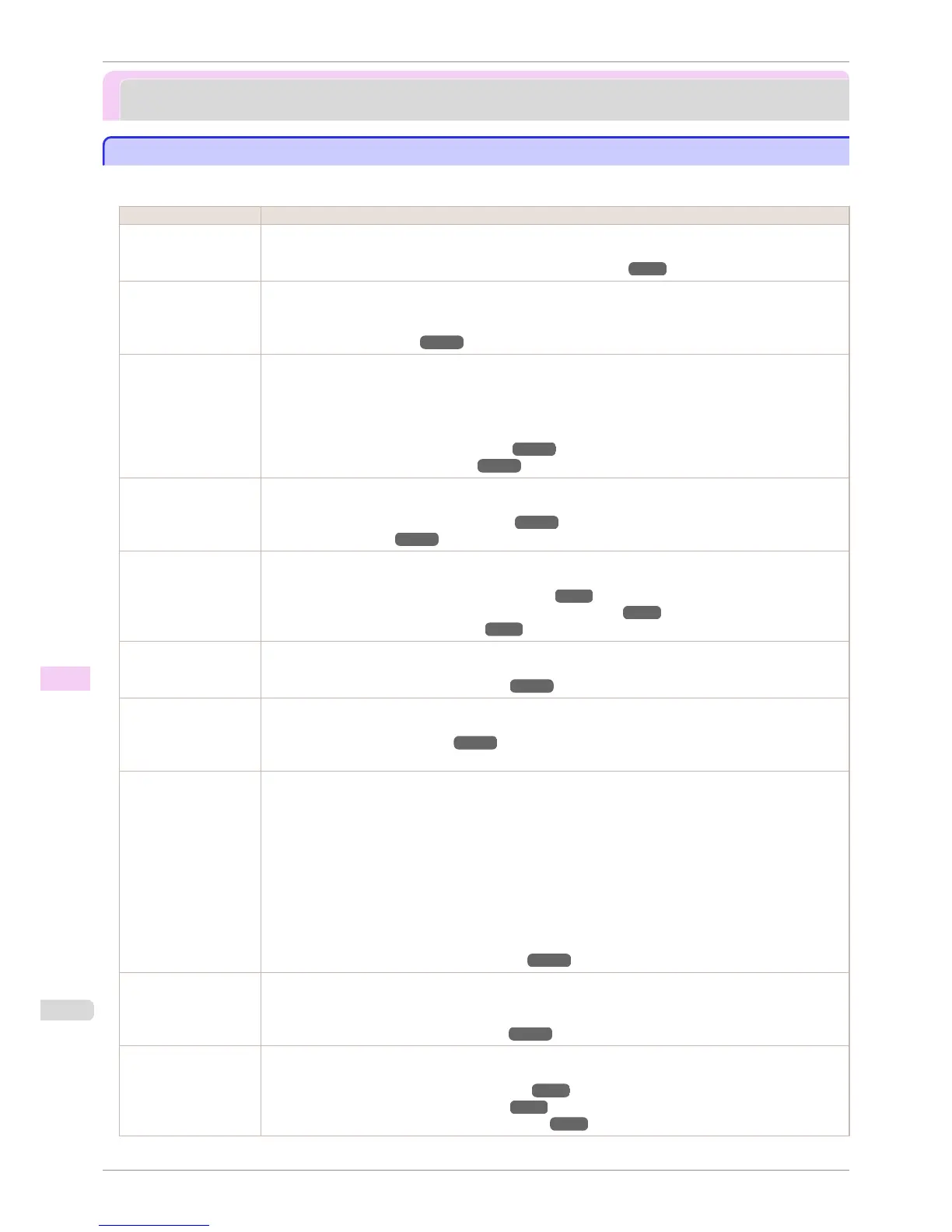
This section presents frequently asked questions and answers. To view more detailed explanations, click the hy-
perlinks in the answer column.
Question Answer
I want to easily create
vertical or horizontal
banners.
You can print originals that are in landscape (or portrait) orientation automatically enlarged to fit the roll width.
This is an easy way to create vertical or horizontal banners.
(See "Printing Vertical or Horizontal Banners (Large-Format Printing).") ➔ P.93
Does this printer support
sub-ink tank system?
This printer supports sub-ink tank system.
Even if an ink tank becomes empty during printing, since a certain amount of ink always is stored in a sub-ink
tank, you can replace the ink tank while printing.
(See "Replacing Ink Tanks.") ➔ P.806
I want to know how to
configure roll cutting.
You can select the cutting method by the setting of the printer driver and the setting of the printer.
To cut rolls automatically after printing, set Cutting Mode of the printer to Automatic and Automatic Cutting
of the printer driver to Yes.
When using paper for which ink adhesion takes time or the print surface is easily scratched, we recommend
that you set the Cutting Mode setting of the printer to Eject.
(See "Specifying the Cutting Method for Rolls.") ➔ P.483
(See "Cutting Roll Paper After Printing.") ➔ P.144
I want to configure so
that the roll is cut auto-
matically after waiting
for the ink to dry.
In the printer driver, you can set the time for waiting until the ink dries.
Also, you can set likewise on the printer.
(See "Specifying the Ink Drying Time for Rolls.") ➔ P.482
(See "Menu Structure.") ➔ P.586
How do I print without
borders?
When printing on rolls, you can perform borderless printing by configuring the printer driver. (when printing on
cut sheets, you cannot perform borderless printing)
(See "Borderless Printing on Paper of Equivalent Size.") ➔ P.84
(See "Borderless Printing by Resizing Originals to Fit the Roll Width.") ➔ P.87
(See "Borderless Printing at Actual Size.") ➔ P.78
I want to know the paper
types that can be used
in this printer.
Concerning the paper that can be used in this printer, refer to the imagePROGRAF home page or the Paper
Reference Guide.
(See "Displaying the Paper Reference Guide.") ➔ P.462
The paper type that I
want to print is not dis-
played on the Display
Screen.
When using newly released paper, paper information must be registered on the printer and the printer driver.
Download the new version of Media Information File from the imagePROGRAF website and install it.
(See "Updating paper information.") ➔ P.465
What type of function is
color calibration?
Color calibration improves color consistency by compensating for slight differences in how color appears when
printing due to individual variations or aging among the printers.
We recommend color calibration in the following situations.
•
After initial printer installation
•
After Printhead replacement
•
When you sense a change of color compared to previously
•
To print with colors aligned from multiple printers
•
When the execution guide is displayed
(See "Color Calibration Using the Printer Sensor.") ➔ P.735
Can I perform duplex
printing?
This printer cannot perform duplex printing.
If you use the Folded Duplex function in the Free Layout of Windows software, you can print two pages one-
sided, fold them at the center and suspend them to substitute for duplex printing.
(See "Prints using Folded Duplex (Windows).") ➔ P.212
I want to perform en-
largement printing.
With the printer driver, you can specify the ratio matching the document with the paper size and width and per-
form enlargement printing or reduction printing.
(See "Resizing Originals to Match the Paper Size.") ➔ P.63
(See "Resizing Originals to Fit the Roll Width.") ➔ P.65
(See "Resizing Originals by Entering a Scaling Value.") ➔ P.69
Frequently Asked Questions
iPF8400S
User's Guide
Troubleshooting Frequently Asked Questions
852














 To Next Page