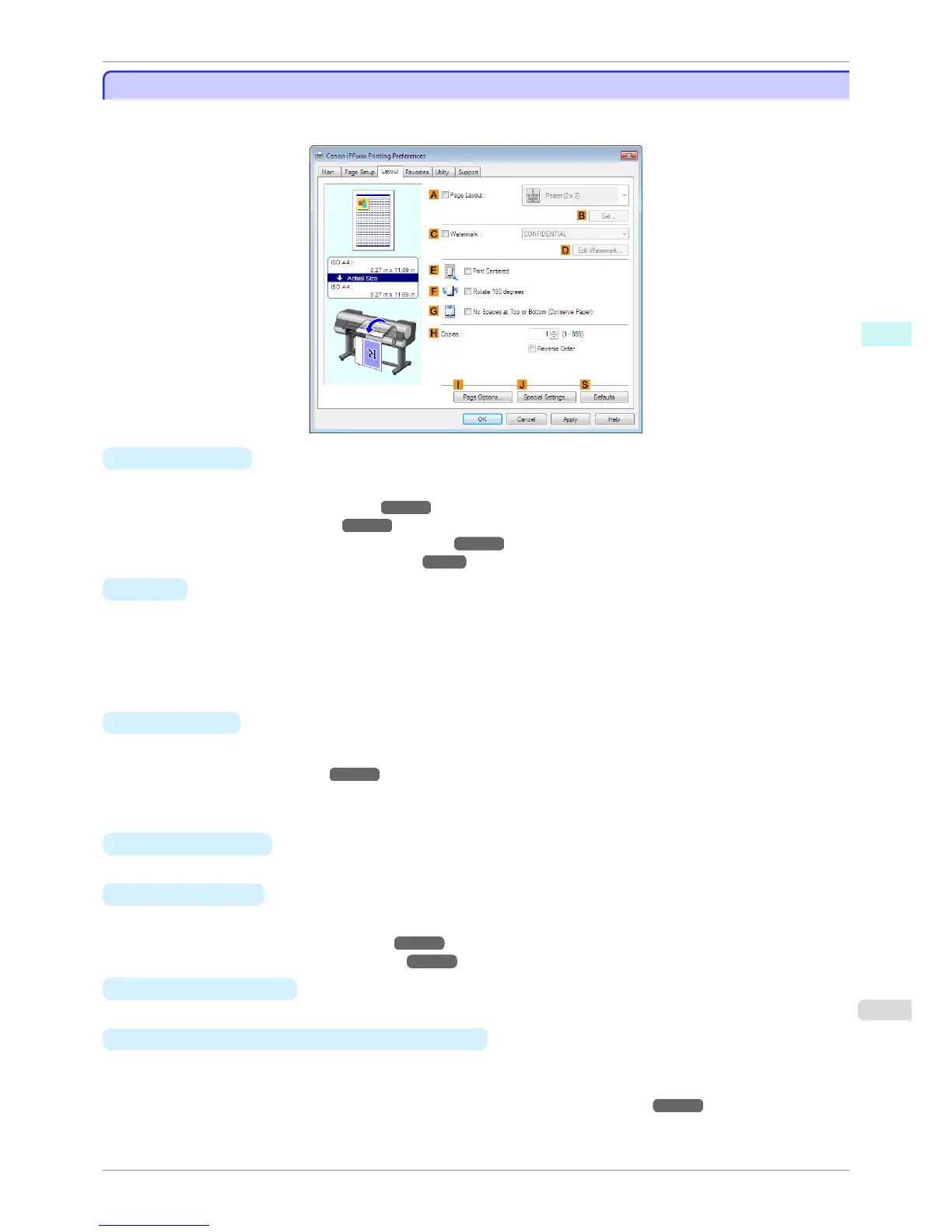
Layout Sheet
Layout Sheet
The following settings are available on the Layout sheet. For details on settings items, refer to the printer driver
help.
• A Page Layout
Activate this setting to select a particular page layout.
•
Printing Multiple Pages Per Sheet ➔ P.112
•
Printing Posters in Sections ➔ P.117
•
Printing Multiple Originals Next to Each Other ➔ P.105
•
Using PosterArtist to Compose Originals ➔ P.48
• B Set
Click to display one of the following dialog boxes depending on the selection in A Page Layout. In these dia-
log boxes, you can specify layout details and which pages to print, as well as other settings.
•
Page Layout Printing
•
Pages to Print
•
Free Layout Settings
• C Watermark
Activating this option makes two settings available, Watermarks and D Edit Watermark.
•
Printing With Watermarks ➔ P.137
•
Watermarks
Lists the provided watermarks. Choose the watermark to print.
•
D
Edit Watermark
Click to display the Edit Watermark dialog box for creating your own, original watermark.
• E
Print Centered
Activate this setting to print document images in the center of the paper.
•
Printing Originals Centered on Rolls ➔ P.119
•
Printing Originals Centered on Sheets ➔ P.123
• F
Rotate 180 degrees
Activate this option to rotate document images by 180 degrees before printing.
• G
No Spaces at Top or Bottom (Conserve Paper)
Activate this setting to print the next image skipping blank areas above and below printable data in documents,
which enables you to conserve the paper.
•
Conserving Roll Paper by Printing Originals Without Top and Bottom Margins ➔ P.131
iPF8400S
Layout Sheet
User's Guide
Windows Software Printer Driver
175














 To Next Page