Using imagePROGRAF Printmonitor (Mac OS)
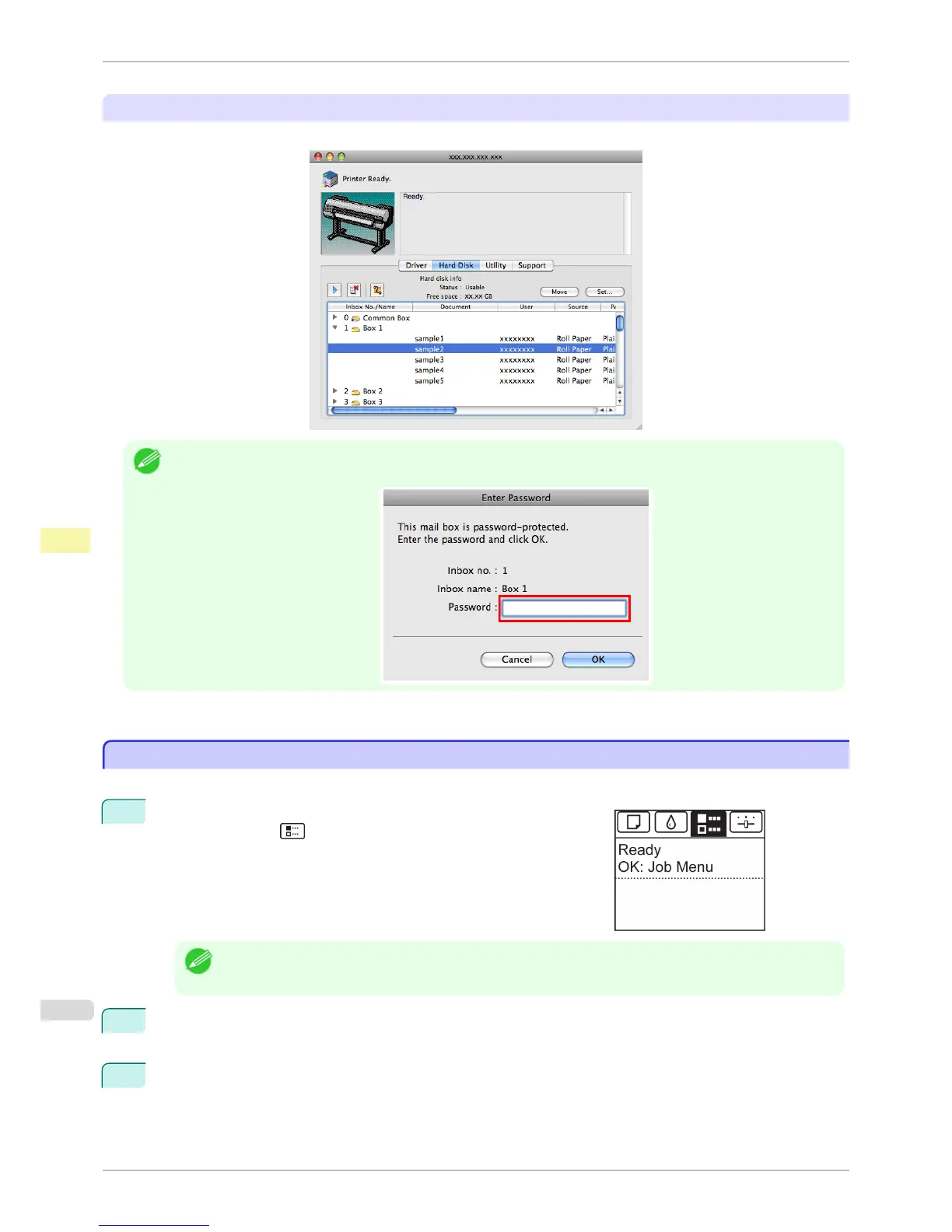
On the Hard Disk pane, click ▶ by Inbox No./Name.
Note
• Enter a password if one has been set.
The password is a four-digit number.
For details, refer to the imagePROGRAF Printmonitor help file.
Printing a List of Saved Jobs
Printing a List of Saved Jobs
The list of print jobs stored on the printer's hard disk (saved jobs) can be printed by box as follows.
1
On the Tab Selection screen of the Control Panel, press ◀ or ▶ to
select the Job tab ( ).
Note
• If the Tab Selection screen is not displayed, press the Menu button.
2
Press the OK button.
The Job Menu is displayed.
3
Press ▲ or ▼ to select Stored Job, and then press the OK button.
Printing a List of Saved Jobs
iPF8400S
User's Guide
Print Job Management Advanced Print Job Operations
700














 To Next Page