Support Sheet
Support Sheet
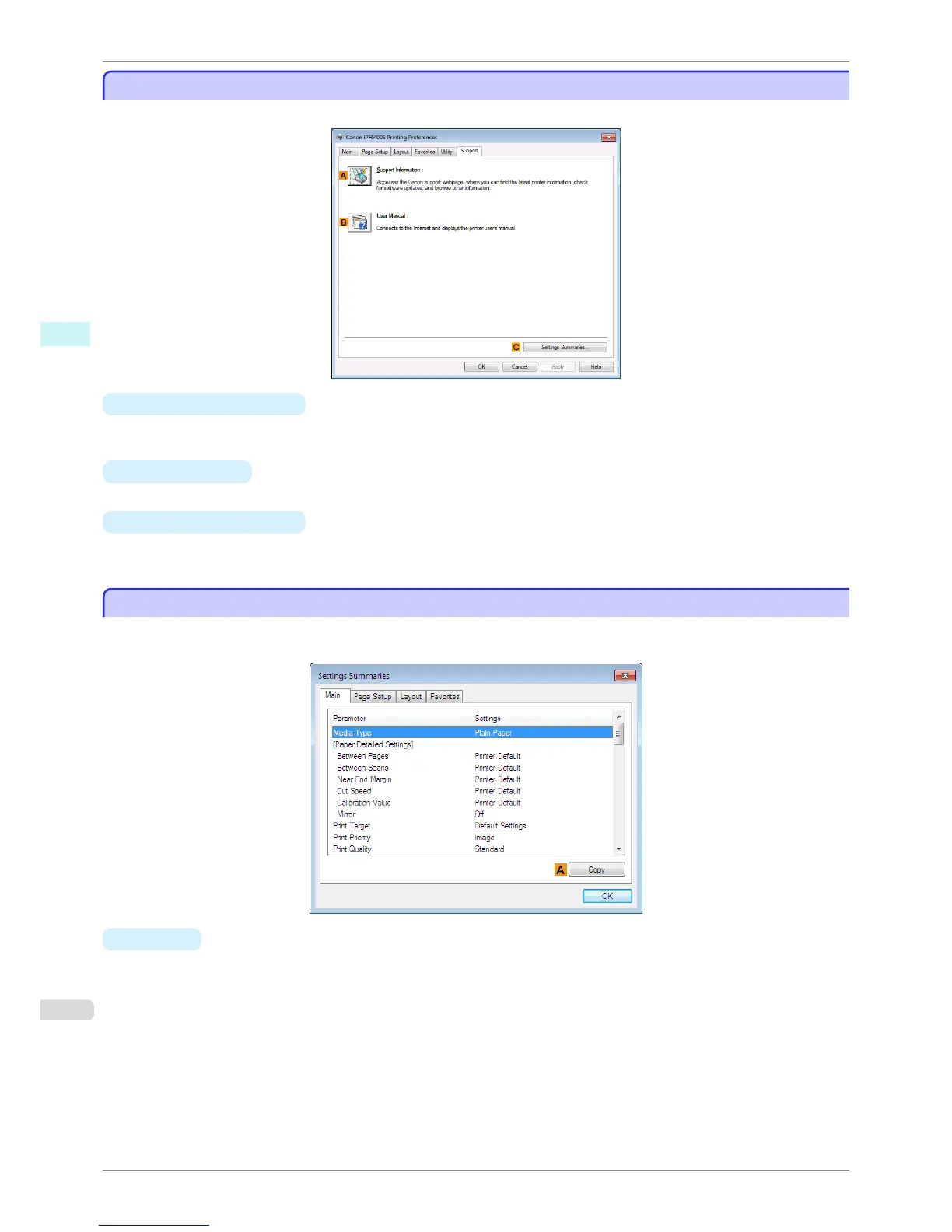
On the Support sheet, you can view support information and the user's manual.
•
A Support Information
Click to access the Canon support webpage, where you can find the latest information on the printer and con-
sumables, check for printer driver updates, and browse other information.
• B User Manual
Click to connect to the Internet and display the printer user's manual.
• C Settings Summaries
Click to display the View Settings dialog box, which enables you to confirm the settings for the Main, Page
Setup, Layout, and Favorites sheets.
Settings Summaries Dialog Box
Settings Summaries Dialog Box
The Settings Summaries dialog box enables you to confirm the settings for the Main, Page Setup, Layout, and
Favorites sheets.
•
A
Copy
Click to copy the settings information to the clipboard. You can paste the settings information into a file created
with a text editor or similar application.
Support Sheet
iPF8400S
User's Guide
Windows Software Printer Driver
180














 To Next Page