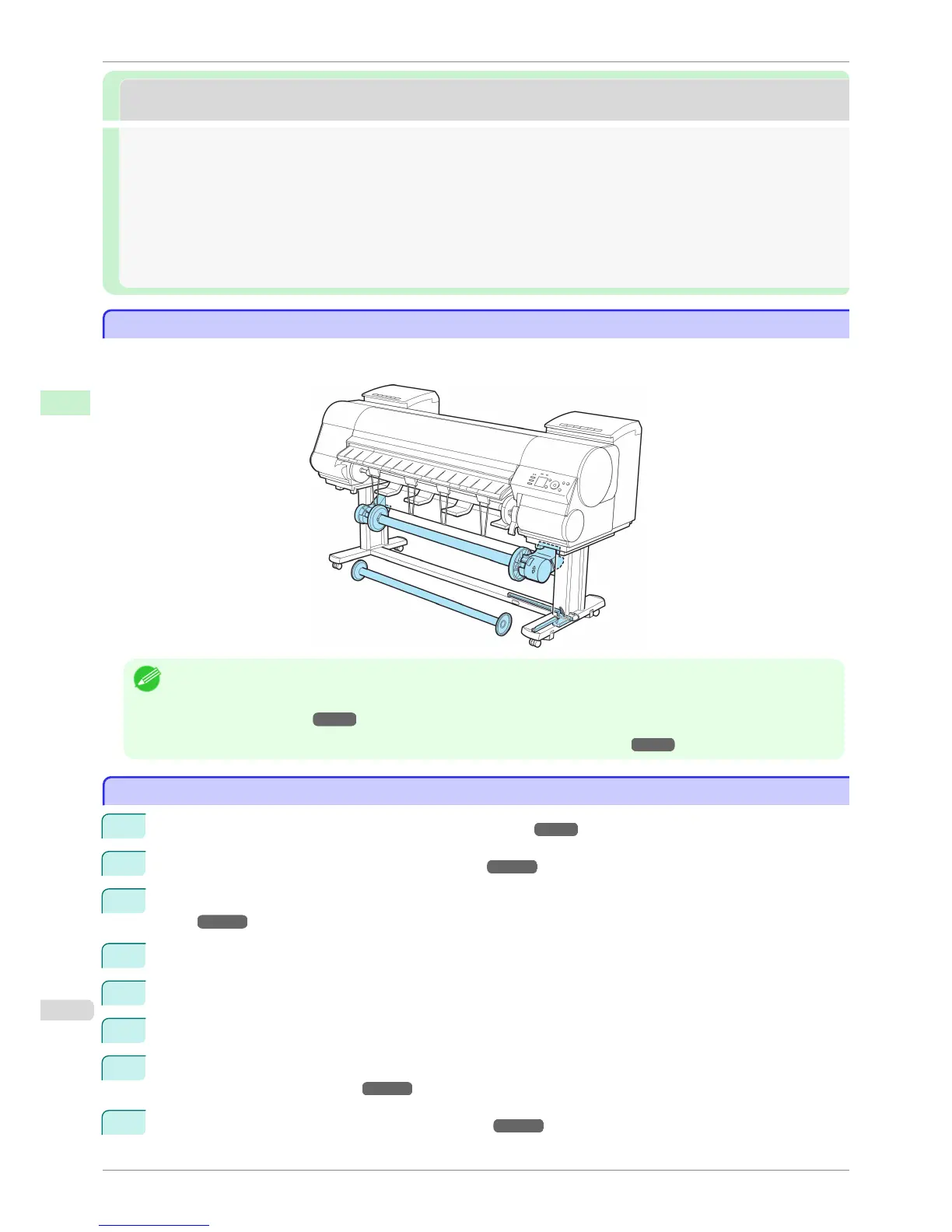
Media take-up unit
Media take-up unit
Media Take-up Unit ....................................................................................................................................................... 620
Media Take-up Unit (Optional) .................................................................................................................................. 506
Using the Media Take-up Unit (Optional) ............................................................................................................. 506
Enabling Roll Take-Up .................................................................................................................................................. 507
Disabling Roll Take-Up ................................................................................................................................................. 507
Loading the Rewind Spool on the Media Take-up Unit ................................................................................. 508
Removing Printed Documents from the Media Take-up Unit (Optional) ............................................... 514
Media Take-up Unit (Optional)
Media Take-up Unit (Optional)
Use the optional Media Take-up Unit to have documents that are printed on rolls rewound automatically after print-
ing. This is convenient for large-format printing, or when printing large-volume jobs continuously.
Note
• For instructions on installing the Media Take-up Unit, refer to the Media Take-up Unit Setup Guide.
• For information on the types of paper compatible with the Media Take-up Unit, refer to the Paper Reference Guide.
(See "Types of Paper.") ➔ P.458
• For Media Take-up Unit instructions, see "Using the Media Take-up Unit (Optional)." ➔ P.506
Using the Media Take-up Unit (Optional)
Using the Media Take-up Unit (Optional)
1
Turn the printer on. (See "Turning the Printer On and Off.") ➔ P.21
2
Enable roll take-up. (See "Enabling Roll Take-Up.") ➔ P.507
3
Load the rewind spool on the media take-up unit. (See "Loading the Rewind Spool on the Media Take-up
Unit.") ➔ P.508
4
Turn on the Media Take-up Unit.
5
Print on the roll.
6
Turn off the Media Take-up Unit.
7
Remove the printed document from the media take-up unit. (See "Removing Printed Documents from the
Media Take-up Unit (Optional).") ➔ P.514 (Optional)
8
Disable roll take-up. (See "Disabling Roll Take-Up.") ➔ P.507
Media Take-up Unit (Optional)
iPF8400S
User's Guide
Handling and Use of Paper Media take-up unit
506














 To Next Page