Acquiring Color Measurement Data from the Color Chart
You can measure the colors of any arbitrary color chart and save the color measurement data on your computer.
You can then create an ICC profile by importing this data into commercially available ICC profile creation software.
For the procedure for acquiring color measurement data, see "Acquiring Color Measurement Data For Any Color
Chart."
➔P.760
Note
• This function can be executed when a printer that has a spectrophotometer unit installed is selected.
Execute Color Check
You can execute a color check.
When a color check is executed, a built-in pattern is printed, the color difference from a calibration target registered
in the printer is calculated, and the check results are displayed.
Execute a color check when you want to check the color status of a printer in detail.
For the procedure for executing color check, see "Executing Color Check." ➔ P.766
You can also configure to automatically execute color check on a specified date and time.
For the procedure for configuring color check scheduler settings, see "Scheduling Color Check." ➔ P.770
Note
• This function can be executed when a printer that has a spectrophotometer unit installed is selected.
Installation Procedure
Installation Procedure
The installation procedure for the Color Calibration Management Console is as follows.
1
Place the User Software CD-ROM in the CD-ROM drive and start the installer.
Note
• If the installer screen does not appear automatically, open the CD-ROM from My Computer and click iP-
FInst.exe to open the icon.
2
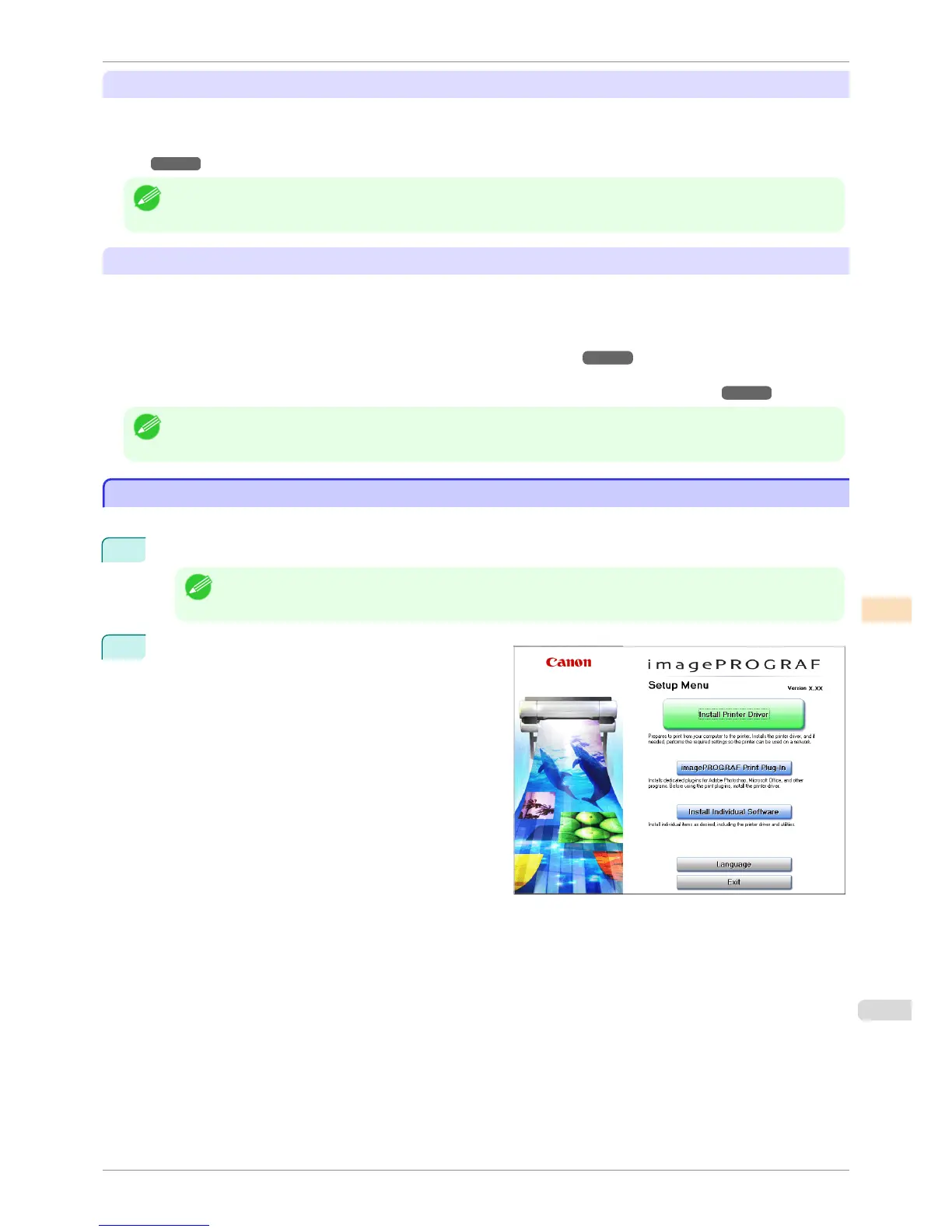
Click the Install Individual Software button.
iPF8400S
Installation Procedure
User's Guide
Color Management Color Calibration Management Console (Windows)
741














 To Next Page