3
Press the OK button.
The Set./Adj. Menu is displayed.
4
Press ▲ or ▼ to select Test Print, and then press the OK button.
5
Press ▲ or ▼ to select Nozzle Check, and then press the OK button.
The printer now prints a test pattern for checking the nozzles.
6
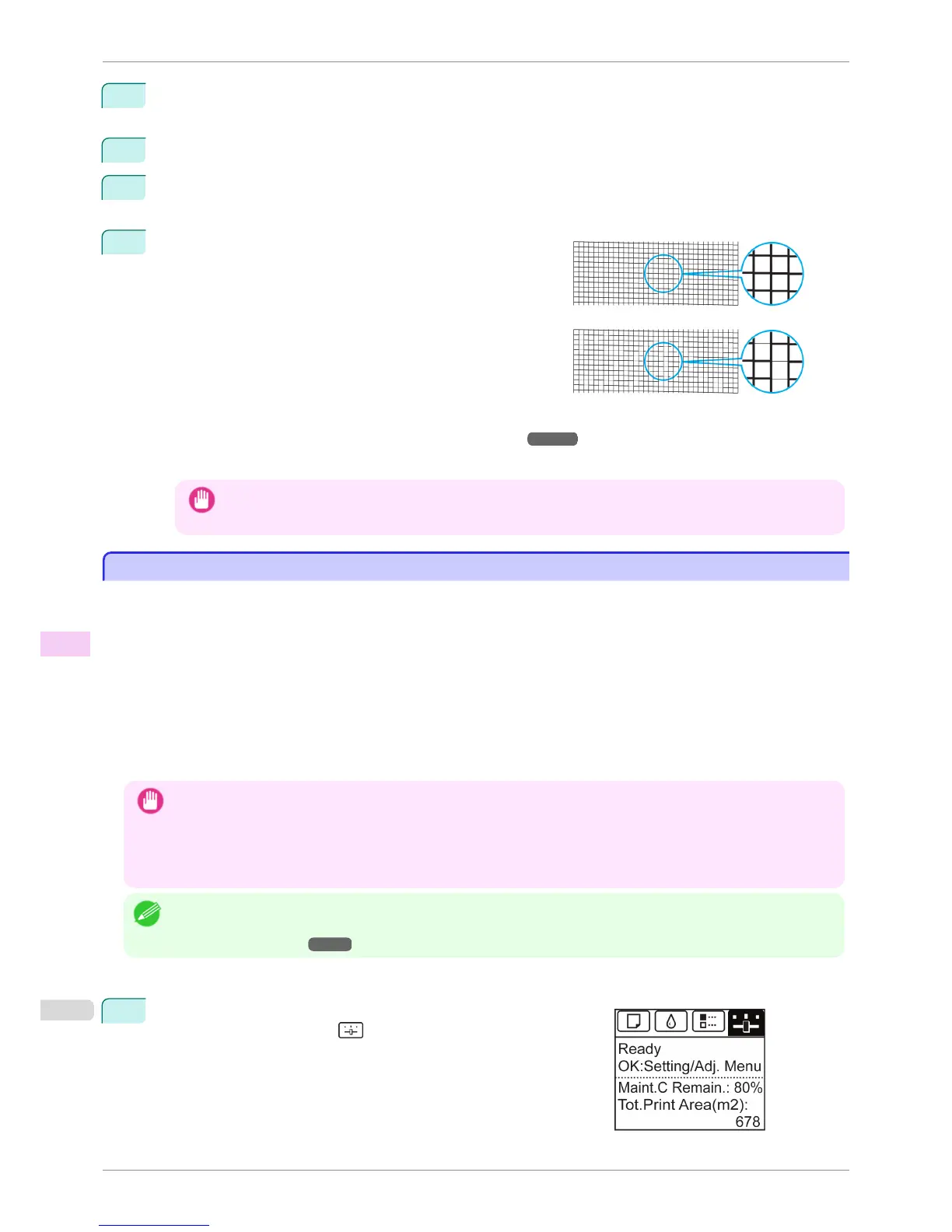
Check the printing results.
If the horizontal lines are not faint or incomplete, the nozzles
are clear.
If some sections of the horizontal lines are faint or incomplete,
the nozzles for those colors are clogged.
If horizontal lines are faint or incomplete, follow the steps be-
low and check again for nozzle clogging.
1.
Clean the Printhead. (See "Cleaning the Printhead.") ➔ P.818
2.
Print a test pattern to check the nozzles.
Important
• If you repeat these steps several times but the horizontal lines are still faint or incomplete, contact your Canon
dealer.
Cleaning the Printhead
Cleaning the Printhead
If printing is faint, cleaning the Printhead may improve results.
Choose one of two Printhead cleaning modes ( Head Cleaning A or Head Cleaning B ), depending on the prob-
lem to resolve.
•
Head Cleaning A
Use this mode if printing is faint or contains foreign substances. This method of cleaning consumes the least
amount of ink.
It takes about four minutes to complete.
•
Head Cleaning B
Use this mode if no ink is ejected at all, or if Head Cleaning A does not solve the problem.
It takes about five minutes to complete.
Important
• Do not remove the Maintenance Cartridge or ink tanks during either Head Cleaning A or Head Cleaning B.
Ink may leak or an error may occur.
• If printing does not improve even if you execute Head Cleaning B, try repeating Head Cleaning B once or twice. If this
still does not improve printing, the Printhead may have reached the end of its useful life. Contact your Canon dealer for
assistance.
Note
• By default, nozzles are checked at fixed intervals.
Configure the settings on the Control Panel menu in Nozzle Check.
(See "Menu Settings.") ➔ P.591
Perform cleaning as follows.
1
On the Tab Selection screen of the Control Panel, press ◀ or ▶ to
select the Settings/Adj. tab ( ).
Cleaning the Printhead
iPF8400S
User's Guide
Maintenance and Consumables Printheads
818














 To Next Page