Setting Details
Rotate Left 90 Degrees *When Fit Roll Paper Width is selected under Enlarged/Reduced Printing, then the image is
enlarged or reduced after rotating to fit the width of the roll paper.
Rotate 180 degrees Allows you to rotate the image 180 degrees from the vertical to the right.
Note
• Available only if rolls are selected in Paper Source.
•
Output Method Button
Click the button to open the Output Method dialog box.
In this dialog box, you can specify the object output method.
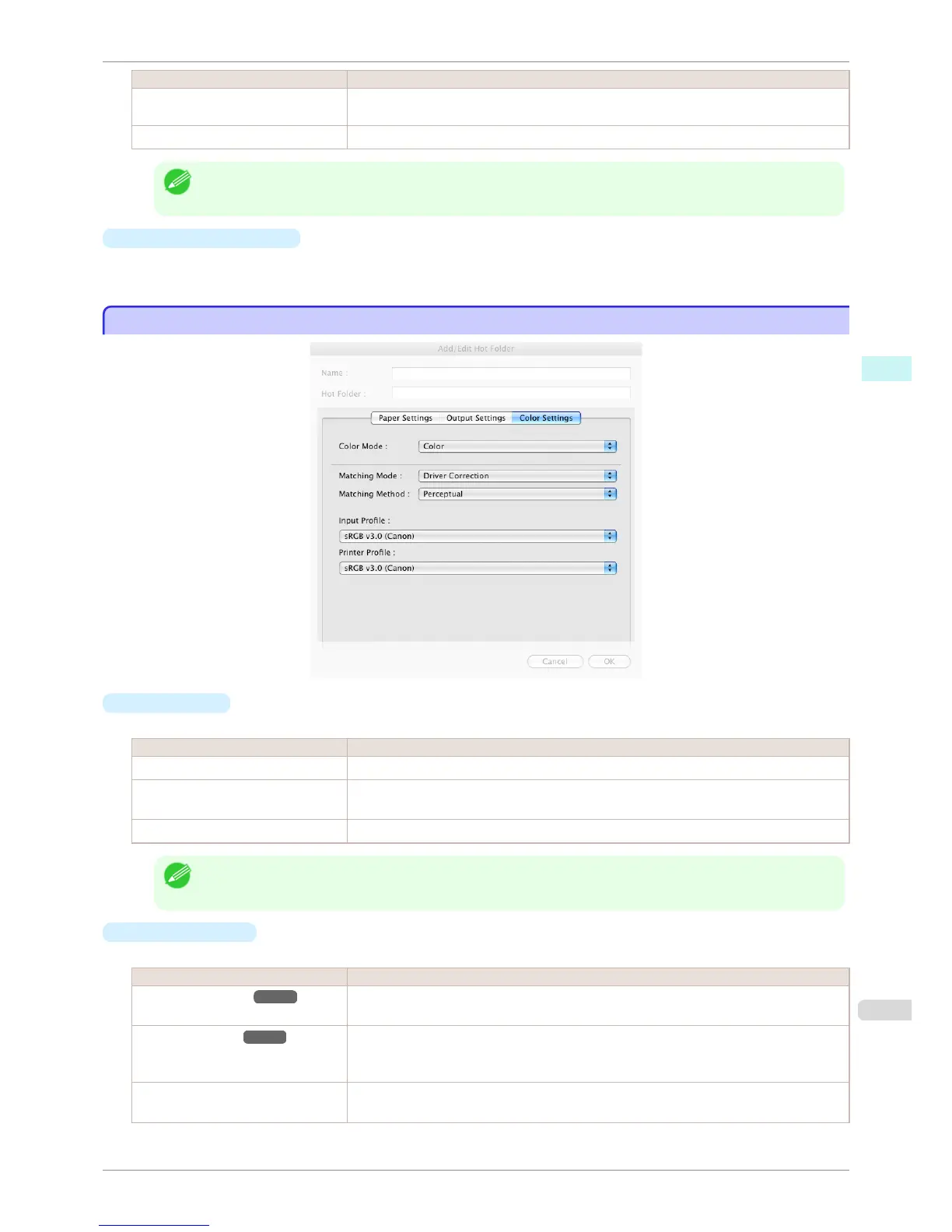
Color Settings Panel
Color Settings Panel
•
Color Mode
You can select a color mode to suit the print job.
Setting Details
Color Enables color printing.
Monochrome (Photo) Prints monochrome photo image data in a gray scale that is free of color casting (phenomenon
of grays that appear tinted).
Monochrome Disables color printing and converts image from continuous color to grayscaled monochrome.
Note
• The availability of settings depends on the print priority and media type selections.
•
Matching Mode
Under Matching Mode, select the matching mode.
Setting Details
Driver Matching Mode ➔ P.396 Enables printing of optimal color tones using a driver specific color profile. You should normally
select this mode.
ICC Matching Mode ➔ P.396 Enables color matching using ICC profiles. Select this if you want to print by specifying the
input profile, printer profile, and matching method in detail. This allows you to use ICC profiles
for digital cameras and scanners, ICC profiles created using the profile creation tool, etc.
No Correction No color matching is performed. Select this option when you want to perform color matching in
the software application.
iPF8400S
Color Settings Panel
User's Guide
Mac OS Software Color imageRUNNER Enlargement Copy
395














 To Next Page