Setting Details
Line Drawing This mode is best for printing CAD drawings with fine lines or wall newssheet or other docu-
ments that contain large amounts of text. However, you may not achieve the quality you expect
with printing photographs or other images with many filled areas. For these types of jobs, se-
lect Image.
Proof This is a setting for enhancing the reproducibility of characters, illustrations, and photos with
print proofing.However, this takes more time than regular printing.
Office Document Prints common office documents, such as proposals, memos for distribution, etc., so they are
easy to read.
Note
• The number of settings available for selection depends on the media type.
•
Print Quality
Selecting print quality strikes a balance between the quality of the printed image and printing speed.
The level of the print quality and resolution settings are displayed in the following combinations.
Setting Details
Print Quality Highest quality / High / Standard / Fast
Resolution 600dpi / 300dpi
Note
• The availability of settings is determined by the media type and print priority selections.
• Printing time is longer and more ink is consumed with High than with Fast, however, print quality is higher.
• Printing time is shorter and less ink is consumed with Fast than with High, however, print quality is lower.
• For Highest quality, the resolution is not displayed.
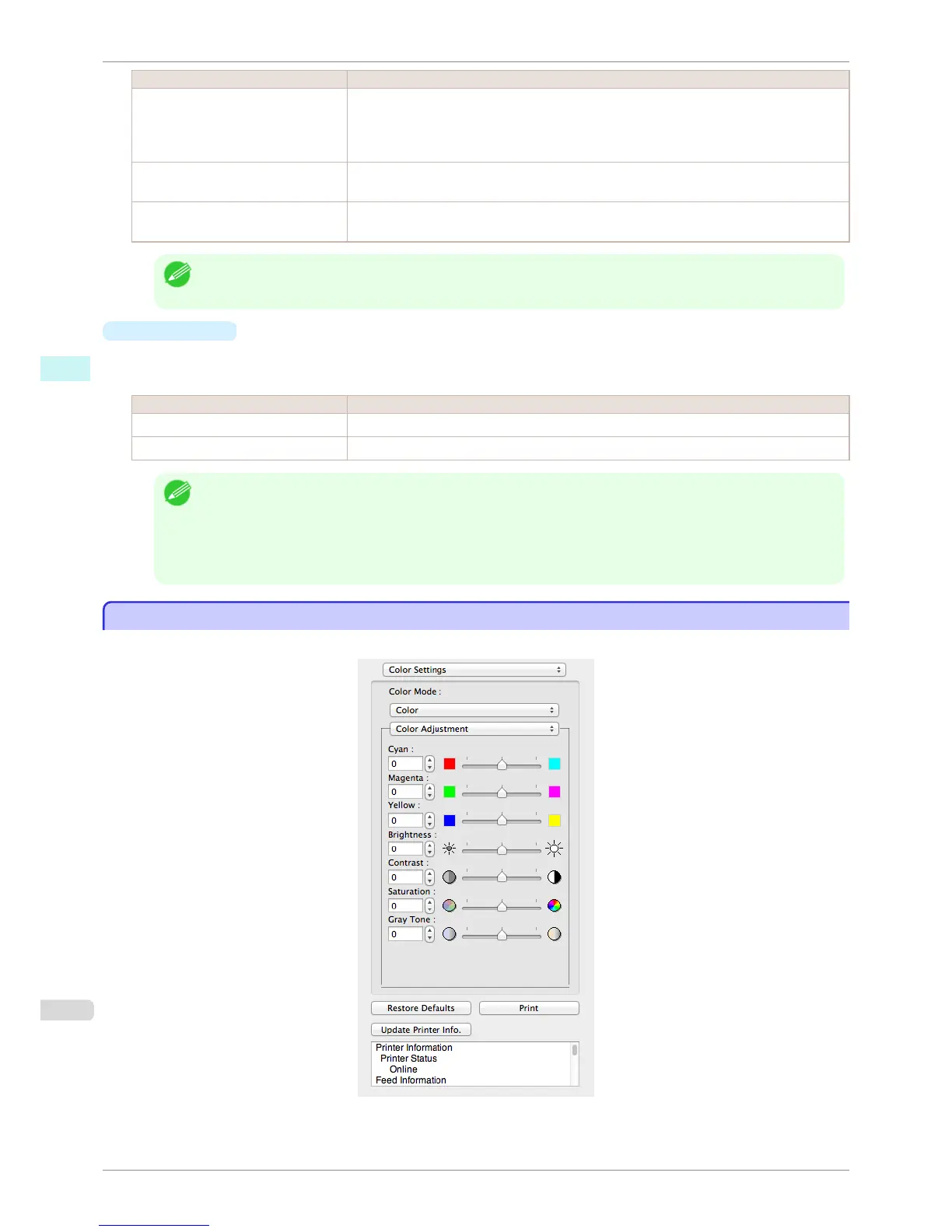
Color Settings Panel
Color Settings Panel
This panel appears when you select Color Settings in the dialog area.
Color Settings Panel
iPF8400S
User's Guide
Mac OS Software Free Layout
366














 To Next Page