•
Roll Paper Options button
Click this button to open the Roll Paper Options dialog box, where you can set roll paper width and perform
auto cut settings.
For more information about the roll paper options, see "Roll Paper Options Dialog Box." ➔ P.422
•
Size Options button
Click the Size Options button to open the Size Options dialog box and you can select a media name, size and
other settings.
For more information about the size options, see "Size Options Dialog Box." ➔ P.422
•
Defaults button
Click the button to return all of the settings on the Page Setup sheet to their defaults.
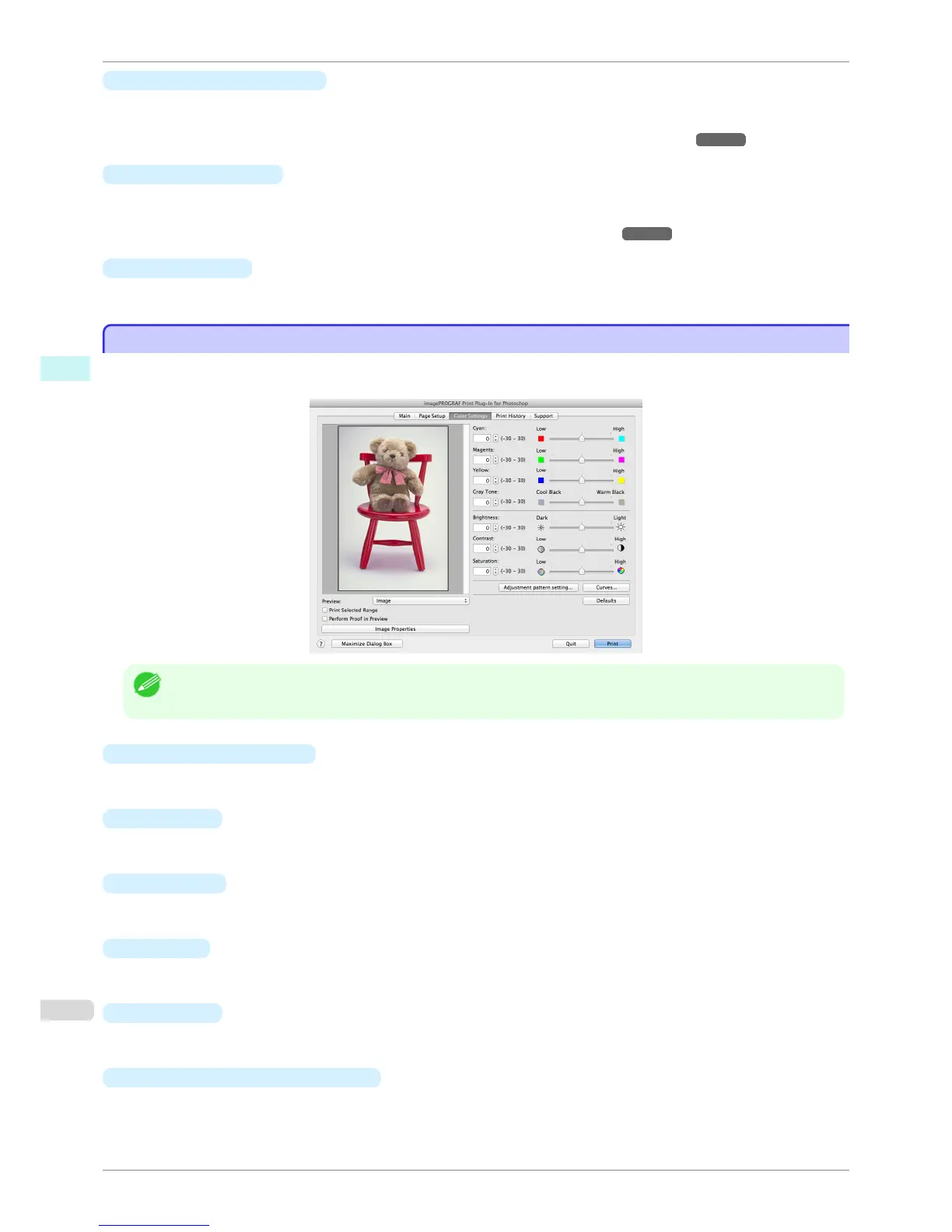
Color Settings Sheet (Color)
Color Settings Sheet (Color)
You can use this sheet to adjust image Color, Brightness, Contrast, Saturation, and you can set the color bal-
ance of print product more to your liking.
Note
• You can check a preview of the adjusted state for the following items.
Cyan / Magenta / Yellow, Gray Tone, Brightness, Contrast, and Saturation
•
Cyan / Magenta / Yellow
You can adjust the strength or weakness of a color by either inputting a numerical value or dragging the slide
bar.
•
Gray Tone
You can adjust gray tone from cool black (cool tones) to warm black (red tones) by either inputting a numerical
value or dragging the slide bar.
•
Brightness
You can adjust the brightness of the printed image without losing the brightest and darkest areas by either
inputting a numerical value or dragging the slide bar.
•
Contrast
You can relatively adjust the brightness of the brightest and darkness areas by either inputting a numerical
value or dragging the slide bar.
•
Saturation
You can adjust the saturation of vivid color balance to dark color balance by either inputting a numerical value
or dragging the slide bar.
•
Adjustment pattern setting
button
When this button is clicked, the Adjustment pattern setting dialog box is displayed. The Adjustment pattern
setting dialog box allows you to print an adjustment pattern with adjustment values that vary in steps up and
down, and to select your preferred adjustment values.
Color Settings Sheet (Color)
iPF8400S
User's Guide
Mac OS Software Print Plug-In for Photoshop / Digital Photo Professional
412














 To Next Page