5
Click the OK button to save the settings.
6
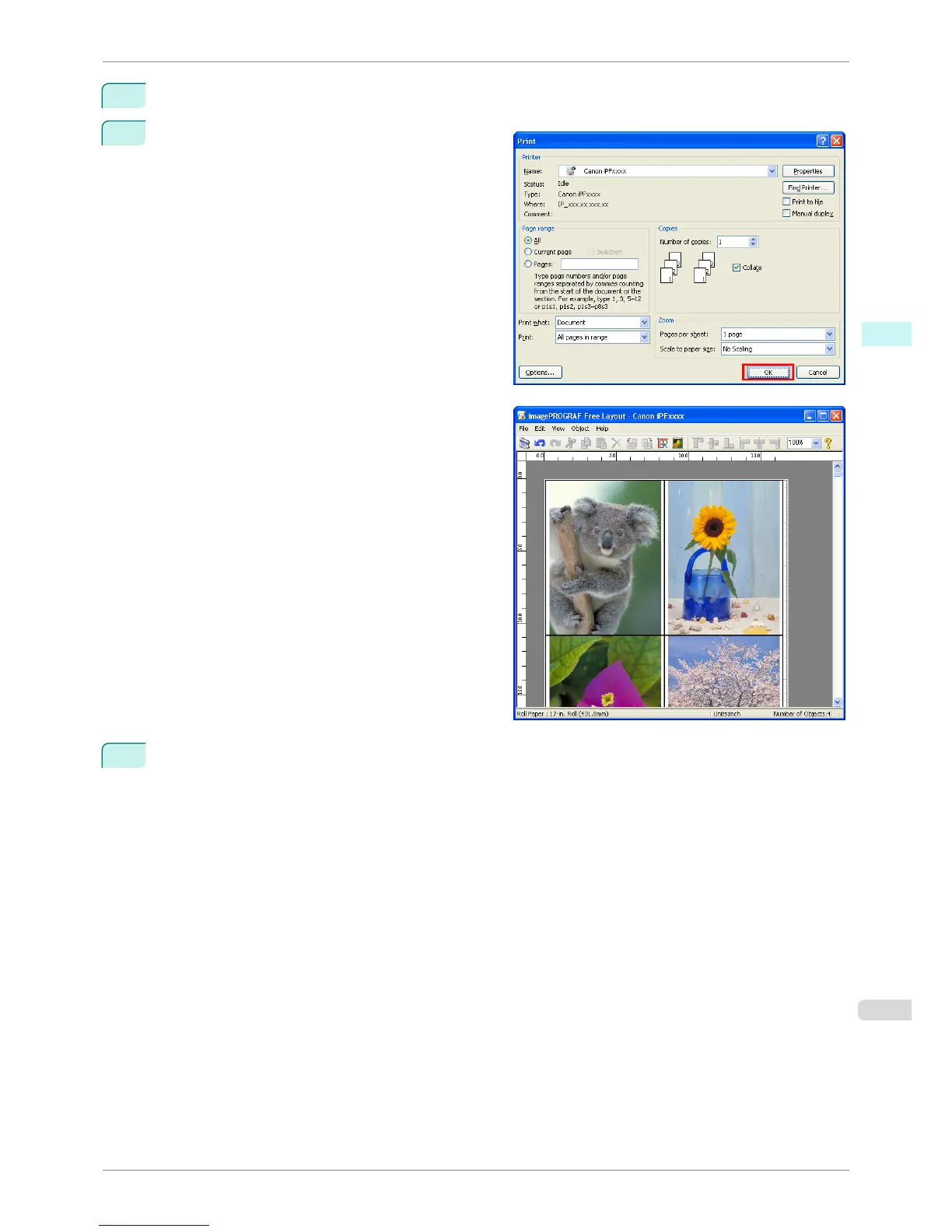
In the Print dialog box, select the pages to print and
the number of copies, and click the OK button.
Free Layout starts, laying out the document created
with application software in the layout area as an ob-
ject.
7
Leaving Free Layout running, open other files with other application software and repeat the above steps.
iPF8400S
Laying out a Document Created with Multiple Application Programs on One Page
User's Guide
Windows Software Free Layout
203














 To Next Page