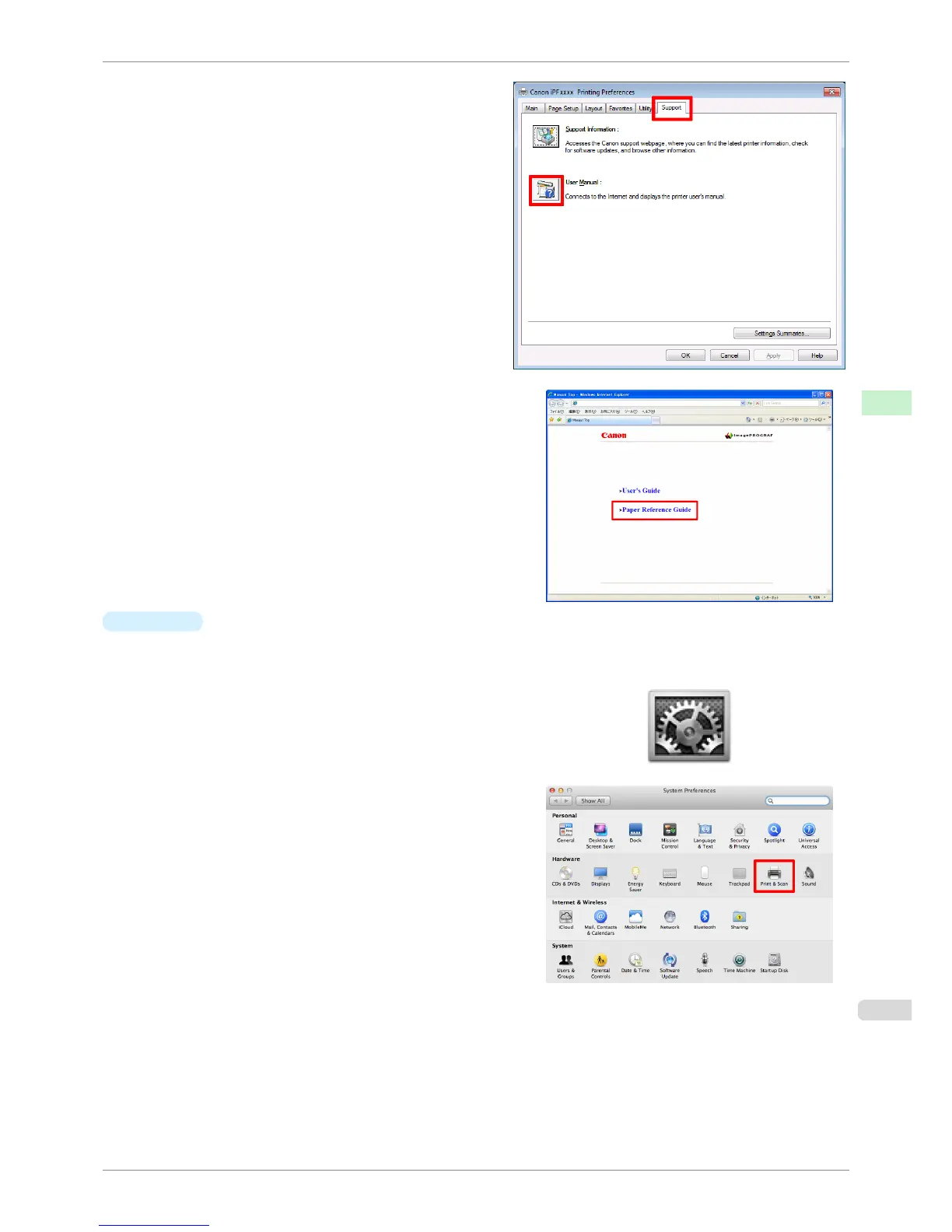
2.
Select the Support sheet and click the User Man-
ual button.
3.
Click Paper Reference Guide.
•
Mac OS
The basic instructions for displaying the Paper Reference Guide from the imagePROGRAF Printmonitor are
as follows.
1.
Click the System Preferences icon in the Dock.
2.
Click Print & Scan (or Print & Fax).
iPF8400S
Displaying the Paper Reference Guide
User's Guide
Handling and Use of Paper Paper
463














 To Next Page