Using imagePROGRAF Status Monitor (Windows)
1
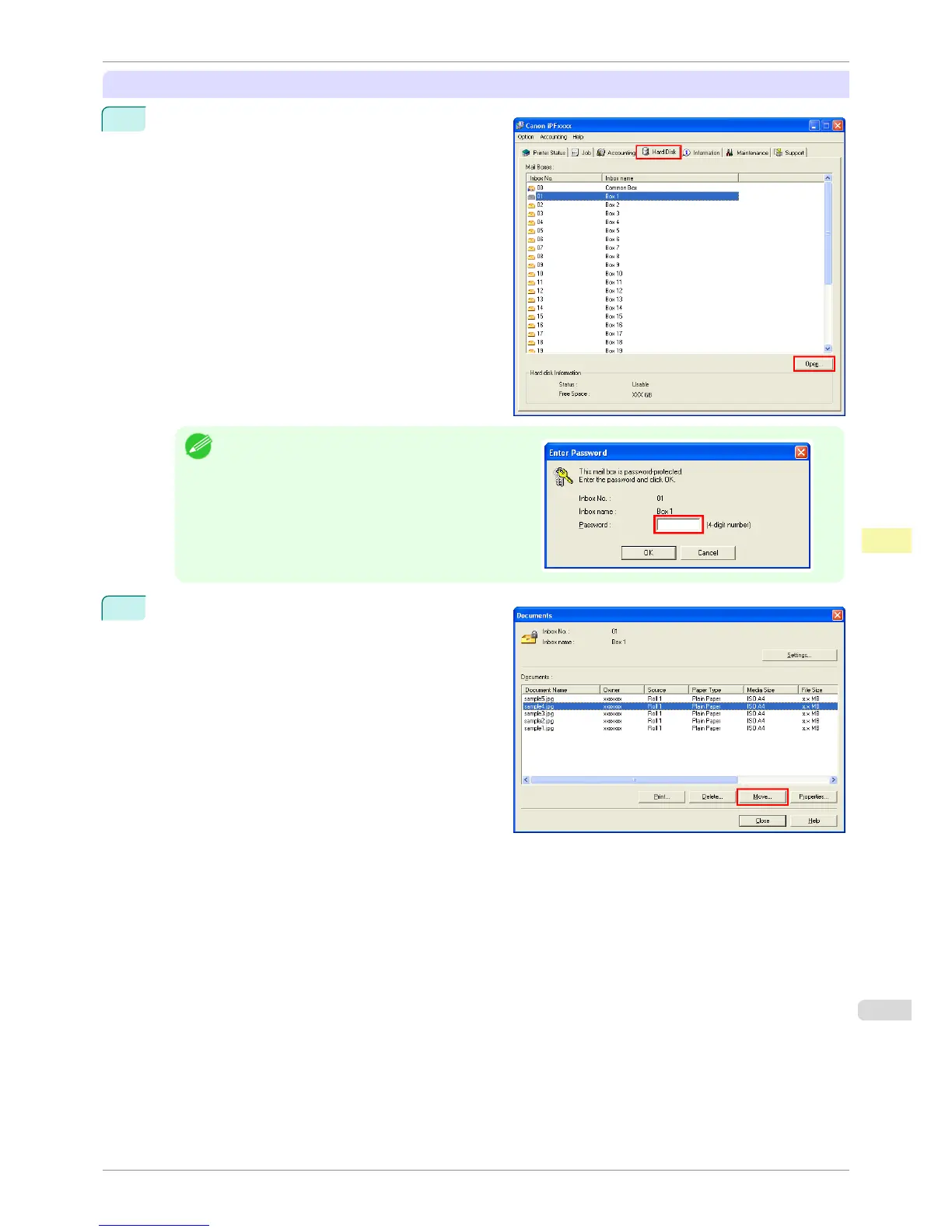
On the Hard Disk sheet, select a box and click
Open.
Note
•
Enter a password if one has been set.
2
In the Documents dialog box, select the print job and
click Move.
iPF8400S
Moving Saved Jobs
User's Guide
Print Job Management Basic Print Job Operations
687














 To Next Page