•
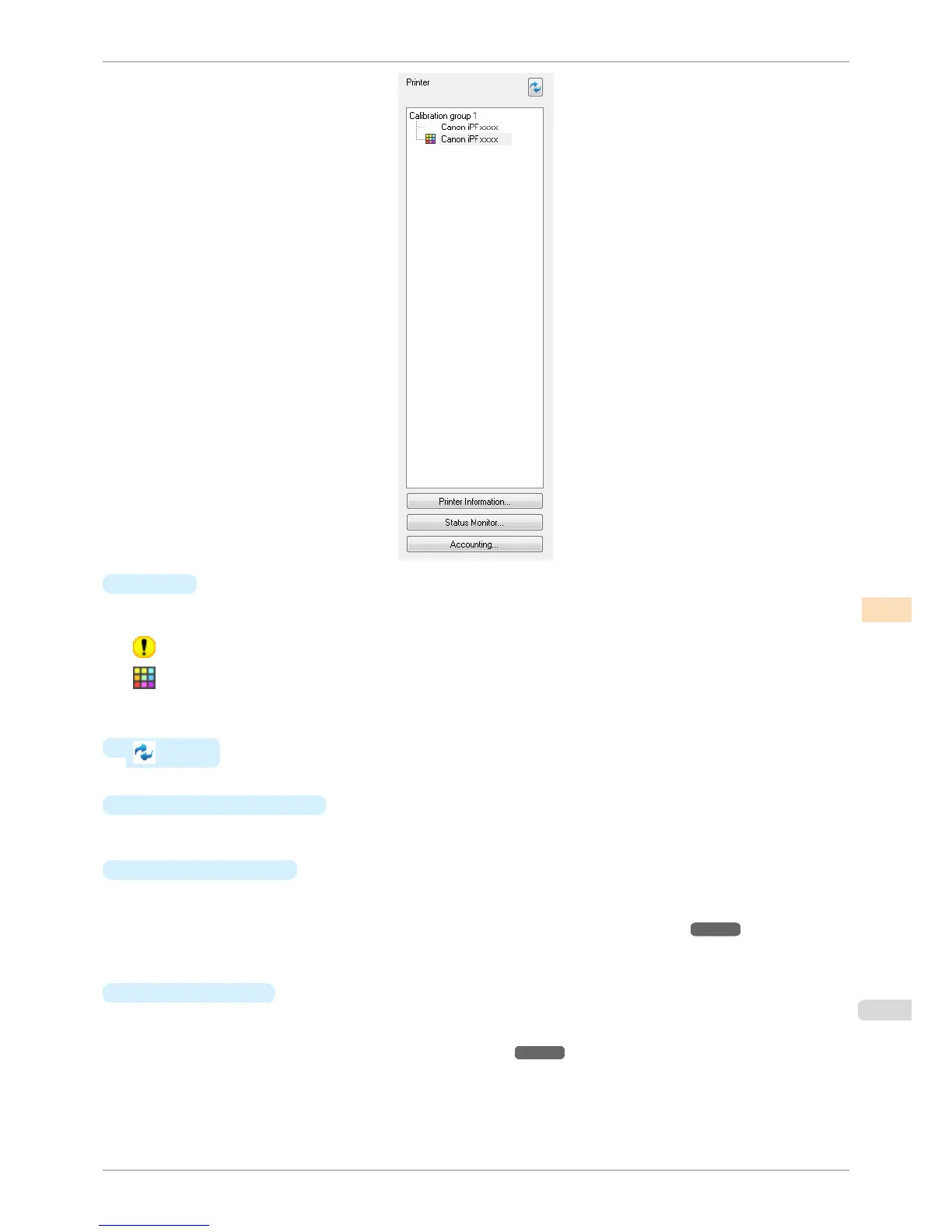
Printer
If color calibration is executed on the paper being fed, printers that are being fed the same paper are displayed
under the Calibration group.
is displayed on printers that have a message related to color calibration.
is displayed on printers where the spectrophotometer unit is installed.
Double-click the printer name to display the Printer Information dialog box, allowing you to check the detailed
printer information.
•
button
Click this button to refresh the Printer list with the latest information.
•
Printer Information button
Click this button to display the Printer Information dialog box for the selected printer, allowing you to check
the detailed printer information.
•
Status Monitor
button
Click this button to start the imagePROGRAF Status Monitor for the selected printer, allowing you to confirm
information such as the status of print jobs.
For details on Status Monitor, see "The Features of imagePROGRAF Status Monitor." ➔ P.654
This button might not be available when a printer that is connected via IPv6 is selected depending on how it
was registered in the Printer list.
•
Accounting
button
Click this button to start the imagePROGRAF Status Monitor Accounting Manager main window for the selec-
ted printer, allowing you to confirm information such as the cost of printing.
For details on the Accounting, see "Accounting Manager." ➔ P.658
This button might not be available when a printer that is connected via IPv6 is selected depending on how it
was registered in the Printer list.
iPF8400S
Printer List
User's Guide
Color Management Color Calibration Management Console (Windows)
751














 To Next Page