Setting Item Details
Position of Ventilation Fan Note that when High is selected, we recommend that you set the Time longer and the Air-
flow stronger compared with when Standard is selected because of the larger distance be-
tween the ventilation fan and paper.
8
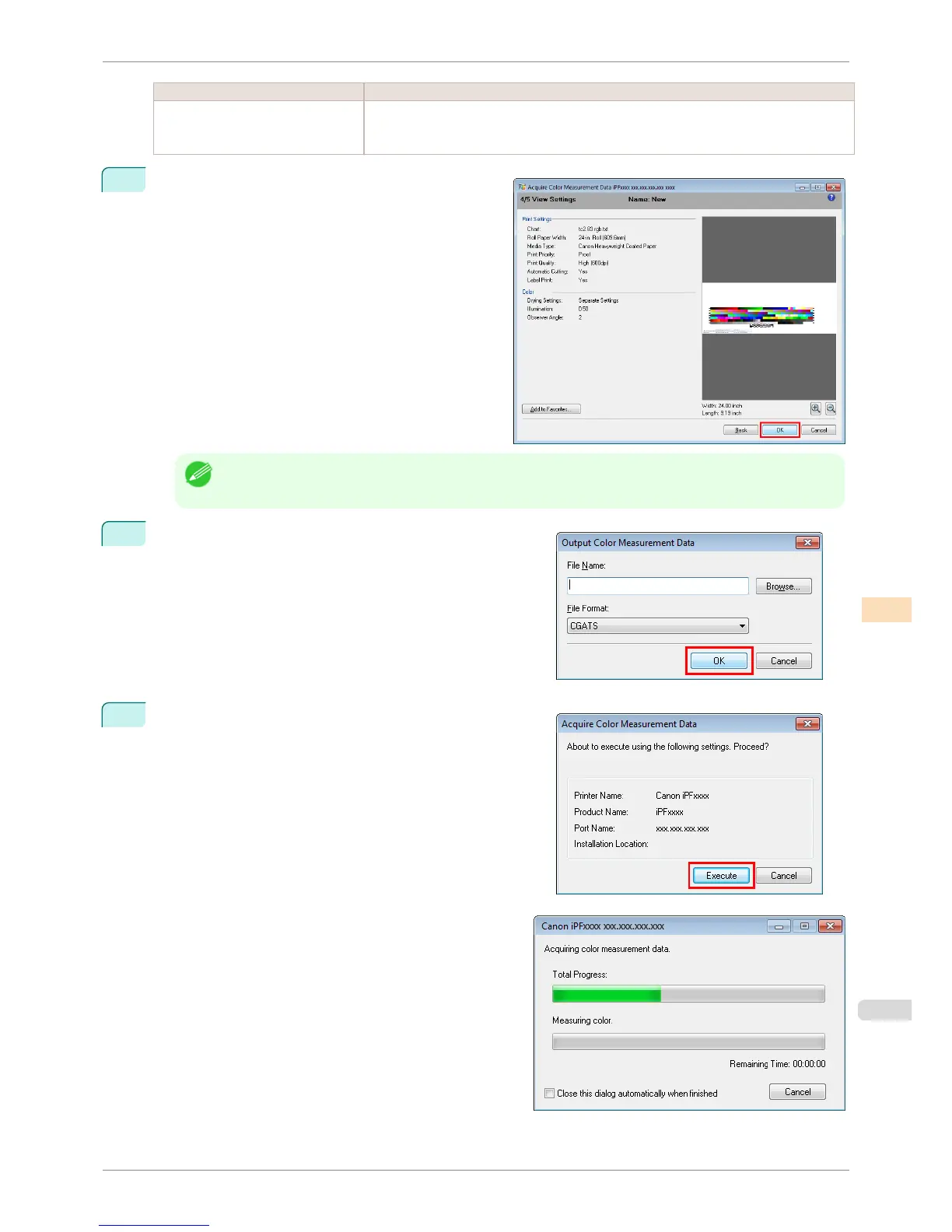
The View Settings window is displayed. Check the
details of the settings and click the OK button.
Note
• Click the Add to Favorites button to display the Add to Favorites dialog box, which allows you to add the
setting details to favorites.
9
The Output Color Measurement Data dialog box is dis-
played.
Select the file to save the color measurement data into and
click the OK button.
10
The Acquire Color Measurement Data dialog box is dis-
played.
Click the Execute button.
The color chart is printed and color measurement be-
gins.
iPF8400S
Acquiring Color Measurement Data For Any Color Chart
User's Guide
Color Management Color Calibration Management Console (Windows)
765














 To Next Page