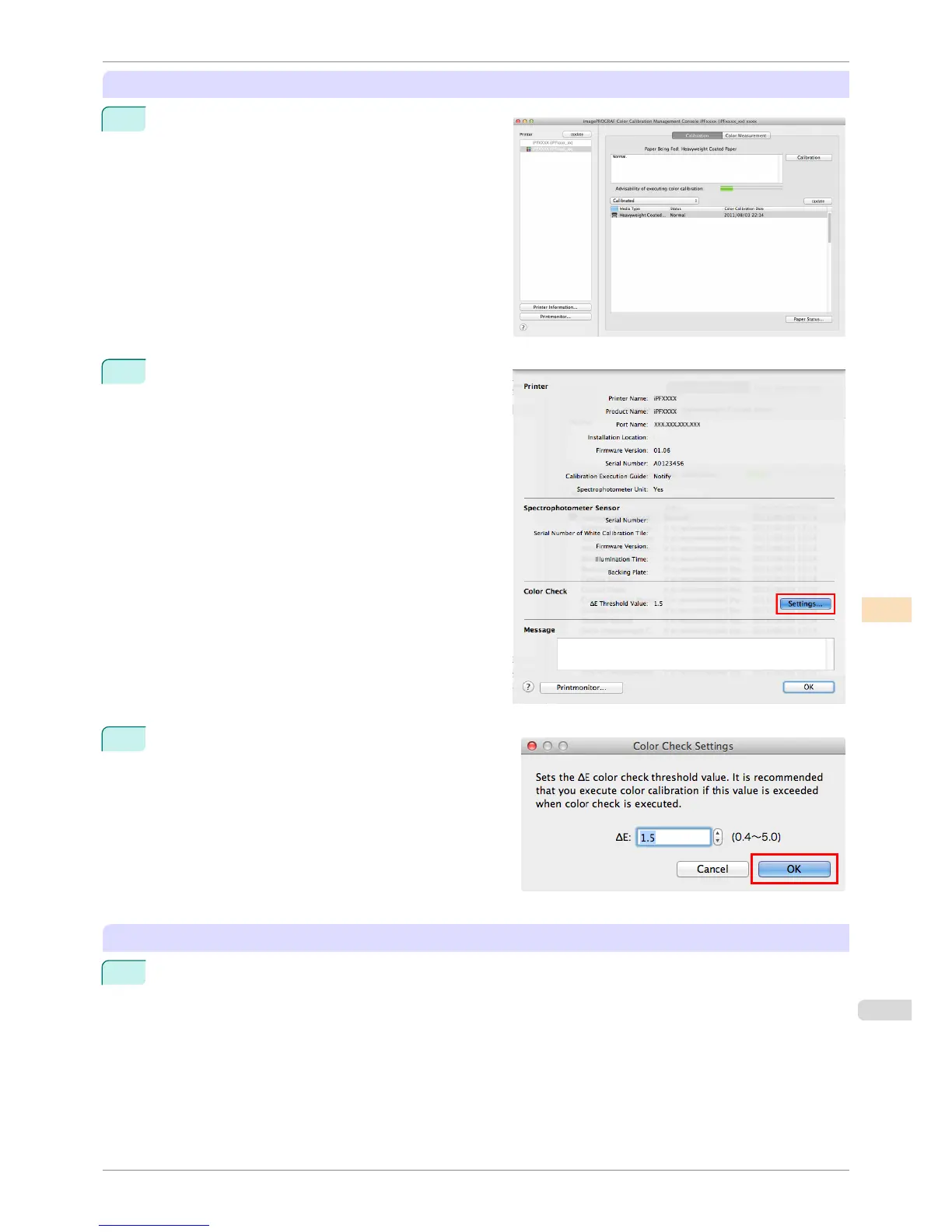
Setting the Color Check Threshold Value
1
Double-click the printer you want to execute the color
check on in the Printer list.
2
Click the Settings button for Color Check in the
Printer Information dialog box.
3
Enter the color check threshold value in ΔE and click
the OK button.
Getting the Printer Ready
1
Confirm whether the paper to be loaded can be used for color checks.
Paper for color check is paper that can be used with the Auto Adjust (High Precision) setting on the
spectrophotometer unit.
iPF8400S
Executing Color Check
User's Guide
Color Management Color Calibration Management Console (Mac OS)
797














 To Next Page