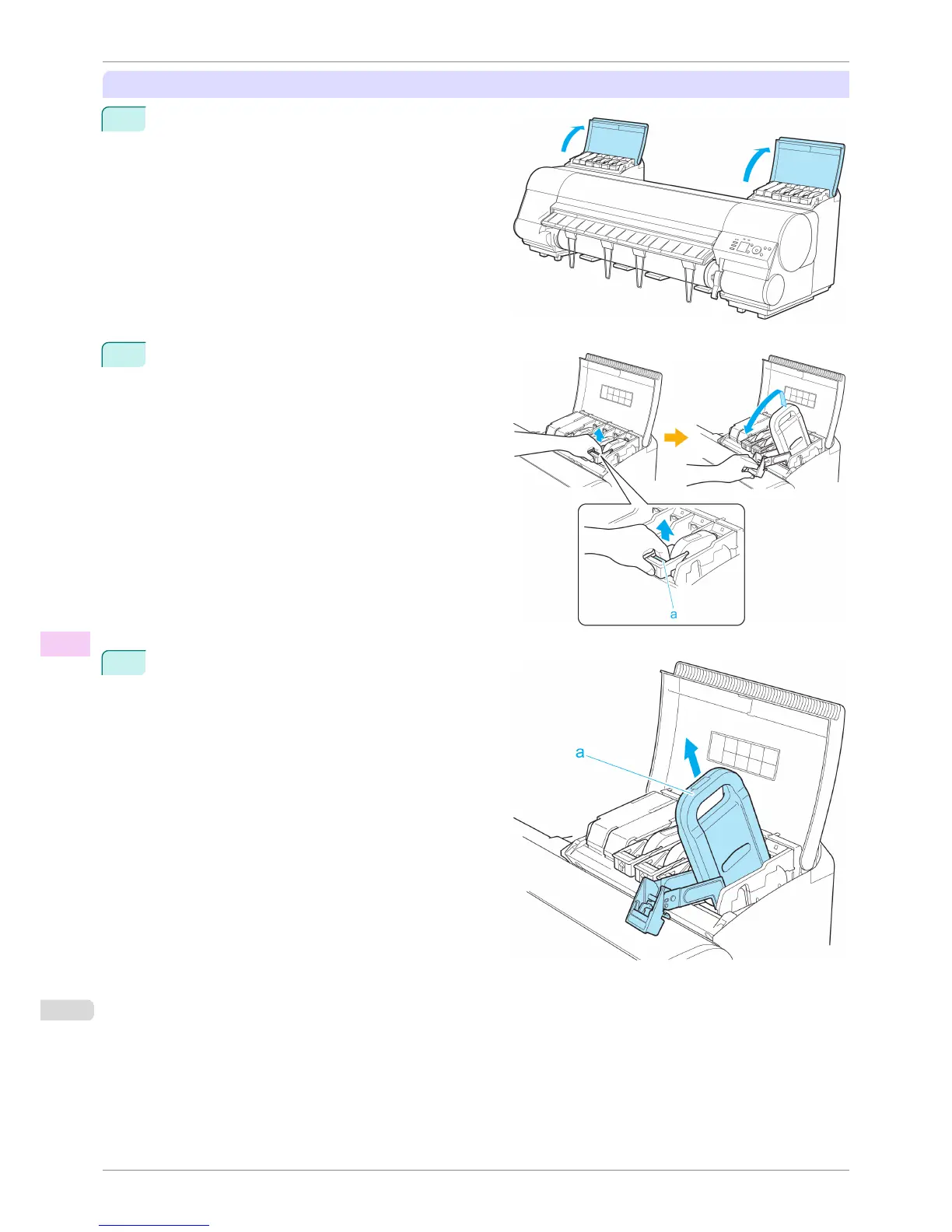
Removing Ink Tanks
1
Open the left and right ink tank covers.
2
Lift the stopper (a) of the Ink Tank Lock Lever (a). Lift
the Ink Tank Lock Lever until it stops, and then push
it down to the front.
3
Hold the Ink Tank by the handle (a) and remove it.
Preparing to Transfer the Printer
iPF8400S
User's Guide
Maintenance and Consumables Other Maintenance
846














 To Next Page