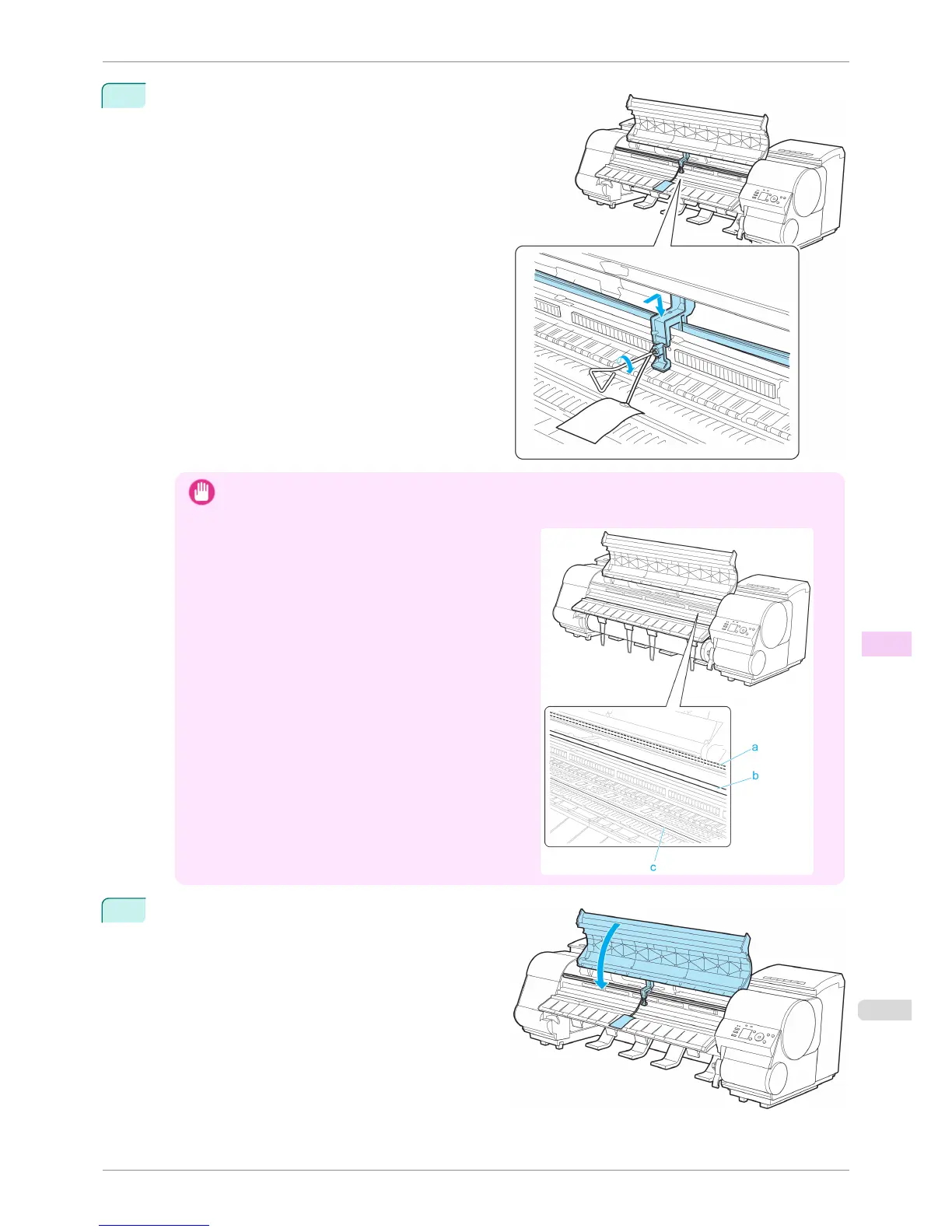
4
Grasp the Belt, insert it between the Belt Stopper,
and affix the Belt Stopper with a hex screw at the po-
sition indicated.
Important
• Here, the Belt Stopper is the one that was removed and stored after initial installation. Neglecting to attach the
Belt Stopper may damage the printer.
•
Do not touch the Linear Scale (a), Carriage Shaft (b),
or Fixed Blade (c). This may stain your hands and
damage the printer.
5
Close the Top Cover.
iPF8400S
Preparing to Transfer the Printer
User's Guide
Maintenance and Consumables Other Maintenance
849














 To Next Page