5-51
8. Use the cursor keys to move the pointer (
) to the location where you want to draw, and
press w.*
3
*
1
The above shows the function menu that appears in the Graph mode. Menu items may
differ somewhat in other modes.
*
2
In the case of an inverse function graph, drawing starts immediately after you select this
option. The line style and color setting selected for the Setup screen “Sketch Line” and
“Plot/LineCol” settings are always applied for an inverse function graph.
*
3
Some sketch functions require specification of two points. After you press w to specify the
first point, use the cursor keys to move the pointer to the location of the second point and
press w.
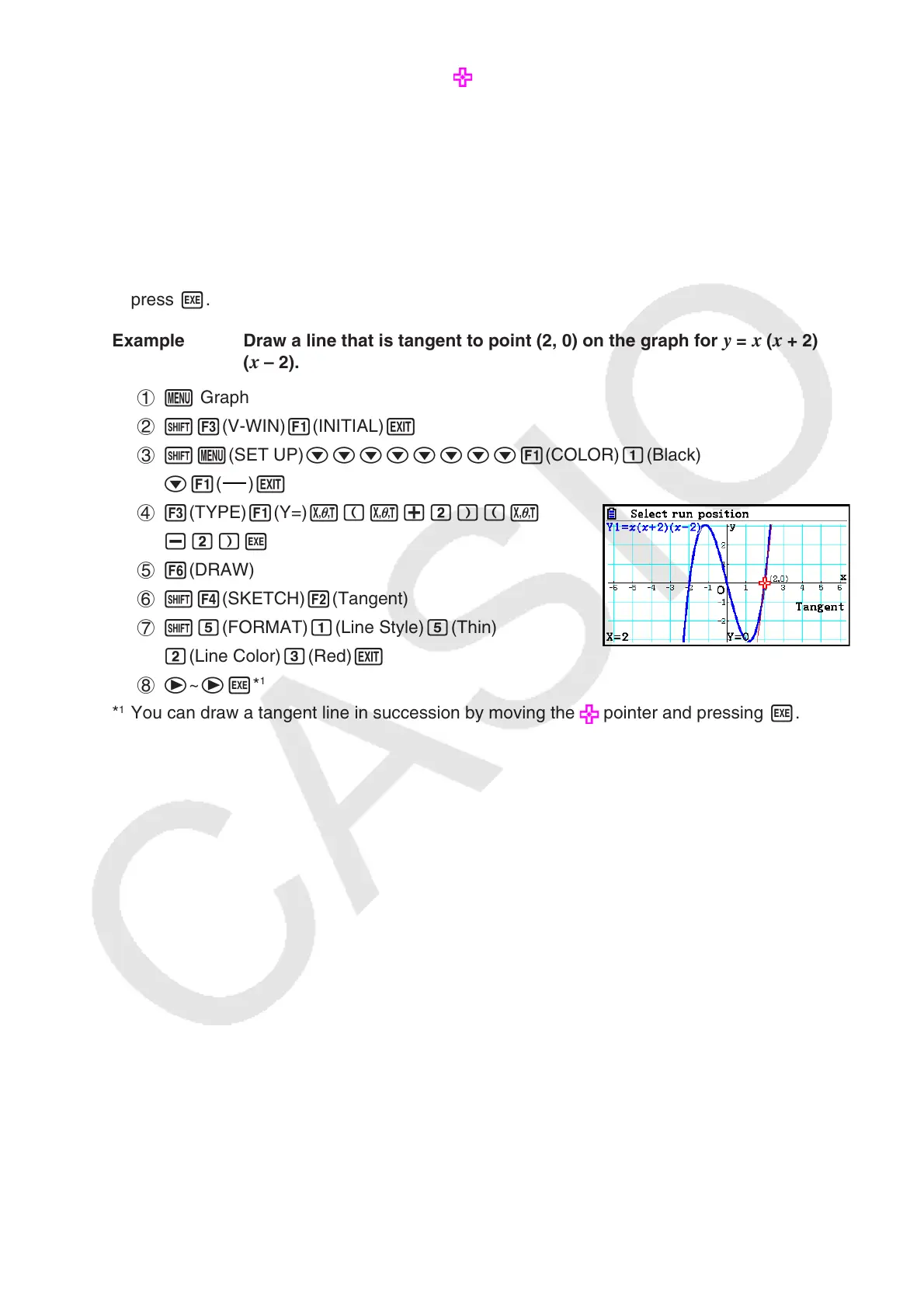
Example Draw a line that is tangent to point (2, 0) on the graph for
y = x ( x + 2)
( x – 2).
1 m Graph
2 !3(V-WIN) 1(INITIAL) J
3 !m(SET UP)cccccccc1(COLOR)b(Black)
c1(
)J
4 3(TYPE)1(Y=)v(v+c)(v
-c)w
5 6(DRAW)
6 !4(SKETCH) 2(Tangent)
7 !f(FORMAT)b(Line Style)f(Thin)
c(Line Color)d(Red)J
8 e~ew*
1
*
1
You can draw a tangent line in succession by moving the pointer and pressing w.



 To Next Page
 Loading...









