8-13
: ( Multi-statement Command)
Function: Connects two statements for sequential execution without stopping.
Description:
• Unlike the output command ( ^), statements connected with the multi-statement command
are executed non-stop.
• The multi-statement command can be used to link two calculation expressions or two
commands.
• You can also use a carriage return indicated by _ in place of the multi-statement command.
_ ( Carriage Return)
Function: Connects two statements for sequential execution without stopping.
Description:
• Operation of the carriage return is identical to that of the multi-statement command.
• You can create a blank line in a program by inputting a carriage return only. Using a carriage
return in place of the multi-statement command makes the displayed program easier to read.
’ ( Comment Text Delimiter)
Function: Indicates comment text inserted inside a program.
Description: Inputting an apostrophe (’) at the beginning of a line, causes everything from
the beginning of the line up to the next Multi-statement Command (:), Carriage Return (_), or
Output Command (^) is treated as comment text, which is ignored during execution.
k Program Commands (COMMAND)
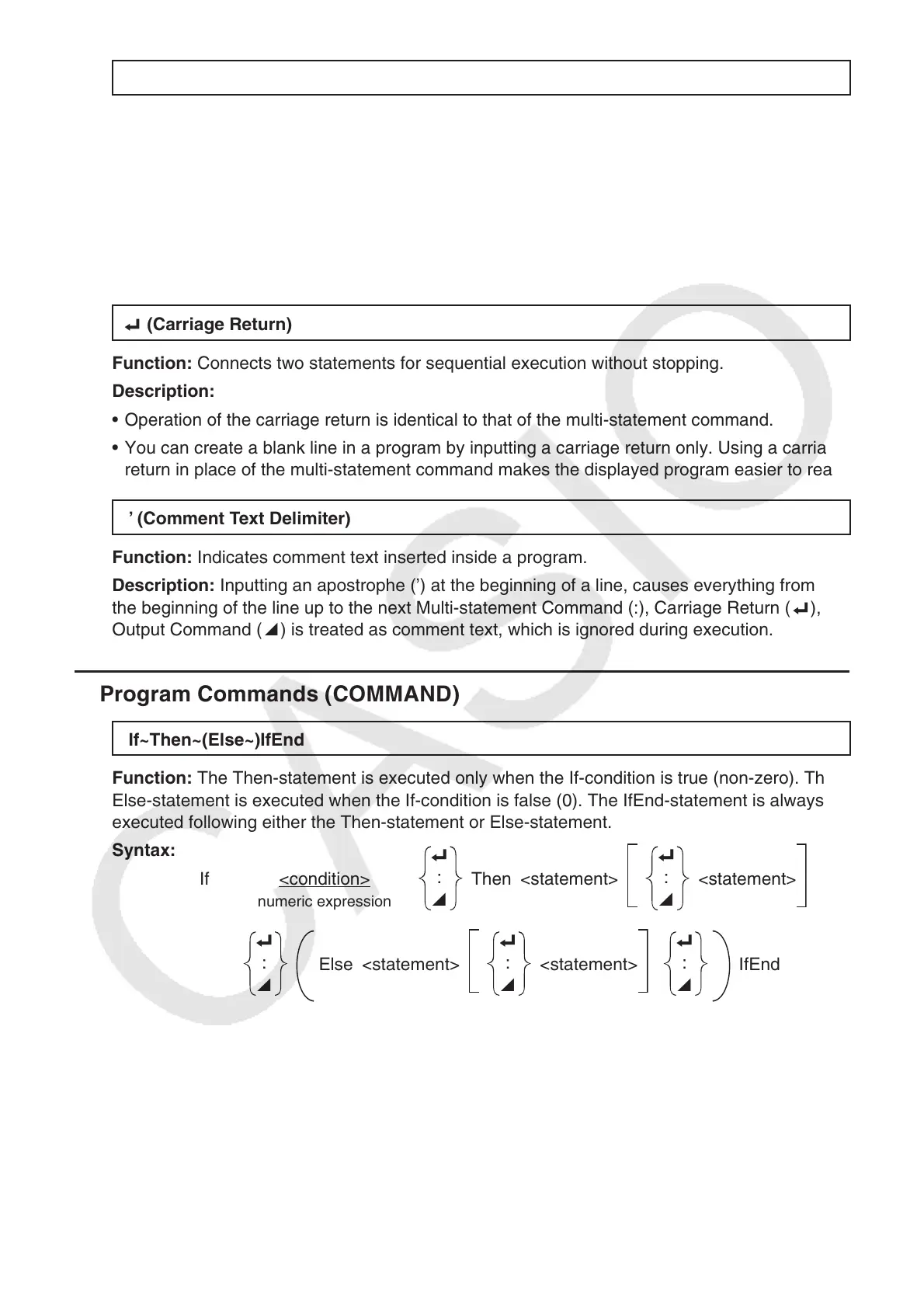
If~Then~(Else~)IfEnd
Function: The Then-statement is executed only when the If-condition is true (non-zero). The
Else-statement is executed when the If-condition is false (0). The IfEnd-statement is always
executed following either the Then-statement or Else-statement.
Syntax:
If <condition>
_
:
^
Then <statement>
_
:
^
<statement>
numeric expression
_
:
^
Else <statement>
_
:
^
<statement>
_
:
^
IfEnd



 To Next Page
 Loading...









