8-16
Prog
Function: This command specifies execution of another program as a subroutine. In the
Run-Matrix mode, this command executes a new program.
Syntax: Prog "file name"
Example: Prog "ABC"
Description:
• Even when this command is located inside of a loop, its execution immediately breaks the
loop and launches the subroutine.
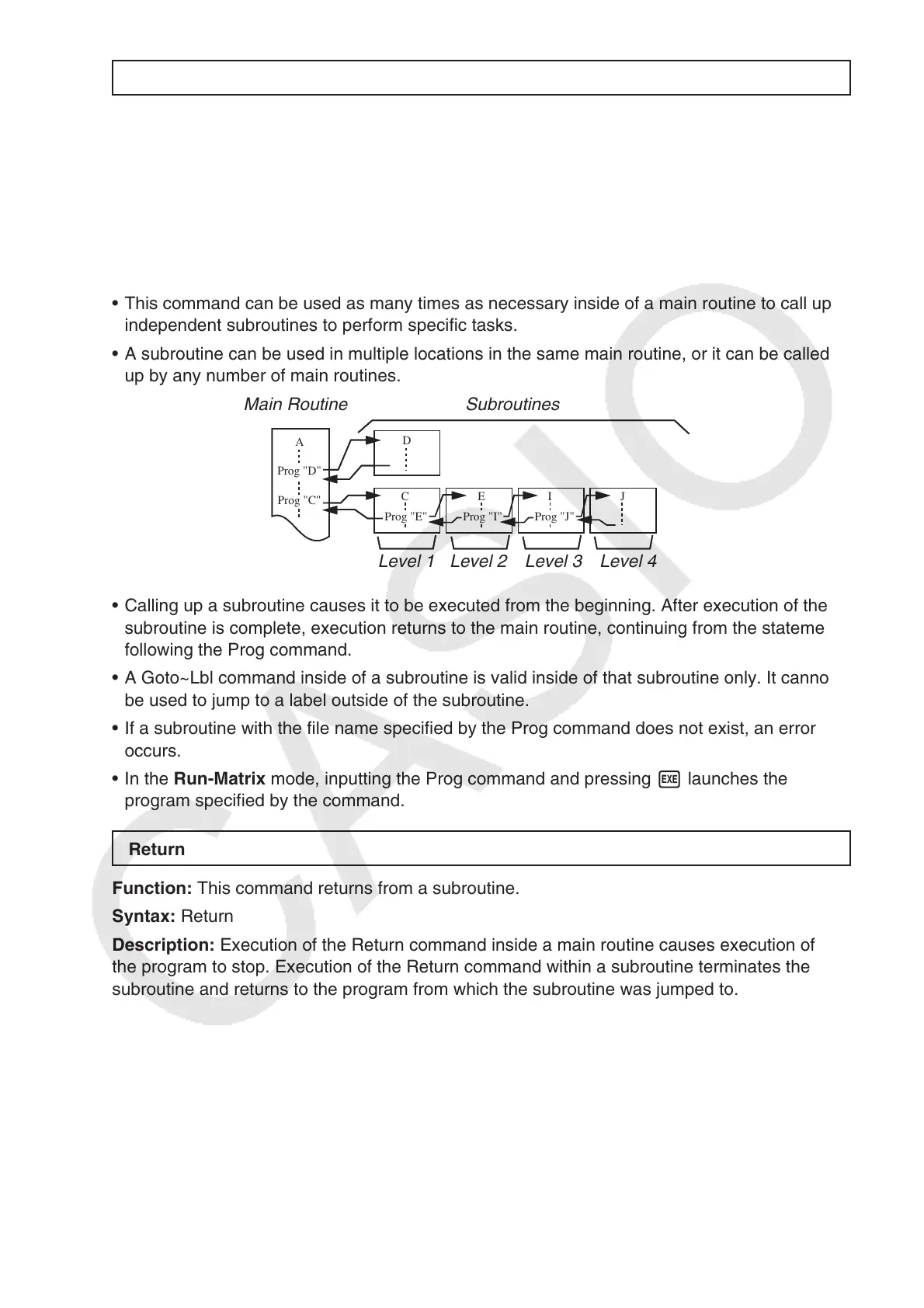
• This command can be used as many times as necessary inside of a main routine to call up
independent subroutines to perform specific tasks.
• A subroutine can be used in multiple locations in the same main routine, or it can be called
up by any number of main routines.
Main Routine Subroutines
Level 1 Level 2 Level 3 Level 4
• Calling up a subroutine causes it to be executed from the beginning. After execution of the
subroutine is complete, execution returns to the main routine, continuing from the statement
following the Prog command.
• A Goto~Lbl command inside of a subroutine is valid inside of that subroutine only. It cannot
be used to jump to a label outside of the subroutine.
• If a subroutine with the file name specified by the Prog command does not exist, an error
occurs.
• In the Run-Matrix mode, inputting the Prog command and pressing w launches the
program specified by the command.
Return
Function: This command returns from a subroutine.
Syntax: Return
Description: Execution of the Return command inside a main routine causes execution of
the program to stop. Execution of the Return command within a subroutine terminates the
subroutine and returns to the program from which the subroutine was jumped to.
D
CEIJ
Prog "E" Prog "I" Prog "J"
A
Prog "D"
Prog "C"
D
CEIJ
Prog "E" Prog "I" Prog "J"
A
Prog "D"
Prog "C"



 To Next Page
 Loading...









