14-4
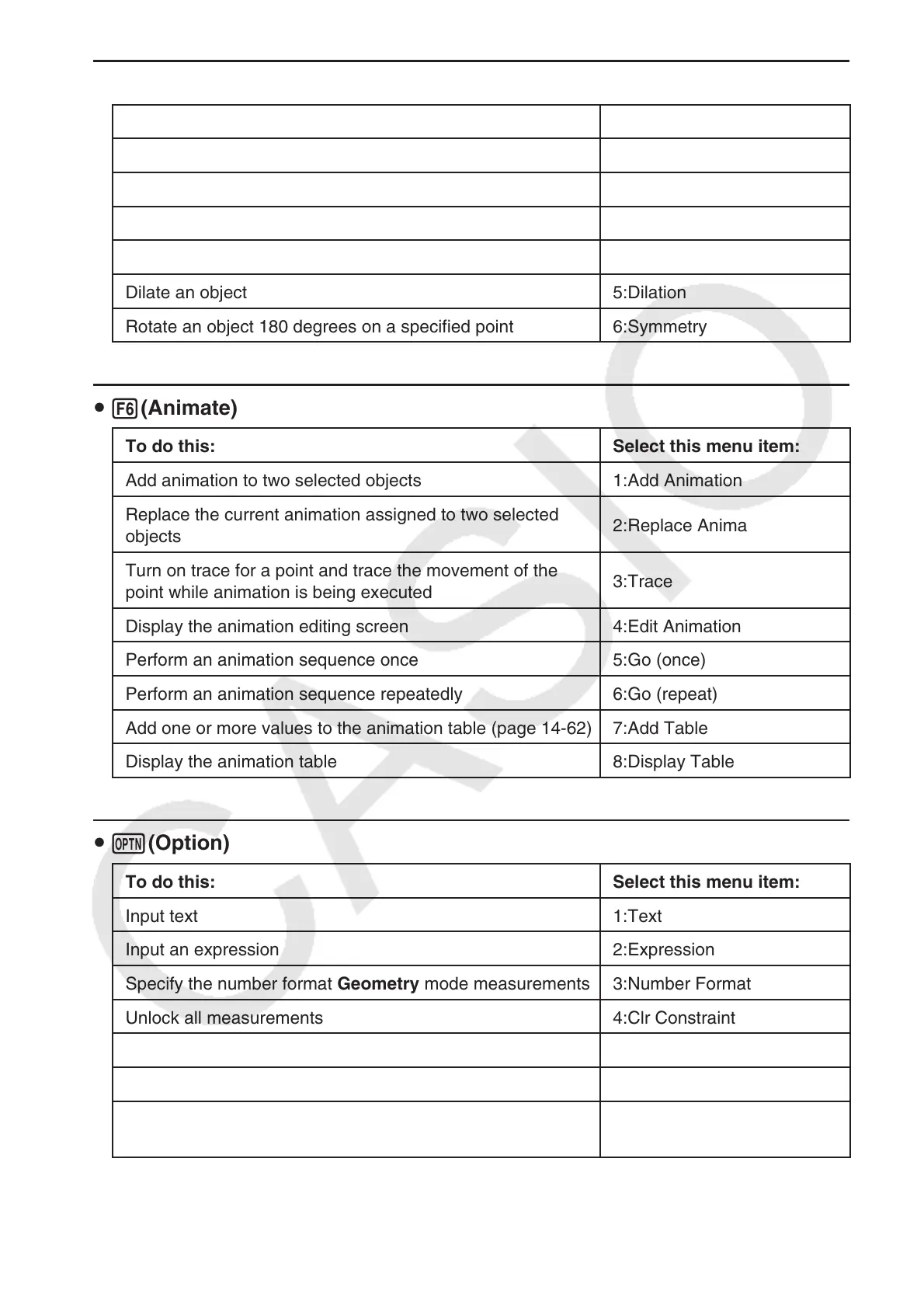
u 5(Transform)
To do this: Select this menu item:
Reflect an object 1:Reflection
Translate an object by specified values 2:Translation
Translate an object using an existing vector 3:Trans(Sel Vec)
Rotate an object 4:Rotation
Dilate an object 5:Dilation
Rotate an object 180 degrees on a specified point 6:Symmetry
u 6(Animate)
To do this: Select this menu item:
Add animation to two selected objects 1:Add Animation
Replace the current animation assigned to two selected
objects
2:Replace Anima
Turn on trace for a point and trace the movement of the
point while animation is being executed
3:Trace
Display the animation editing screen 4:Edit Animation
Perform an animation sequence once 5:Go (once)
Perform an animation sequence repeatedly 6:Go (repeat)
Add one or more values to the animation table (page 14-62) 7:Add Table
Display the animation table 8:Display Table
u K(Option)
To do this: Select this menu item:
Input text 1:Text
Input an expression 2:Expression
Specify the number format Geometry mode measurements 3:Number Format
Unlock all measurements 4:Clr Constraint
Display all objects 5:Show All
Hide the currently selected object 6:Hide
Perform an arithmetic operation or another type of operation
using the surface area of one or more figure.
7:Area Calc


 To Next Page
 Loading...










