2-2
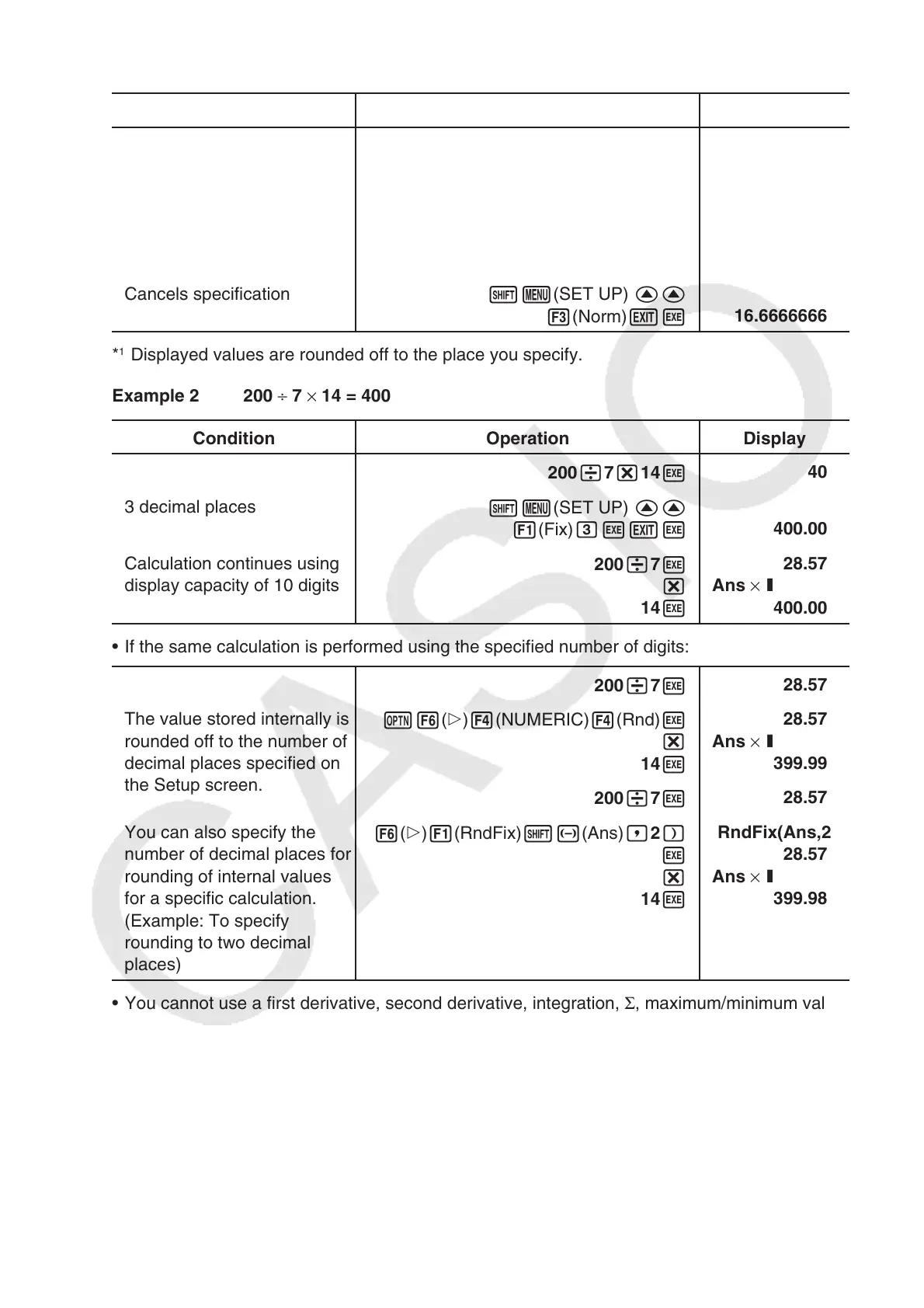
Example 1 100 ÷ 6 = 16.66666666...
Condition Operation Display
100 /6 w
16.66666667
4 decimal places
!m(SET UP) ff
1(Fix) ewJw
16.6667
5 significant digits
!m(SET UP) ff
2(Sci) fwJw
1.6667
E
+01
Cancels specification
!m(SET UP) ff
3(Norm) Jw
16.66666667
*
1
Displayed values are rounded off to the place you specify.
Example 2 200 ÷ 7 × 14 = 400
Condition Operation Display
200 /7 *14 w
400
3 decimal places
!m(SET UP) ff
1(Fix) dwJw
400.000
Calculation continues using
display capacity of 10 digits
200 /7 w
*
14 w
28.571
Ans ×
I
400.000
• If the same calculation is performed using the specified number of digits:
200 /7 w
28.571
The value stored internally is
rounded off to the number of
decimal places specified on
the Setup screen.
K6( g) 4(NUMERIC) 4(Rnd) w
*
14 w
28.571
Ans ×
I
399.994
200 /7 w
28.571
You can also specify the
number of decimal places for
rounding of internal values
for a specific calculation.
(Example: To specify
rounding to two decimal
places)
6( g) 1(RndFix) !-(Ans) ,2 )
w
*
14 w
RndFix(Ans,2)
28.570
Ans ×
I
399.980
• You cannot use a first derivative, second derivative, integration, Σ , maximum/minimum value,
Solve, RndFix or log
a
b calculation expression inside of a RndFix calculation term.
*
1
*
1
*
1
*
1



 To Next Page
 Loading...









