CONSOLE AI | Managing Channels (CP2) | 189
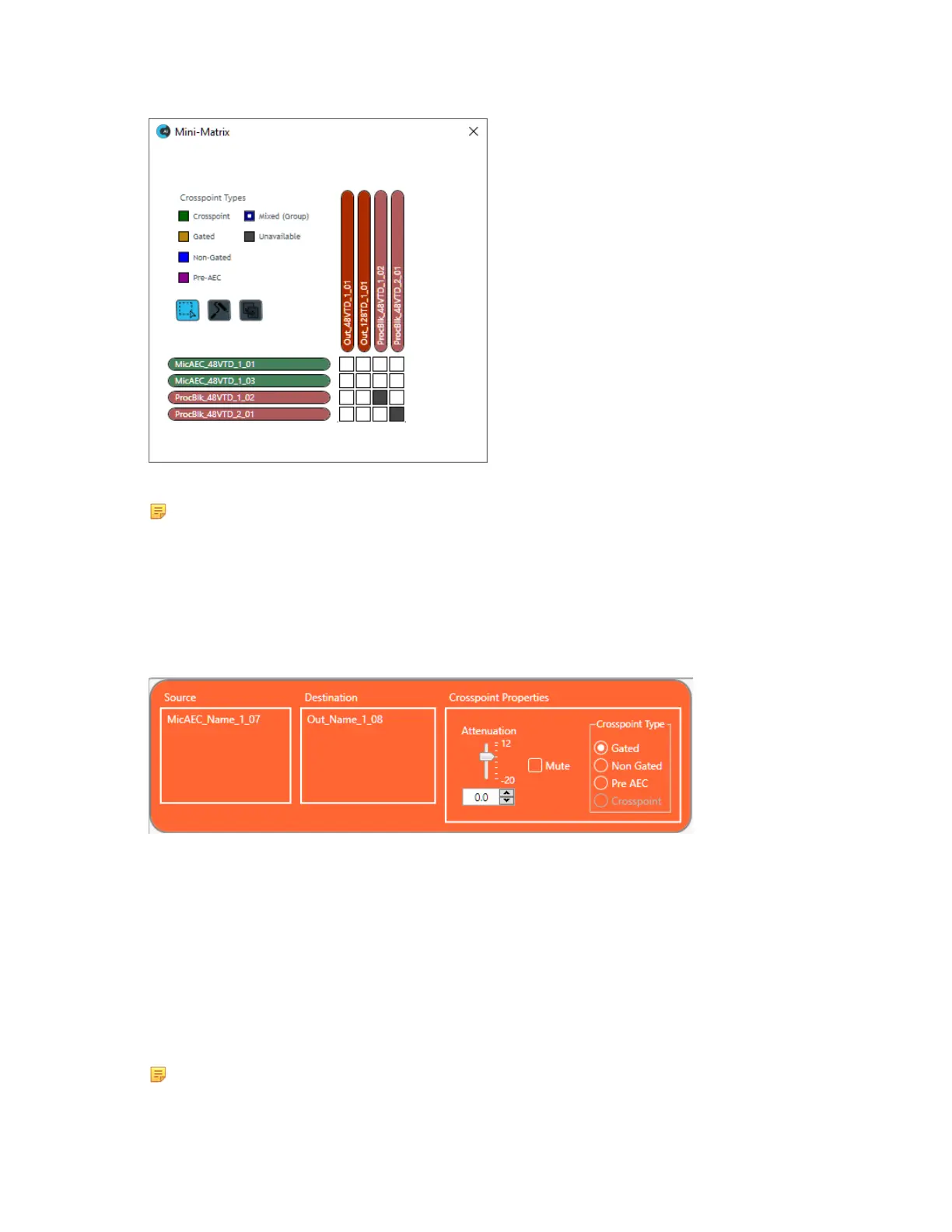
A Mini-Matrix consisting of only the selected channels appears:
15.Add, remove, or modify crosspoints.
Note:
For more information about using a matrix view to make crosspoint connections between assets,
see Connecting Channels Using MatrixView
™
(CP2).
Change Crosspoint Properties
16.To change the properties of a route (also referred to as a crosspoint), double-click the route line to show
the crosspoint properties:
The Crosspoint Properties appear at the bottom of the FlowView screen:
The Source and Destination of the route appear on the left side of the Crosspoint Properties settings.
17.You can change the Attenuation in any of the following ways:
• Drag the slider
• Type a value in the text box
• Click the incrementer and decrementer arrows beside the text box to set the value
18.To mute this crosspoint, click the Mute check box.
The crosspoint will appear with a red 0 inside, to show that it is muted.
19.You can choose a Crosspoint Type from the Crosspoint Type group. The types are described in the
table below.
Note: Which types are available depends on the source and destination channels.
CONSOLE AI User Manual









 To Next Page