CONSOLE AI | Managing Channels (CP2) | 191
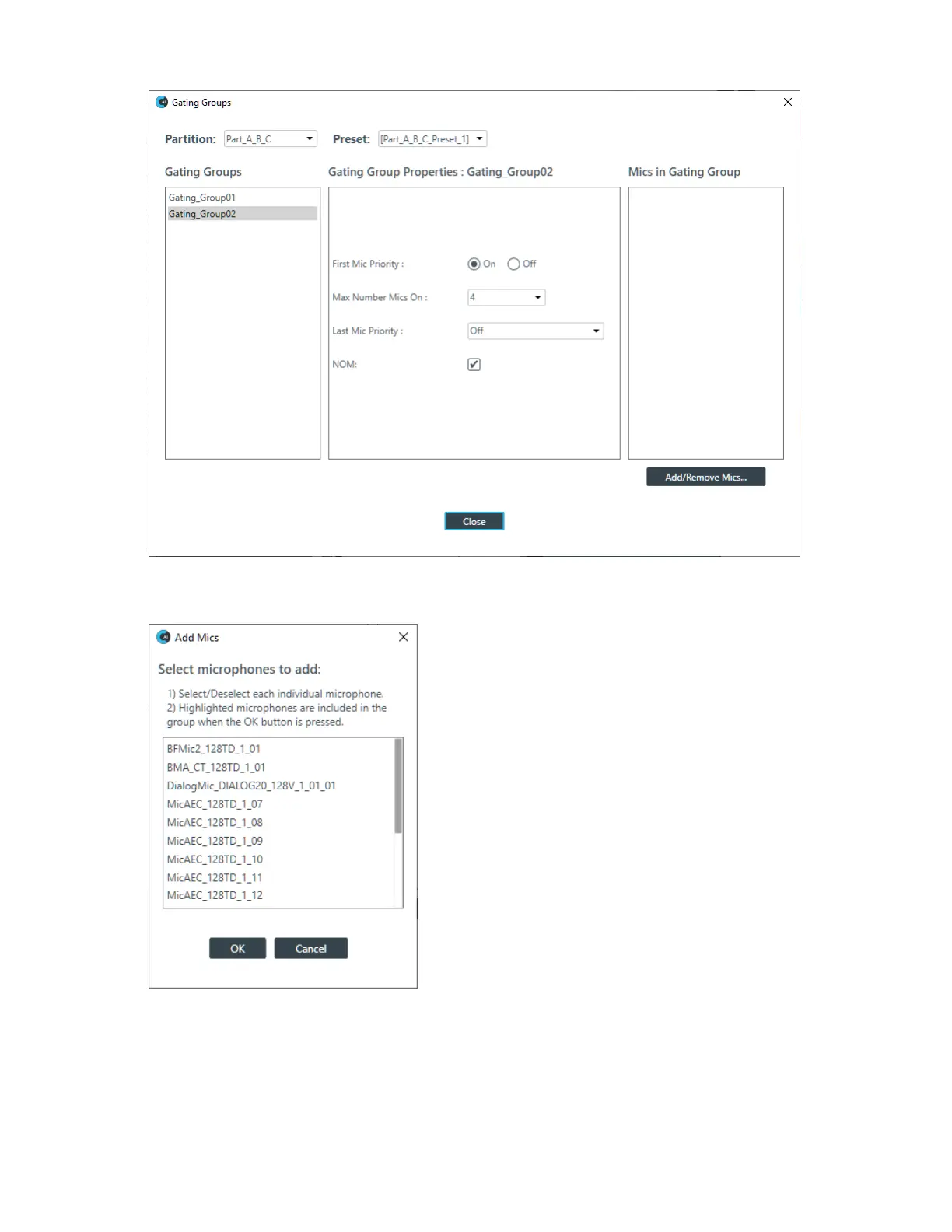
29.Click Add/Remove Mics.
The Add Mics dialog box appears:
30.Select each of the mics you want to add, then click OK.
View/Change Channel Properties
31.To view or change the properties for a channel, double-click its icon.
The Properties block for that item appears at the bottom of the FlowView screen:
CONSOLE AI User Manual









 To Next Page