Configuring Test Plans
4-64 72A-1898 Rev. A 11/01
Monday, November 26, 2001 1:09 pm
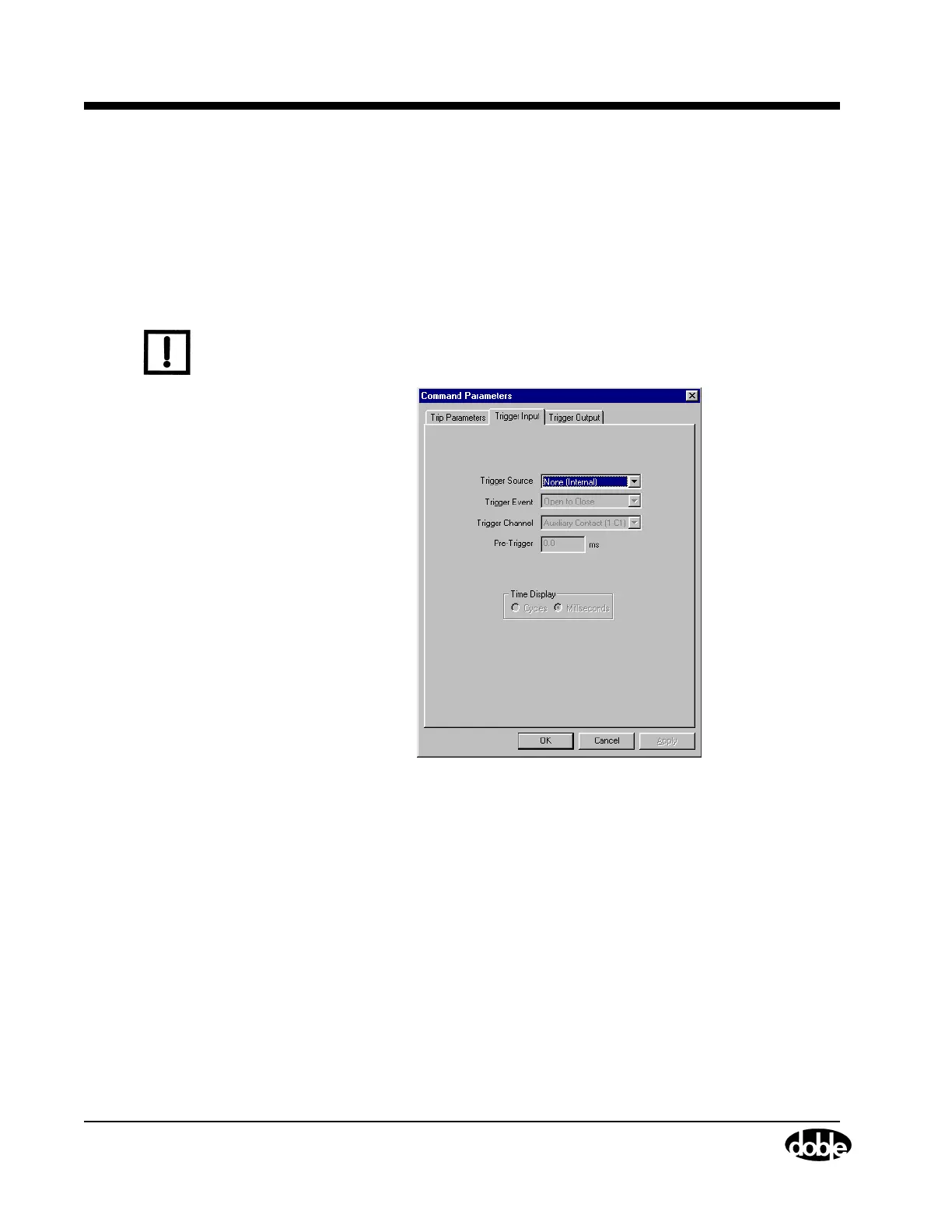
Trigger Input Tab Trigger inputs can be configured for all tests, except Continuity,
Self-Diag., Capacitance and Slow Close, using the Trigger Input tab
(Figure 4.38) for the test being run. The default configuration for this tab
is to have a Trigger Source of None(Internal). It causes the external trigger
inputs to be inactive and causes the TDR9000 firmware to initiate a test
in response to input from the safety switch.
N
OTE
Selecting None(Internal) requires the use of the safety cable. Selecting
either external trigger input type requires the use of the safety bypass
flag.
Figure 4.38 Trigger Input Tab
The following parameters are configured on the Trigger Input tab:
Trigger Source This picklist is used to select either:
• AUX Contact trigger
This is when the trigger comes through one
of the Auxiliary contacts of the Event module.
This selection does not automatically activate
the auxiliary contact channel for recording. The
channel must be activated via the Test Plan tab
also.
or



 To Next Page