TDR9000
™
Circuit Breaker Test System User’s Guide
72A-1898 Rev. A 11/01 4-83
Monday, November 26, 2001 1:09 pm
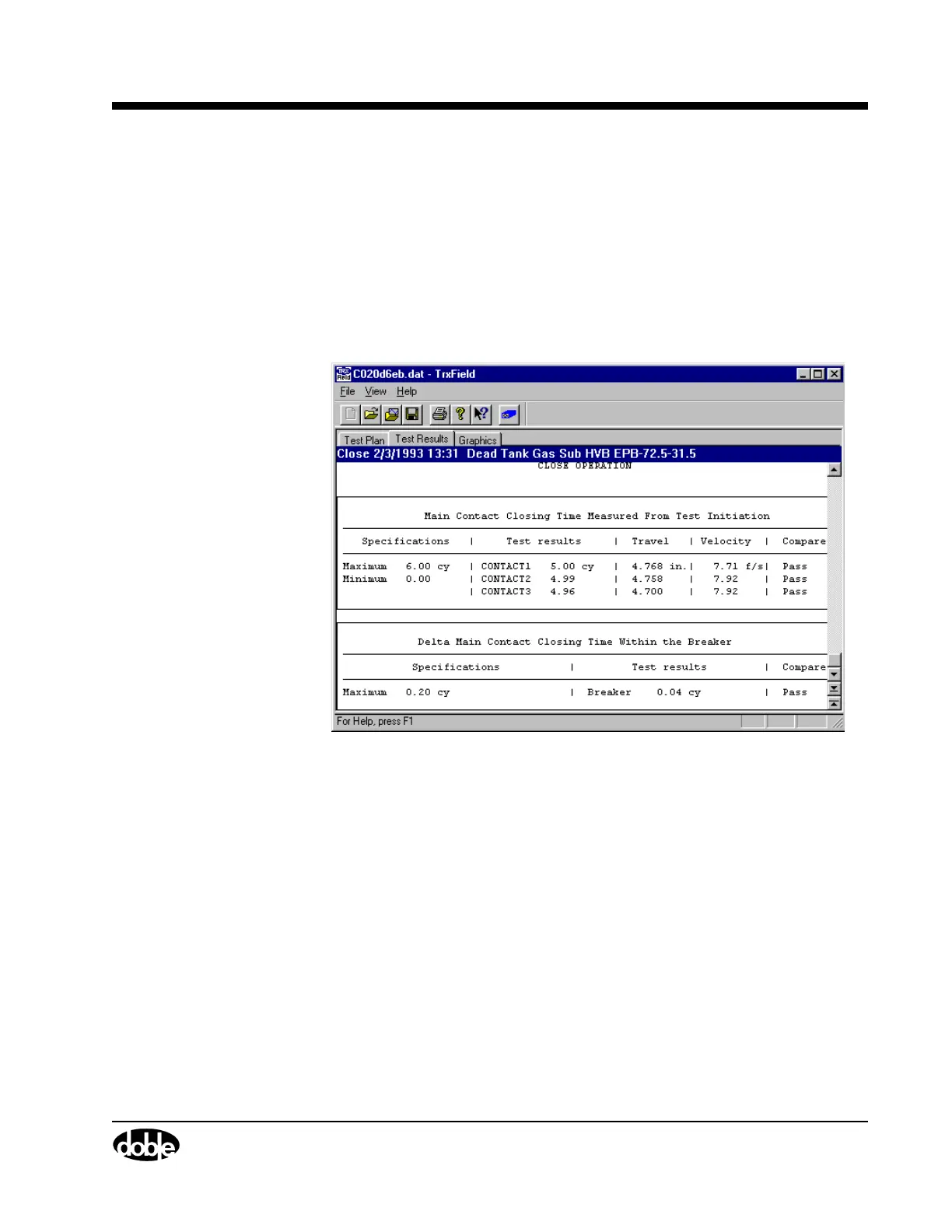
Tabulation Tab The Tabulation tab (Figure 4.59) is used to check measured values
against the manufacturer’s recommended limits. If the manufacturer’s
limits for the various measured parameters were entered in the Test Plan,
TRXField compares the measured vs. manufacturer’s limit and passes or
fails each parameter. If no limits were entered into the Test Plan, no
comparison can be made, but the measured values still appear.
This tab is useful when a user’s time or skill level does not permit a
detailed examination of a graphical display.
Figure 4.59 Tabulation Tab (Partial View)
Graphics Tab The Graphics tab, using the Overlay function, gives a detailed
comparison between new Test Results and previous Test Results, as well
as between the results of different circuit breakers of identical types and
rating. Other tab features include Zoom and Re-order. The two cursors
are used to determine channel values at precise moments in time, for
example, to determine the time elapsed between two selected points, or
the distance between two selected points. TRXField shows the difference
between the primary (green) and secondary (red) cursor values by
subtracting green from red, and then showing the difference in yellow.



 To Next Page