Test Plan Items
A-56 72A-1898 Rev. A 11/01
Monday, November 26, 2001 1:09 pm
Motion Channel
Parameters
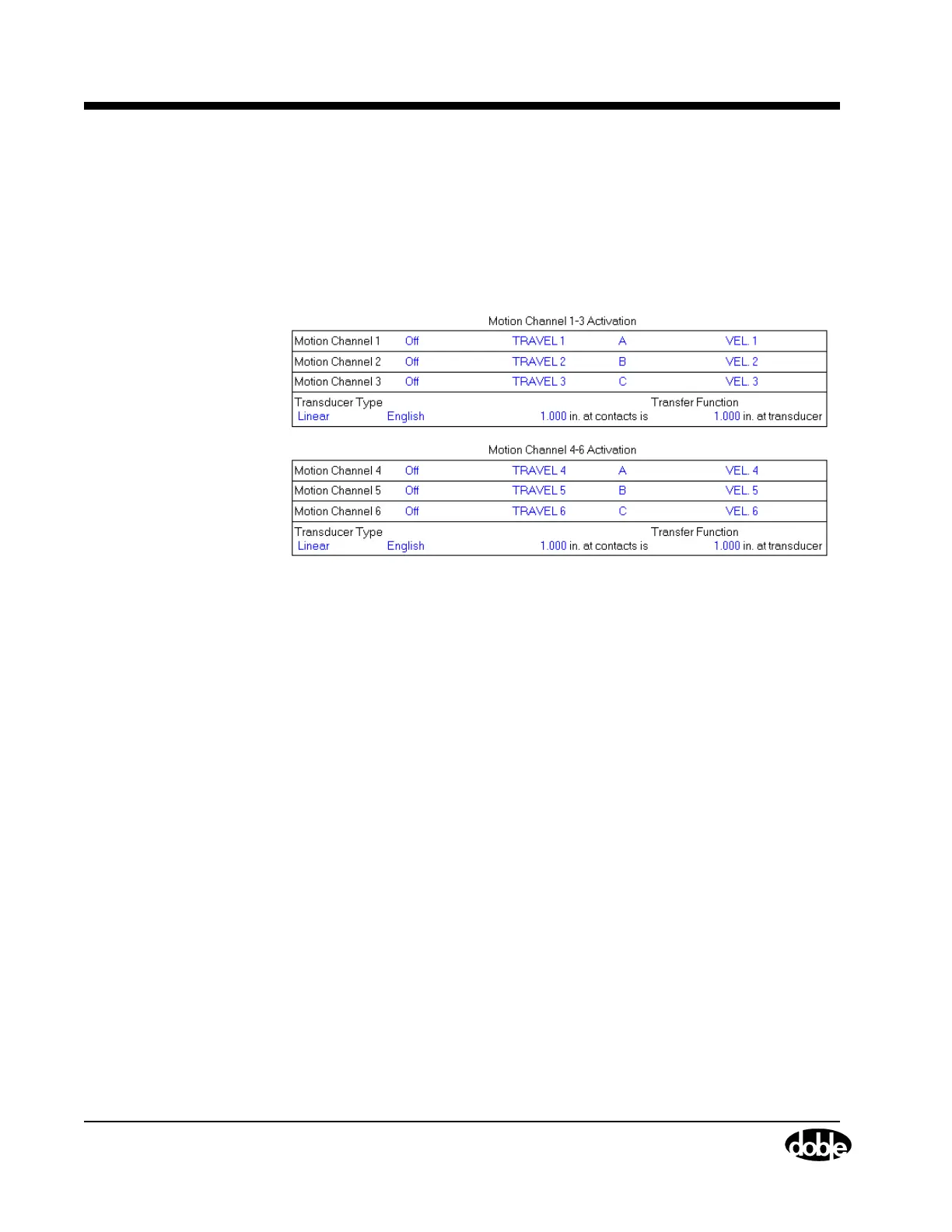
Figure A.66 shows the Motion Channel Activation parameters available
for each channel.
Motion Channel
Activation
Enable only the motion channels which have Linear/Rotary Transducers
connected. The channel label on this screen can be edited and phase A
to B or C can be selected.
Figure A.66 Motion Channel Parameters
Transducer Type Either Linear or Rotary motion can be
selected. Measurement units can be English, Metric
or Degrees (only available for Rotary motion).
There is a limit switch in the transducer that alerts the Instrument if the
rotary adapter is mounted on the transducer. If a rotary adapter is
mounted, but not selected in the Test Plan or Virtual Front Panel, the
TDR9000 does not execute the test and an error message appears.



 To Next Page