TDR9000
™
Circuit Breaker Test System User’s Guide
72A-1898 Rev. A 11/01 E-3
Monday, November 26, 2001 1:09 pm
7. Insert the paper under the paper roller until the roller pulls it into the
starting position, then let go.
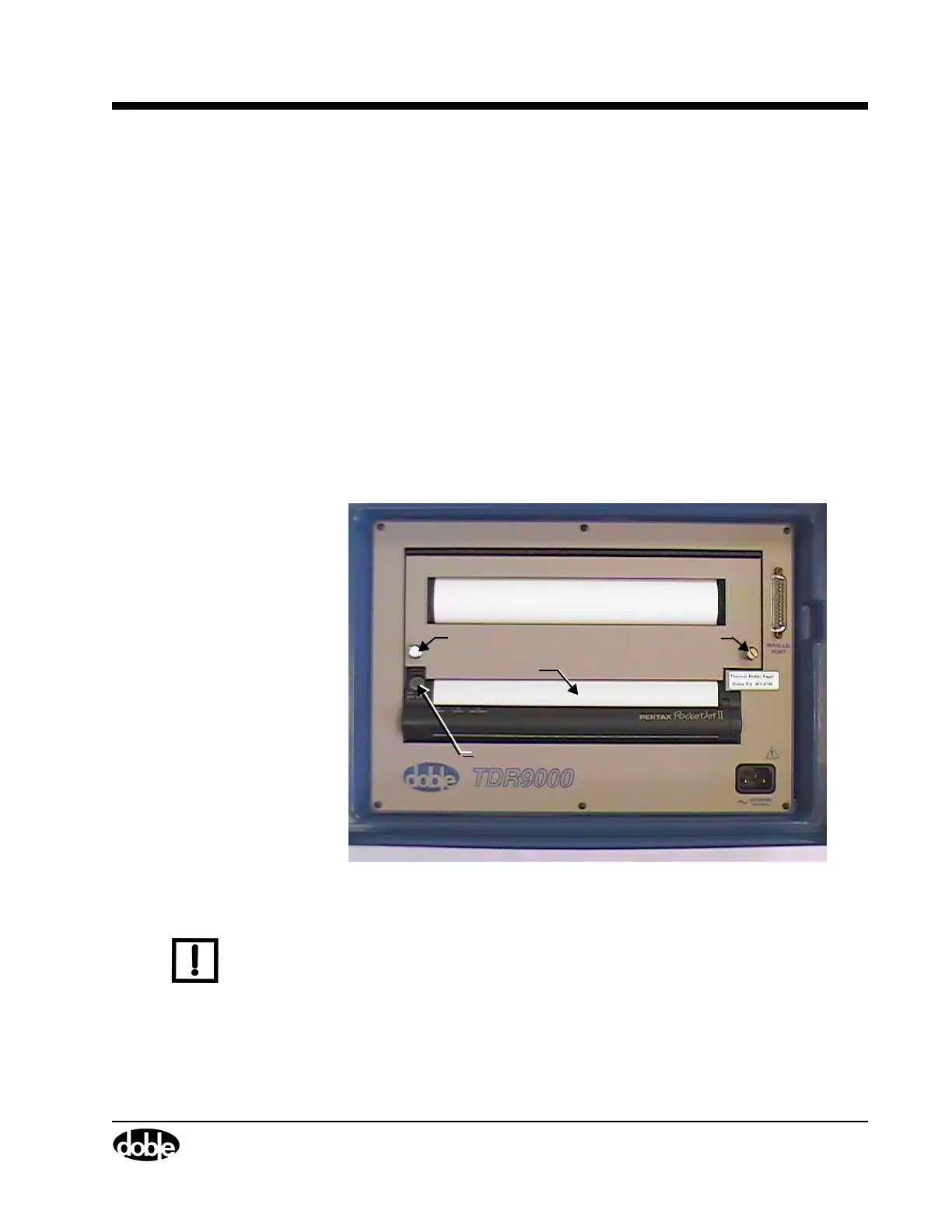
8. Press the printer control button until, as shown in Figure E.1, until the
paper feeds through fully aligned (6" -12").
9. Close the printer cover and tighten the two captive screws.
If the paper is skewed after the printer pulls it into the starting position,
the situation can be corrected as follows:
• If the printer does not print immediately, open the release cover
as far back as it goes. Pull the paper out, reinsert it and close the
cover.
• If the printer does start to print, wait for the page to be printed and
then reprint that page if necessary.
The paper can be pulled out of the printer in either direction.
Figure E.1 Printer Paper Installation
N
OTE
For complete instructions on the operation of the Pentax printer, refer
to its user’s manual, which is included with the TDR9000.
Captive Screw
Printer Control Button
Paper Input Slot
Captive Screw



 To Next Page