TRX
™
/TRXField
™
and the Circuit Breaker Test Plan
A-32 72A-1898 Rev. A 11/01
Monday, November 26, 2001 1:09 pm
Right-Click
Menu
The right-click menu contains functionality dictated by whether a Test
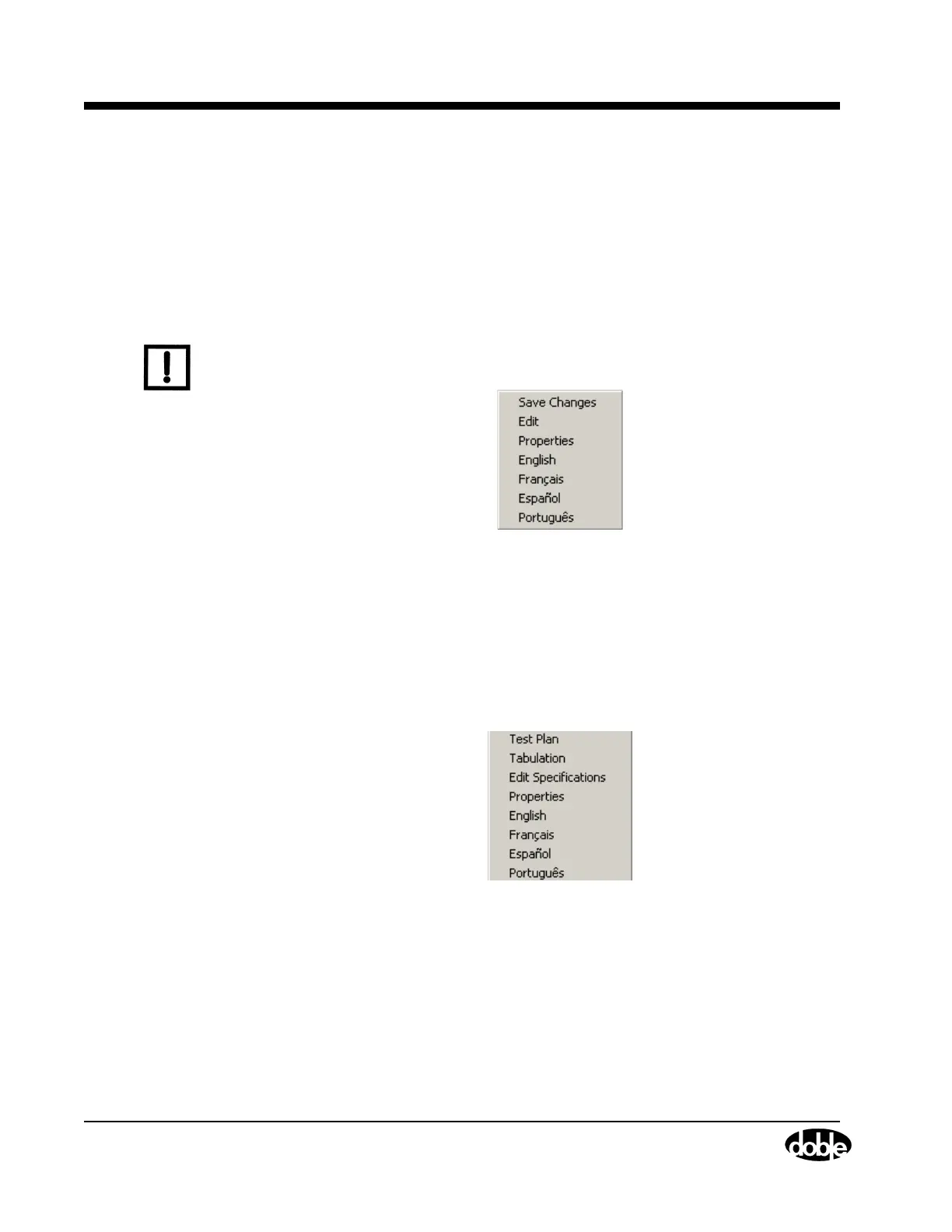
Plan or a Test Result is in use. For a Library Test Plan (Figure A.33), use
the Right-Click Menu to:
• Open the Test Plan parameters for editing
• Open the Properties window
• Select the language in which the Test Plan appears
N
OTE
Portuguese is under development. Save Changes is available once the
Test Plan is modified.
Figure A.33 Right-Click Menu: Test Plan
For a Test Result (Figure A.34), use the Right-Click Menu to:
• Move between Test Result tabs
• Open the Test Plan parameters for editing
• Open the Properties window
• Select the language in which the Test Plan appears
Figure A.34 Right-Click Menu: Test Result



 To Next Page