2-4 72A-1898 Rev. A 11/01
Monday, November 26, 2001 1:09 pm
TRX
™
and TRXField
™
Software
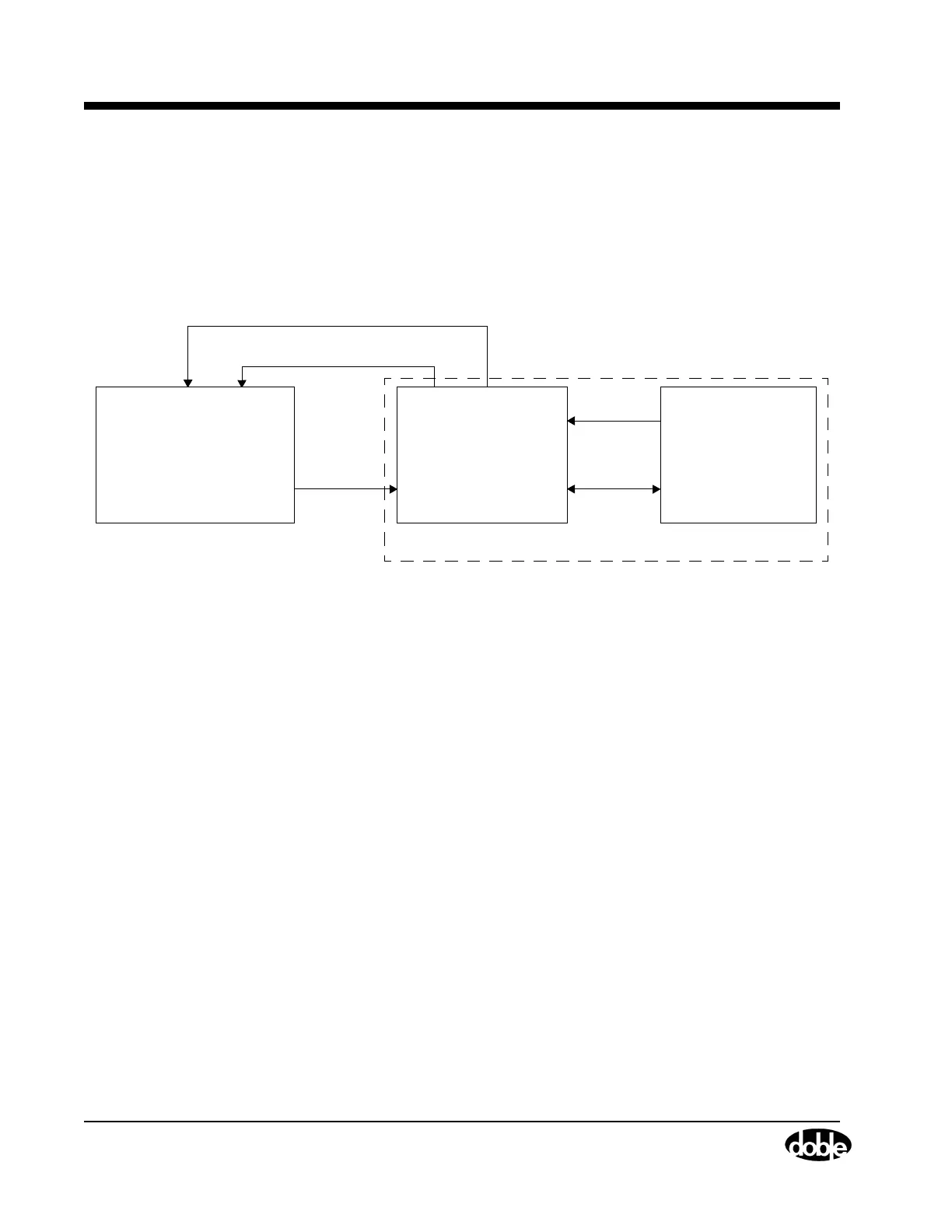
Figure 2.3 shows the working relationship between the TRX software
(with database components) and the TRXField software (control and data
collection), which is used to run tests. TRXField is included with the
TDR9000, and is also provided with the TRX installation.
Figure 2.3 TDR9000
™
System Information Flow Diagram
The features of both software programs are discussed below:
TRX TRX is installed on an office computer or network
server that is responsible for data storage and
performing historical data analysis of circuit
breakers.
TRX offers the following features:
• The ability to design a library of circuit breaker
Test Plans from which an editable, circuit
breaker specific Test Plan can be created.
• The storage of test data.
• The evaluation of circuit breaker test data
from single and multiple tests and overlay
comparisons of Test Results from the same or
similar breakers.
The complete functionality of TRX software is explained in the
TRX User’s Guide. Refer to ”TDR9000™ TRXField™ Software and Test
Plan Dynamics” on page A-28 for a discussion of the TRXField software
used to run the TDR9000.
Export from
Library of
Te s t P l a ns
Test Results
Run Tests
Import Results to Database
TRXField
TRX
• Library Test Plans
• Circuit Breaker Test Plans
• Test Result Storage
• Data Management
TRXField on laptop:
• Test Plan Edit/Create
• Run Test
• Tabular Results
• Graphical Viewer
TDR9000
• Control Processor
Import a Field Designed Test Plan for later use
• Firmware
Front Panel
TDR9000 Virtual



 To Next Page